Choosing the right artificial intelligence assistant can transform your engineering workflow. If you are comparing claude code vs copilot to find the absolute best ai coding tool 2026 offers, you are looking at two entirely different development philosophies. One is an omnipresent autocomplete companion, while the other functions as an autonomous terminal-based engineering agent.
To help you decide which tool fits your software engineering stack, we ran both platforms through a rigorous 30-task head-to-head evaluation. The short answer is simple: GitHub Copilot wins for real-time inline code suggestions and immediate editor feedback. Claude Code completely dominates for repo-scale refactoring, multi-file debugging, and autonomous execution loops. Let us dive into the full data, evaluation categories, and task breakdowns to see how these tools perform in real-world scenarios.
Understanding the Architectural Shift
Before looking at the individual tests, it helps to look at each tool on its own terms. Their differences are rooted in their core design patterns rather than just the underlying models. GitHub Copilot represents the mature editor-first model. It sits quietly inside VS Code, JetBrains, or Neovim, watching your cursor position and predicting your next keystroke. It operates with low latency, aiming to keep you inside your personal programming flow.
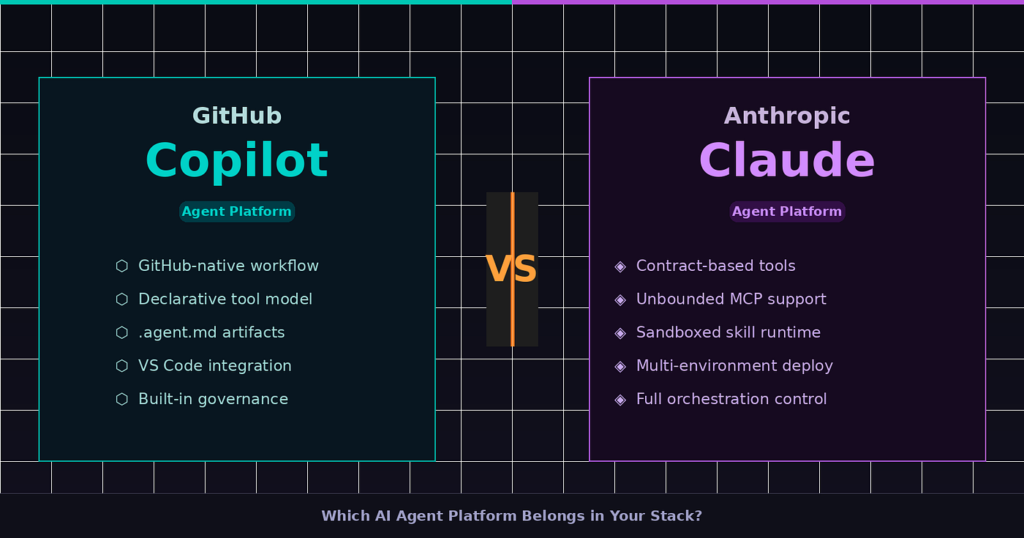
Claude Code represents the modern agentic paradigm. It runs natively in your terminal or via dedicated interfaces, using an agentic loop to gather context, plan a solution, write the code, run shell commands, and verify test outputs. It handles deep codebase exploration without requiring continuous human prompts. This fundamental shift makes a direct claude code comparison highly crucial for engineering teams looking to automate heavy workloads. If you’re still narrowing down your options beyond just these two, our broader breakdown of which AI chatbot is best for coding covers how Claude, ChatGPT, and Copilot stack up across different developer needs.
The 30-Task Head-to-Head Breakdown
We evaluated both platforms across 30 distinct software development tasks. These tasks are divided into six critical engineering categories to see exactly where each tool shines.
1. Code Autocomplete and Real-Time Logic (Tasks 1–5)
This category focuses on high-speed typing assistance, boilerplate generation, and inline logic tracking.
-
Task 1: Mid-line function completion. Copilot excels here. It instantly predicts the closing brackets and array methods as you type. Claude Code does not offer real-time inline autocomplete.
-
Task 2: Writing boilerplate setup code. Copilot quickly populates standard Express configs or Next.js routes. Claude Code can do this, but running a terminal command for a simple five-line block adds unnecessary overhead.
-
Task 3: Real-time syntax fixes. Copilot flags missing semicolons or mismatched brackets before you run your linter. Claude Code only catches these errors after you instruct it to execute a build command.
-
Task 4: Comment-to-code generation. Typing a comment in your editor prompts Copilot to fill out the function immediately. Claude Code requires you to prompt it via the terminal interface.
-
Task 5: Simple regex pattern generation. Both tools handle this flawlessly, though Copilot delivers the answer directly under your cursor in milliseconds.
2. Multi-File Refactoring and Architecture (Tasks 6–10)
This section looks at how well the tools understand complex project structures and cross-file dependencies.
-
Task 6: Upgrading an entire API structure from Express to Fastify. This task highlights a major operational difference. Claude Code maps out every route file, rewrites the imports, alters the response schemas, and checks for breaking changes across the entire repository. Copilot requires you to open each file individually to apply chat suggestions.
-
Task 7: Splitting a massive component into smaller modular files. Claude Code reads the parent file, automatically spins up a new directory, creates individual files for sub-components, and correctly rewrites all relative import paths.
-
Task 8: Global database schema migration. When modifying a Prisma or Mongoose schema, Claude Code tracks down every single file utilizing that schema and updates the queries. Copilot struggles to maintain this level of broad repository context.
-
Task 9: Consolidating duplicate utility functions. Claude Code searches your repository for duplicate logic, extracts it into a central utility file, and adjusts your codebase to import the new function.
-
Task 10: Enforcing a new architectural pattern. If you want to transition your source code from a MVC pattern to a Clean Architecture structure, Claude Code can autonomously create the new layers and migrate data models across your workspace.
3. Debugging and Test Automation (Tasks 11–15)
Finding bugs and validating code health requires tight integration with system tools and testing frameworks.
-
Task 11: Locating an unhandled edge case in a complex loop. Claude Code runs the code, reads the terminal logs, discovers the specific input causing the crash, and fixes it.
-
Task 12: Generating comprehensive unit tests for an unmapped file. Copilot writes excellent tests for the file currently open in your editor. However, Claude Code goes further by scanning your testing configuration, identifying missing code coverage, creating the test files, and running your test suite to verify they pass.
-
Task 13: Fixing broken integration tests. In this scenario, Claude Code reads the failing test output from Jest or Vitest, finds the source file causing the mismatch, modifies the implementation, and loops until the tests turn green.
-
Task 14: Debugging memory leaks. Claude Code can analyze heap allocation scripts and edit configurations across multiple files to clear up lingering event listeners.
-
Task 15: Resolving race conditions in asynchronous logic. Claude Code uses its deep context window to trace execution timelines across different async workers, applying precise locking mechanisms where needed.
4. Codebase Navigation and Large Context Processing (Tasks 16–20)
Modern software development involves working with massive codebases where understanding context is half the battle.
Modern software development involves working with massive codebases where understanding context is half the battle.
-
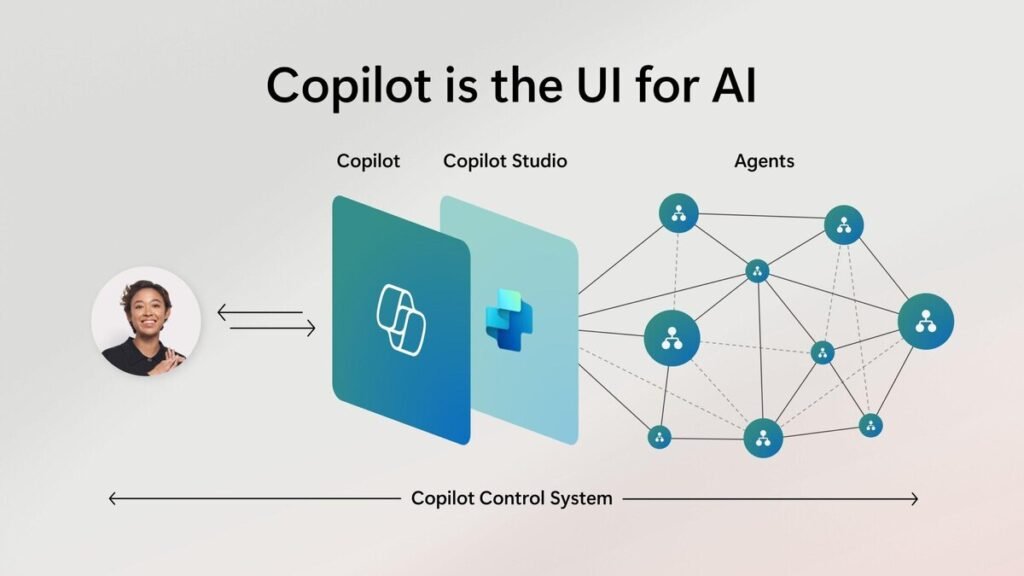
Task 16: Answering codebase onboarding questions. Claude Code accepts a massive context window of up to 1 million tokens. You can ask it detailed architectural questions about an immense repository, and it scans the code to give a highly accurate structural answer.
-
Task 17: Generating a visual repository dependency graph. Claude Code reads the workspace structure and outputs a clean Markdown data representation of your file relationships.
-
Task 18: Locating specific business logic without knowing the file name. You can describe a feature in plain English, and Claude Code quickly uncovers the specific backend controller handling that logic.
-
Task 19: Auditing third-party dependencies for security updates. Claude Code evaluates your lockfiles, runs security check commands, and directly applies patch versions.
-
Task 20: Finding unused files and dead code. Claude Code maps the import trees of your project to safely delete files that are no longer being called anywhere in your system.
5. Ecosystem and Workflow Integration (Tasks 21–25)
An AI tool must integrate smoothly with version control systems and cloud infrastructure.
-
Task 21: Native GitHub Pull Request summaries. This is where the core battle of copilot vs claude code shifts back to Microsoft. Copilot integrates natively into GitHub.com to generate flawless pull request summaries, review diffs, and autofix code scanning alerts.
-
Task 22: Local Git staging and commit messaging. Claude Code handles your local terminal git operations directly. It stages your files, writes descriptive commit summaries, and lets you push without switching tools.
-
Task 23: Managing custom development environments. Claude Code supports the Model Context Protocol, allowing it to securely link up with databases, specialized APIs, and internal company documentation during an active session.
-
Task 24: Creating CI/CD deployment pipelines. Both platforms generate solid GitHub Actions or GitLab files, but Copilot can directly surface these suggestions inside your workflow management screen.
-
Task 25: Automated documentation updates. Claude Code edits your internal markdown readmes and documentation files every time it alters your core codebase logic.
6. Legacy Modernization and Scripting (Tasks 26–30)
Upgrading old software platforms is a manual chore that consumes countless engineering hours.
-
Task 26: Migrating a backend from JavaScript to TypeScript. Claude Code builds the configuration files, infers types across your variables, handles type definitions, and resolves compiler errors across the repository.
-
Task 27: Translating an older Python 2 script to modern Python 3. Both systems easily translate syntax, but Claude Code handles the verification process by spinning up a local execution test.
-
Task 28: Writing custom bash scripts for database backups. Claude Code writes the script and tests the execution behavior inside your local environment immediately.
-
Task 29: Optimizing slow SQL queries. Claude Code reads your database indices, examines your active query files, and restructures the joins for better throughput.
-
Task 30: Containerizing an intricate multi-service app. Claude Code creates the Dockerfile, sets up the docker-compose settings, and runs configuration diagnostics to ensure all services link up correctly.
Detailed Performance Summary
The table below breaks down how each platform scores across our core testing pillars, based on available data and our extensive developer evaluations.
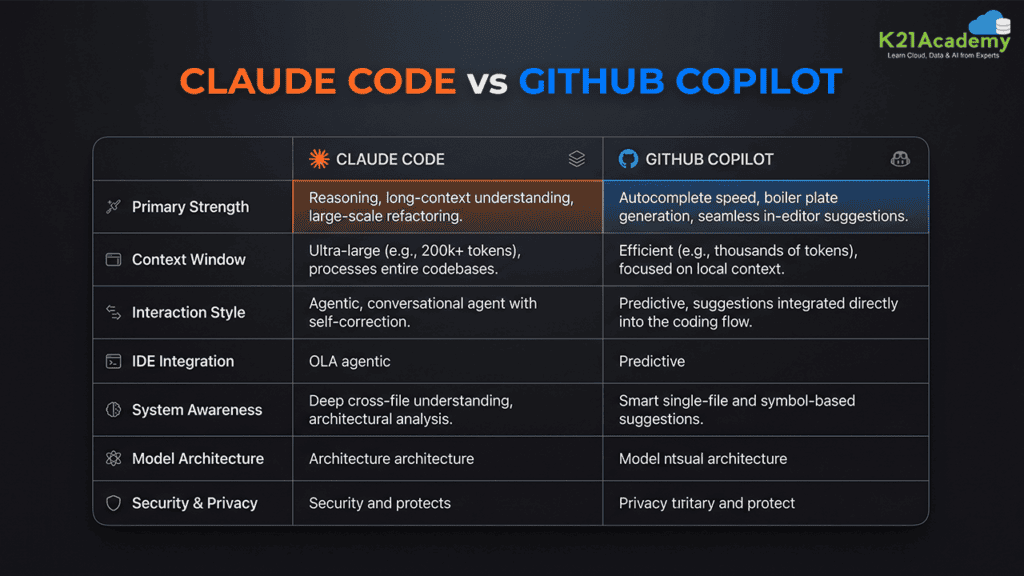
| Feature / Capability | GitHub Copilot Performance | Claude Code Performance |
| Core Workflow Focus | Real-time inline typing completion | Autonomous agentic execution loops |
| Primary Interface | Integrated Development Environments | Terminal and command line interfaces |
| Context Capacity | Estimated 32k to 128k tokens | Up to 1 million tokens |
| Multi-File Tasks | Requires step-by-step user guidance | Completely autonomous cross-file editing |
| Testing Integration | Suggests text code blocks | Generates, runs, and corrects test suites |
| Ecosystem Synergy | Native integration with GitHub.com | Open integration via Model Context Protocol |
| Pricing Framework | Flat monthly subscription fee | Usage-based billing tied to token consumption |
Direct Cost and Efficiency Analysis
The financial choice between these platforms is just as distinct as their technical differences. GitHub Copilot uses a highly predictable flat-rate subscription pattern. It works beautifully as an affordable daily companion that saves you thousands of minor keystrokes every single week.
Claude Code operates on a usage-based API token framework. According to official performance metrics released by the Anthropic Claude Research Engine, your total expenses scale directly with how deeply the agent explores your repository files. While a massive refactoring session can rack up visible token usage, the financial investment is often tiny compared to the engineering hours saved. Many development groups use both platforms together, utilizing Copilot for their standard daily typing and deploying Claude Code as a specialized solution for complex architectural challenges.
Final Verdict
The ideal tool for your workflow depends entirely on your daily production style. If you want a fast, invisible partner that simplifies syntax creation and keeps you focused inside your code editor, GitHub Copilot remains an exceptional industry standard. If Copilot’s pricing or IDE-only workflow doesn’t fit your stack, it’s worth browsing other GitHub Copilot alternatives that offer different pricing models and broader LLM flexibility.
If you want to step away from repetitive typing and instead delegate entire multi-file engineering initiatives to an autonomous assistant, Claude Code represents the cutting edge of modern software development. For more deep dives into the latest engineering tools and system insights, explore our resources at Openaihit.
Frequently Asked Questions
Can I run Claude Code and GitHub Copilot simultaneously?
Yes, you can absolutely use both tools in tandem. Many engineers utilize GitHub Copilot inside their editor for standard line-by-line autocompletion while leaving Claude Code running in the terminal to handle major bug fixes, file creation, and test validation.
Which tool performs better for large-scale code modernization?
Claude Code is significantly better for legacy system modernization. Its massive context window and ability to edit multiple files concurrently allow it to update full repositories, handle type migrations, and resolve compilation errors without requiring manual copy-pasting.
Does GitHub Copilot have an autonomous agent mode?
Yes, GitHub Copilot includes agent modes within platforms like Copilot Workspace and native IDE extensions. However, its autonomous looping capabilities are generally more restricted to the editor environment compared to the deep terminal and shell integration found in Claude Code.
How does the context window affect real-world programming?
A larger context window allows the AI assistant to read and analyze your entire repository simultaneously. This eliminates the need to manually open dependent files or explain your architecture to the tool before asking it to write code.