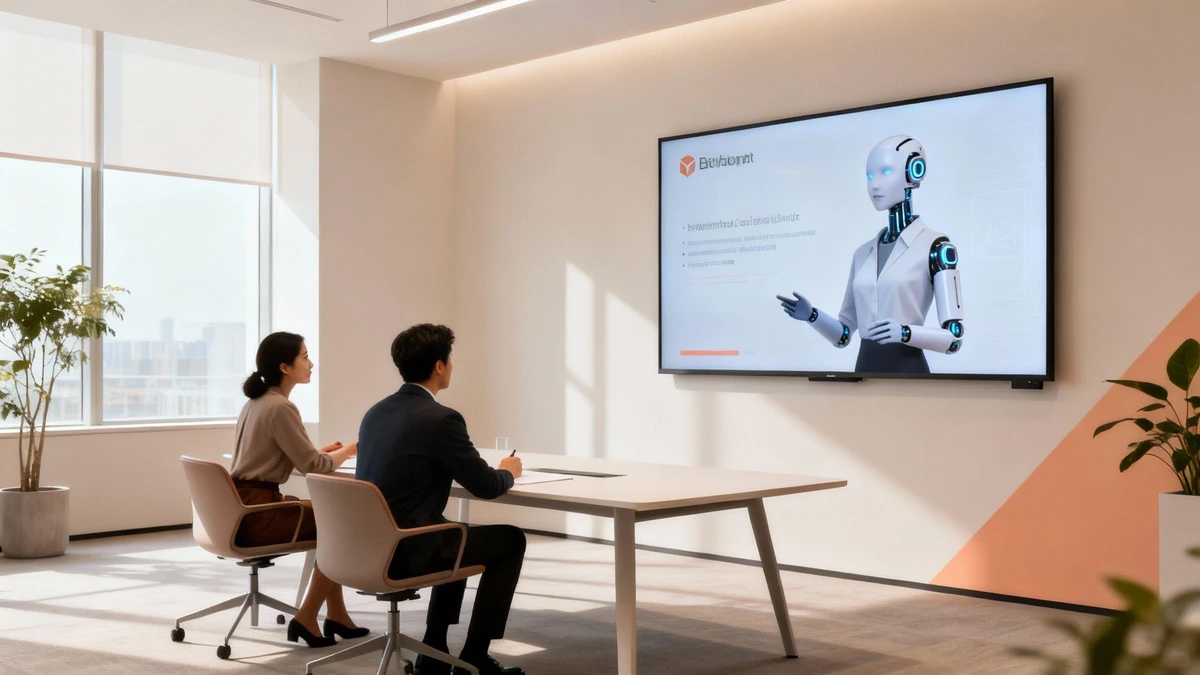
Creating professional business videos usually requires more than a good script. Companies may need presenters, cameras, recording equipment, voice-over artists, video editors, and multiple rounds of revisions. These requirements can make even a short employee training video expensive and time-consuming.
So, is Synthesia worth it for businesses? Yes, Synthesia can be a worthwhile investment for businesses that regularly create training videos, employee onboarding materials, product demonstrations, and multilingual communications. Its AI avatars, text-to-video generation, voiceovers, and translation features help companies produce videos without organizing traditional filming sessions.
However, it is not the right solution for every business. Companies that need highly creative advertisements, cinematic storytelling, or realistic human performances may still benefit from traditional video production.
AI Overview:
Synthesia is an AI video creation platform that helps businesses turn scripts, documents, presentations, and other content into professional-looking videos using AI avatars and generated voices.
It is particularly useful for:
- Employee onboarding and training.
- Corporate communication and announcements.
- Product demonstrations and tutorials.
- Sales enablement and customer education.
- Compliance and safety training.
- Multilingual business communication.
Its biggest advantage is that businesses can update and produce videos without arranging new filming sessions. However, subscription costs, credit limits, avatar presentation, and editing requirements should be considered before purchasing.
Key Takeaways
- Best for: Employee training, onboarding, product demonstrations, and corporate communication.
- Main advantage: Create presenter-led videos without cameras, studios, or professional presenters.
- AI avatars: Choose from a library of digital presenters or create personalized avatars with eligible plans.
- Language support: Produce multilingual content and translate existing videos.
- Pricing: Offers a free Basic plan, paid self-service subscriptions, and custom business pricing.
- Main limitation: AI-generated presenters may not deliver the natural expressions and emotional connection of real people.
- Buying recommendation: Start with a free account, test a complete business video, and upgrade only when your production needs justify the cost.
What Is Synthesia and How Does It Work for Businesses?

Synthesia is an AI-powered video creation platform designed to help individuals and organizations produce videos using digital presenters.
Instead of recording an employee speaking in front of a camera, a business can write a script, select an AI avatar, choose a voice, and generate a video.
For example, imagine a company introducing a new software system to 200 employees. Traditionally, its training team might need to organize a recording session, prepare slides, record narration, and edit the final video.
With Synthesia, the team can prepare the script, select a suitable avatar, add visual elements, and generate the training material through the platform. The same process can be used when a policy changes or a product receives a new feature. Rather than arranging another recording session, the company can update the script and generate a revised video.
Synthesia supports several content creation methods, including scripts, PowerPoint presentations, documents, links, and prompts. It also provides AI voices, avatars, templates, video localization, and interactive features. If you’re exploring more AI-powered content creation and marketing tools, check out our guides on Surfer SEO pricing, best Jasper AI alternatives, and the ElevenLabs review for additional insights.
Why Are Businesses Using Synthesia?

Businesses increasingly use video to explain complicated information, train employees, introduce products, and communicate important updates.
However, traditional video production does not always fit the speed of business operations.
A company might need to update a training video every month, create different versions for international employees, or explain a new product feature to customers. Recording every version separately can create unnecessary work.
Synthesia addresses these challenges by making video production more repeatable.
Here are some important reasons businesses consider the platform.
1. Faster Video Production
One of Synthesia’s biggest advantages is the ability to create videos directly from written scripts.
Businesses do not need to arrange recording sessions every time they want to produce a short presentation or training video. This is particularly useful for HR departments, learning and development teams, and internal communication managers.
For example, an HR department can create a short video explaining a new workplace policy. When the policy changes, the team can revise the script and generate an updated version.
2. Reduced Production Requirements
Traditional video production can involve several expenses, including:
- Professional presenters.
- Camera and lighting equipment.
- Recording locations.
- Video editing services.
- Voice-over recording.
- Repeated filming sessions.
Synthesia reduces the need for many of these resources by providing digital presenters and AI-generated voices.
3. Consistent Business Communication
A company with several departments may struggle to maintain consistent communication. Different employees might explain the same policy or product differently, creating confusion. Using approved scripts, templates, avatars, and brand elements helps businesses maintain a more consistent presentation style.
This is especially valuable for organizations that produce training materials across multiple departments.
4. Multilingual Content Creation
International companies often need to communicate with employees and customers who speak different languages. Creating separate videos for every market can increase production time and costs.
Synthesia’s AI dubbing and translation capabilities help businesses adapt existing content for different language audiences.
For example, a company can create an employee training video in English and prepare localized versions for its German, French, and Spanish teams.
Synthesia Features That Matter Most for Businesses
| Feature | How It Helps Businesses |
| AI Avatars | Creates digital presenters for training and communication videos. |
| AI Voices | Converts written scripts into spoken narration. |
| Script-to-Video | Turns written content into presenter-led videos. |
| PowerPoint and Document Import | Helps transform existing business materials into video content. |
| AI Dubbing | Helps adapt videos for international audiences. |
| Personal Avatars | Allows eligible users to create personalized digital presenters. |
| Templates | Makes repeated video production easier and more consistent. |
| Brand Kits | Helps businesses maintain consistent visual branding on eligible plans. |
| Interactive Videos | Adds interactive elements to certain video experiences. |
| API Access | Supports automated video creation and integration into business workflows on eligible plans. |
AI Avatars and Digital Presenters
AI avatars are one of Synthesia’s most recognizable features.
Businesses can select a digital presenter to deliver information through a generated video.
Different avatars provide different presentation styles, making it easier to select a presenter that matches the company’s communication needs.
For example, an educational company might choose a professional-looking avatar for course introductions, while a software company might use another presenter for product tutorials. If you’re comparing AI video tools or exploring other creative solutions, check out our guides on the best AI video generators, HeyGen vs. Synthesia, and using Midjourney to create professional images for more insights.
Paid plans provide access to larger avatar libraries and additional avatar capabilities.
AI Voiceovers and Language Support
A presenter needs a voice that sounds clear and suitable for the content.
Synthesia offers AI-generated voices that allow businesses to create narration without separately recording every script.
This can make repeated training and educational content easier to produce.
Its localization features are also useful for international organizations that need to adapt existing videos for different markets.
Video Templates and Brand Consistency
Creating every video from scratch can make production unnecessarily complicated.
Templates provide a starting structure for different types of content.
Businesses can use consistent layouts, colors, and brand elements across their videos, depending on their subscription and available features.
This is particularly helpful when multiple employees contribute to video production.
Video Editing and Customization
Synthesia includes an editing environment where users can modify scripts, avatars, scenes, and visual elements.
Businesses can adjust their videos when information changes without repeating the entire traditional production process.
However, users should understand that Synthesia is primarily designed for AI-powered business communication rather than advanced cinematic editing.
Complex visual projects may still require dedicated video editing software.
AI Avatar Software Cost: How Much Does Synthesia Cost?
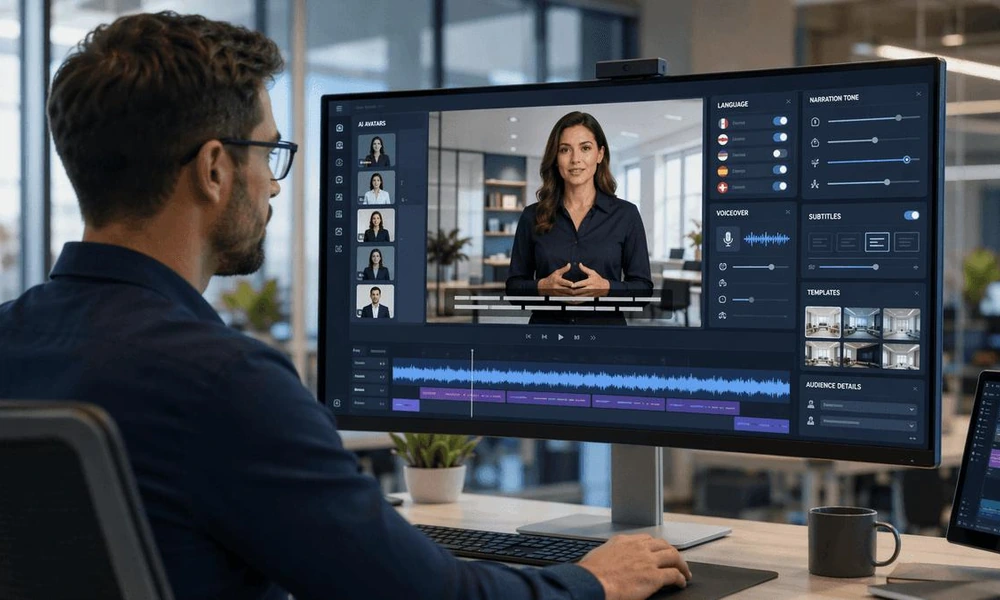
Understanding the AI avatar software cost is essential before choosing Synthesia for a business.
The platform offers a free Basic plan, paid individual subscriptions, and business-oriented options.
Its pricing depends on the selected plan, billing period, credit allowance, and business requirements.
The following table summarizes the publicly displayed US pricing as of November 2026. Promotional offers and regional prices may differ.
| Plan | Monthly Billing | Annual Billing | Best For |
| Basic | $0 | $0 | Testing the platform |
| Starter | $19/month | $14/month | Individual creators and small projects |
| Pro | $89/month | $59/month | Regular video production |
| Business | $99/month | $79/month | Business teams and shared production |
| Enterprise | Custom pricing | Custom pricing | Larger organizations
|
1. Synthesia Use Cases

Synthesia use cases refer to the different ways individuals, businesses, and organizations use Synthesia’s AI avatar video software to create professional videos without traditional cameras, studios, or presenters.
Businesses can use Synthesia for employee training, onboarding, product demonstrations, marketing videos, sales presentations, and internal communication. For example, an HR team can create an employee onboarding video using an AI avatar instead of recording a new presentation every time company policies change.
Some important Synthesia use cases include:
- Employee training: Create instructional videos explaining workplace procedures, company policies, and new skills.
- Employee onboarding: Introduce new employees to company culture, tools, and responsibilities.
- Marketing videos: Produce promotional videos that explain products, services, and business benefits.
- Product demonstrations: Show customers how a product or software feature works.
- Sales presentations: Create personalized presentations to explain products and communicate with potential customers.
- Multilingual communication: Translate and localize videos for international teams and audiences.
- Customer education: Develop tutorials and instructional videos that help customers understand products.
Synthesia is particularly useful when businesses need to create similar videos repeatedly or distribute information across different languages. Its official platform also supports roleplay training, video localization, and interactive avatar experiences.
2. AI Avatar Software Cost

AI avatar software cost refers to the amount users pay to access software that creates videos featuring AI-generated presenters. The cost usually depends on the subscription plan, video creation limits, available avatars, voice options, customization features, and usage credits.
Synthesia offers a free Basic plan and paid Starter, Pro, and Enterprise plans. Its published monthly billing prices currently show Starter at $29 per month and Pro at $89 per month. Annual billing can reduce the monthly equivalent. Enterprise pricing is customized according to business requirements.
Compare Free and Paid Plans
When comparing AI avatar software costs, businesses should consider more than the monthly subscription price. Important factors include:
- Video minutes and credits: Check how much video content you can generate each month.
- Avatar availability: Some plans offer more stock avatars and personal avatar options.
- Voice and language support: Multilingual voiceovers and dubbing may be important for international businesses.
- Branding options: Higher-level plans may offer additional brand customization and collaboration features.
- Download and watermark restrictions: Check whether your plan allows video downloads and removes platform branding.
- Team access: Businesses producing videos regularly may need multiple editors and shared workspace features.
For example, a small business creating occasional training videos may be comfortable with the Starter plan, while a larger organization producing frequent multilingual training content may need Pro or Enterprise features.
Frequently Asked Questions (FAQs)
1. Is Synthesia worth it for small businesses?
Yes, Synthesia can be useful for small businesses that regularly create product tutorials, customer education videos, and employee training materials. Businesses with occasional video requirements should test the free plan before purchasing a subscription.
2. How much does Synthesia cost for businesses?
Synthesia offers a free Basic plan, paid Starter and Pro subscriptions, Business pricing, and customized Enterprise plans. Publicly displayed US prices include Starter at $19 monthly, Pro at $89 monthly, and Business at $99 monthly when billed monthly. Annual billing offers lower monthly-equivalent prices.
3. Can businesses use Synthesia for employee training?
Yes. Businesses can create onboarding videos, compliance lessons, software tutorials, safety instructions, and professional development materials using AI avatars and generated voices.
4. Does Synthesia offer custom AI avatars?
Yes. Synthesia provides personal and custom avatar capabilities on eligible paid plans. Availability and the number of avatars depend on the subscription and selected business arrangement.
5. Can Synthesia create videos in multiple languages?
Yes. Synthesia offers multilingual AI voices and video dubbing and translation capabilities. Businesses can use these features to adapt training and communication content for international audiences.
6. Is Synthesia better than traditional video production?
Neither option is better for every project. Synthesia is generally more convenient for repeatable training and business communication videos, while traditional production offers greater creative control and more natural human performances.
7. Does Synthesia have a free plan?
Yes. The Basic plan is free and allows users to explore the platform and create limited video content. However, it includes usage restrictions and Synthesia branding.
Conclusion
Synthesia is worth considering for businesses that need to create professional videos without the time, cost, and equipment required for traditional video production. Its AI avatars, voiceovers, templates, and multilingual features make it useful for employee training, onboarding, product demonstrations, sales content, and customer education.
However, the right plan depends on how often your business creates videos and which features it needs. Small businesses can start with the free plan or Starter subscription, while teams producing videos regularly may benefit more from Pro or Enterprise features. Before subscribing, compare the available credits, video limits, and collaboration options with your actual needs.
Overall, Synthesia is a practical AI video solution for businesses that value speed, consistency, and scalable content creation. It may not replace every type of professional video production, but it can make many everyday business videos easier and more affordable to produce.