
What if your business could answer customer questions, recommend products, and provide support even when your team is unavailable? You might assume that building such an assistant requires programming skills, expensive developers, or complicated AI technology. That is no longer the case.
How to Build an AI Chatbot Without Coding: You can build an AI chatbot without coding by using a no-code chatbot builder, adding your business information, configuring its AI instructions, and publishing it on your website or preferred communication channel. Modern platforms make this process accessible to beginners, small business owners, marketers, and customer support teams.
For example, an online store can create an AI chatbot that answers questions about product availability, shipping charges, returns, and payment methods. A service-based company can use one to explain its services, collect potential customer details, and help visitors request appointments.
However, creating a chatbot that actually helps people involves more than choosing a template and clicking a publish button. You need accurate information, clear instructions, realistic testing, and a way to connect customers with human support when necessary.
AI Overview:
Building an AI chatbot without coding involves using a no-code chatbot builder that provides visual tools, ready-made templates, and AI integrations. These platforms allow users to create conversational assistants without developing software or training an AI model from scratch.
The process generally involves nine steps:
- Define the chatbot’s purpose and target audience.
- Choose a suitable platform, such as Botpress, Voiceflow, or Tidio.
- Create an account and start a chatbot project.
- Upload business documents, FAQs, and website information.
- Configure the chatbot’s instructions, tone, and responsibilities.
- Customize its appearance and welcome message.
- Connect it to your website or communication channel.
- Test its responses and human support handoff.
- Publish the chatbot and monitor its performance.
Key Takeaways
- No programming required: No-code chatbot builders allow beginners to create AI-powered assistants using visual editors and templates.
- Choose the right platform: Botpress, Voiceflow, and Tidio offer different tools for chatbot creation and customer communication.
- Prepare your information: Upload accurate FAQs, product details, company policies, and website content.
- Customize AI instructions: Explain the chatbot’s role, responsibilities, communication style, and limitations.
- Improve AI customer support: Automate repetitive questions and provide customers with faster responses.
- Connect your website: Publish your chatbot through an embed code, plugin, or supported integration.
- Test before launching: Check answer accuracy, different question formats, and human support options.
- Monitor performance: Review conversations, identify missing information, and update the knowledge base.
- Start with one purpose: Build a chatbot around a specific business problem before introducing advanced features.
What Is an AI Chatbot and How Does It Work?

An AI chatbot is a software application that uses artificial intelligence to understand user questions and generate relevant responses through conversation.
Unlike traditional rule-based chatbots, which follow predefined instructions and response paths, AI chatbots can interpret different ways of asking the same question. This flexibility is also relevant to understanding how AI agents work, as they can handle more complex tasks and interactions.
For example, a customer might ask:
- How much does delivery cost?
- What are your shipping charges?
- Do I have to pay for delivery?
A well-configured AI chatbot can recognize that these questions have a similar meaning and provide information about the company’s shipping policy.
What Is a No-Code Chatbot Builder?
A no-code chatbot builder is a software platform that allows users to create and customize chatbots without writing programming code.
Instead of developing a chatbot manually, users work with visual editors, templates, settings, and integrations.
Most platforms provide features such as:
- Drag-and-drop workflow editors.
- Ready-made chatbot templates.
- AI model connections.
- Knowledge base uploads.
- Website chat widgets.
- Conversation testing.
- Automated responses.
- Human support handoff.
For example, a small business owner can use a no-code platform to create an assistant that explains services, answers common questions, and collects customer inquiries.
The owner does not need to understand programming languages or build an AI model independently.
What Is AI Customer Support?

AI customer support refers to using artificial intelligence to answer customer questions, provide information, guide users, and automate routine service requests. Businesses can explore different AI solutions by comparing platforms such as ChatGPT and Claude to understand their capabilities for customer service tasks.
Instead of requiring an employee to respond to every basic question, an AI chatbot can handle common conversations automatically.
For example, a customer visiting an online store outside business hours might ask about an order, return policy, or product warranty.
The chatbot can use the company’s approved information to provide an answer immediately.
AI customer support is particularly useful for:
- Answering frequently asked questions.
- Explaining products and services.
- Providing shipping information.
- Helping customers navigate a website.
- Collecting customer inquiries.
- Directing complicated requests to human employees.
1. No-Code Chatbot Builder

A no-code chatbot builder is a software platform that allows users to create AI-powered chatbots without writing programming code or hiring developers. These platforms provide visual editors, ready-made templates, drag-and-drop tools, and AI integrations that make chatbot creation easier for beginners.
Instead of building a chatbot from scratch, users can select a template, add business information, configure AI instructions, and connect the chatbot to their website.
For example, a small online store can use a no-code chatbot builder to create an assistant that answers questions about product availability, delivery charges, payment methods, and return policies.
Popular platforms such as Botpress, Voiceflow, and Tidio offer different tools for creating and managing chatbots. The right choice depends on the level of customization, automation, and customer communication features a business needs. A well-structured AI content workflow can also help businesses organize and streamline their AI-powered content processes.
2. AI Customer Support
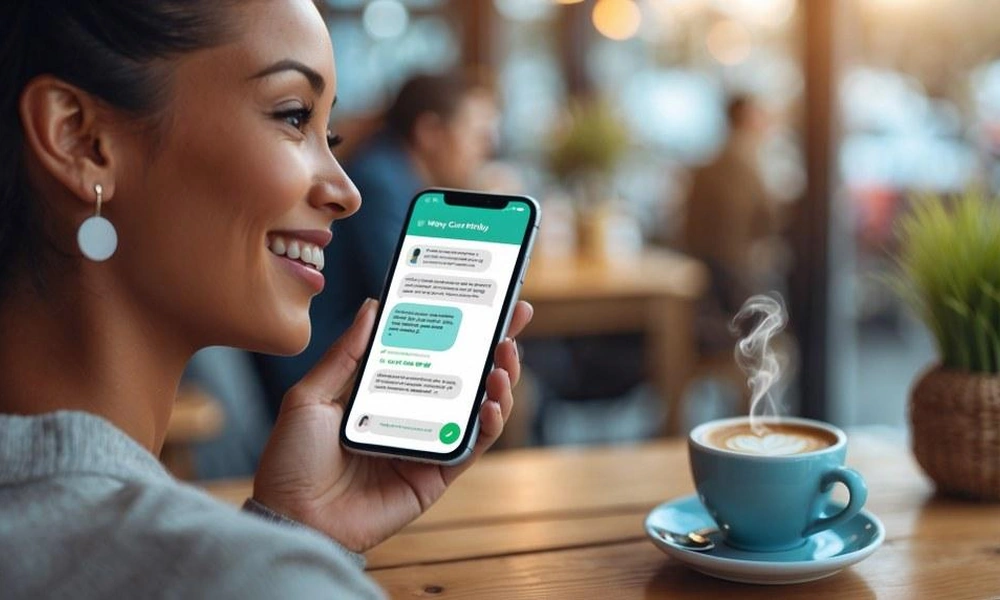
AI customer support refers to using artificial intelligence to answer customer questions, provide helpful information, and automate routine support tasks. AI-powered chatbots can communicate with customers, understand common requests, and generate responses using business information.
For example, an online store can use an AI chatbot to explain shipping policies, check product information, answer return-related questions, and guide customers toward the right support resources.
AI customer support can help businesses with:
- Frequently asked questions: Automatically answer common questions about products, services, and company policies.
- 24/7 assistance: Provide basic support even when human employees are unavailable.
- Product recommendations: Help customers find suitable products based on their requirements.
- Order and delivery information: Explain shipping procedures and direct customers to order-tracking resources.
- Lead collection: Gather customer details and identify potential sales opportunities.
- Human support handoff: Transfer complicated questions and complaints to customer service employees.
Best No-Code Chatbot Builders to Create an AI Chatbot
Choosing the right platform is an important part of building your chatbot.
Different tools offer different levels of customization, automation, integrations, and customer support capabilities.
Here are three platforms worth considering.
1. Botpress
Botpress is an AI agent-building platform that provides a visual workspace for creating conversational assistants.
Users can configure AI instructions, connect knowledge sources, design workflows, and integrate their agents with supported channels.
One useful feature is its ability to combine conversational AI with structured workflows. This allows businesses to create assistants that answer questions while also following specific processes.
For example, a service company could create an assistant that explains available services, collects customer requirements, and guides visitors toward an appointment request.
Main features:
- Visual AI agent builder.
- Knowledge base connections.
- Workflow customization.
- Website chat deployment.
- Integration capabilities.
- Conversation management.
2. Voiceflow
Voiceflow provides a visual workspace for building AI-powered chat and voice agents.
It allows teams to configure agent instructions, connect knowledge sources, create workflows, and manage conversational experiences.
Its visual design environment is particularly useful for people who want to plan how a chatbot should respond to different customer questions.
For example, an educational business could create an assistant that answers course-related questions, explains enrollment requirements, and directs students to relevant resources.
Voiceflow also supports deployment across different communication channels, depending on the selected setup.
Main features:
- Visual agent design.
- Knowledge base management.
- AI instructions and workflows.
- Team collaboration.
- Chat and voice deployment.
- Integration with external tools.
3. Tidio
Tidio combines live chat, customer service automation, and AI-powered support.
Its Lyro AI Agent can use company support information to answer customer questions. Businesses can provide knowledge through website content, FAQs, documents, and other supported sources.
One useful capability is the connection between AI conversations and human support.
For example, an online store can use Lyro to answer questions about shipping and returns. If a customer needs help with a complicated complaint, the conversation can be transferred to a human representative.
Tidio also offers features for product recommendations and customer communication.
Main features:
- Lyro AI Agent.
- Live chat.
- Customer support automation.
- Knowledge base connections.
- Multilingual responses.
- Human support handoff.
- Conversation analytics.
Which No-Code Chatbot Builder Should You Choose?
| Platform | Main Strength | Best For |
| Botpress | Custom AI agents and workflows | Business automation |
| Voiceflow | Visual conversational design | Customer experience teams |
| Tidio | AI support and live chat | Small businesses and e-commerce |
The best platform depends on what you want your chatbot to accomplish.
Before choosing, compare conversation limits, AI usage charges, available integrations, knowledge source restrictions, and team features.
How to Build an AI Chatbot Without Coding:

Once you have selected a platform, you can start creating your chatbot.
The following process works as a general starting point for website assistants, business chatbots, and customer support applications.
Define Your Chatbot’s Main Purpose
Before creating a chatbot, decide what problem it should solve.
Start by identifying the most common questions or repetitive tasks in your business.
For example:
| Chatbot Type | Main Purpose |
| Customer Support Chatbot | Answers common questions and explains company policies. |
| E-commerce Chatbot | Helps customers find products and understand delivery options. |
| Lead Generation Chatbot | Collects inquiries and identifies potential customers. |
| Educational Chatbot | Answers student questions and provides learning resources. |
| Appointment Chatbot | Helps visitors understand services and request appointments. |
| Internal Business Chatbot | Answers employee questions about company procedures. |
Try not to automate everything immediately.
If customers repeatedly ask about shipping, returns, and product availability, start with those topics.
Select a No-Code Chatbot Builder
After defining your chatbot’s purpose, select a platform that supports your requirements.
Visit the official website of your chosen platform and review its available features.
Consider the following questions:
- Does it support AI-powered conversations?
- Can you upload documents and connect website content?
- Does it provide a website chat widget?
- Can it transfer conversations to human employees?
- Does it support the languages your customers use?
- Are its usage limits suitable for your business?
- Can it connect to your existing tools?
For beginners, a platform with ready-made templates and a simple visual interface is usually a better starting point than a complicated custom development environment.
Create an Account and Start a Project
After selecting your platform, create an account and open its dashboard.
Most no-code chatbot builders provide options to start a new AI agent, select a template, or create a project from scratch. For a beginner, a customer support or FAQ template can reduce the amount of initial setup.
Give your chatbot a recognizable name based on its purpose.
For example, an online clothing store might call its assistant “Store Support Assistant.”
Next, choose the basic settings and open the visual editor. At this stage, you are creating the chatbot’s structure. You will add its business knowledge and instructions in the following steps.
Add Business Information to the Chatbot
Your chatbot needs accurate information to provide useful answers.
This information is often organized into a knowledge base, which acts as a reference library for the AI assistant.
Start by collecting existing business resources, including:
- Frequently asked questions.
- Product descriptions.
- Shipping and delivery policies.
- Refund and return rules.
- Pricing information.
- Service descriptions.
- Help center articles.
- Company contact details.
Depending on the platform, you may be able to upload PDF files, import spreadsheets, add website links, or enter information manually.
For example, an electronics store can provide product specifications, warranty conditions, troubleshooting instructions, and delivery policies.
Write Instructions for Your AI Chatbot
Adding business information explains what your chatbot knows. Instructions explain how it should behave.
These instructions define the chatbot’s role, tone, responsibilities, and limitations.
You can also include instructions such as:
- Use simple and friendly language.
- Answer the customer’s actual question.
- Ask follow-up questions when important information is missing.
- Provide relevant website links when available.
- Do not invent business policies.
- Transfer sensitive or complicated issues to human employees.
Customize Its Appearance and Personality
Your chatbot should match the design and communication style of your website.
Most platforms allow users to customize several visual and conversational settings.
These may include:
- Chatbot name.
- Profile image.
- Brand colors.
- Welcome message.
- Chat window design.
- Language.
- Response tone.
- Suggested questions.
For example, a professional consulting company might choose a simple design and formal communication style.
How Much Does It Cost to Build an AI Chatbot Without Coding?
The cost depends on the platform, number of conversations, AI usage, integrations, and features you need.
| Pricing Model | What It Usually Includes | Suitable For |
| Free Plan | Limited chatbot creation and usage | Beginners and testing |
| Starter Plan | Basic AI features and website deployment | Small businesses |
| Professional Plan | Higher usage limits and additional integrations | Growing companies |
| Business Plan | Team collaboration and advanced automation | Support teams |
| Enterprise Plan | Custom limits, security, and administration | Large organizations |
For example, Botpress lists a free plan with 100 conversations, while its paid options include higher conversation allowances and additional capabilities. Tidio also offers limited free AI access and paid customer service plans. Voiceflow provides free trial access and business-oriented pricing options.
Additional Costs to Consider
A free chatbot builder does not necessarily mean that the entire chatbot operation will remain free.
Consider these possible expenses:
- Additional AI model usage.
- Higher conversation limits.
- Premium integrations.
- Messaging channel fees.
- Advanced analytics.
- Additional team accounts.
- Custom branding and support features.
For example, a business receiving 50 customer conversations per month has very different requirements from an online store handling thousands.
Estimate your expected usage before selecting a subscription.
How to Measure Your AI Chatbot’s Performance

After launching your chatbot, you need to determine whether it is actually helping customers and improving business operations.
Counting conversations alone is not enough.
Instead, monitor several performance indicators.
| Metric | What It Measures | Why It Matters |
| Resolution Rate | Percentage of conversations resolved by the chatbot | Measures how effectively it handles questions |
| Response Time | How quickly it responds | Helps evaluate customer convenience |
| Human Handoff Rate | How often conversations reach employees | Identifies requests requiring human assistance |
| Unanswered Questions | Questions the chatbot cannot answer | Reveals missing information |
| Customer Satisfaction | How customers rate their experience | Measures service quality |
| Cost per Conversation | Average cost of handling a conversation | Helps evaluate financial efficiency |
For example, if customers repeatedly ask questions that your chatbot cannot answer, your knowledge base may be missing important information.
Frequently Asked Questions (FAQs)
1. Can I build an AI chatbot without coding?
Yes. No-code chatbot builders allow users to create AI-powered assistants through visual editors, templates, and simple configuration settings. You can add business information, customize responses, test conversations, and publish a chatbot without traditional programming.
2. What is the best no-code chatbot builder for beginners?
Tidio is worth considering for beginners who want AI-powered customer support and live chat. Botpress is suitable for users who need more customizable AI agents, while Voiceflow is useful for designing conversational workflows.
3. How long does it take to build an AI chatbot?
A basic FAQ chatbot can often be created in a few hours if your business information is already organized. More advanced chatbots involving integrations, custom workflows, and extensive testing may take several days or longer.
4. Can I use an AI chatbot for customer support?
Yes. AI chatbots can answer frequently asked questions, explain company policies, provide product information, and guide customers through routine processes. They can also transfer complicated requests to human representatives.
5. Do I need to train an AI chatbot myself?
No. You generally do not need to train an AI model from scratch. Most no-code platforms allow you to provide information through website links, documents, FAQs, and instructions. The AI uses these resources to generate relevant responses.
6. Can I add an AI chatbot to my WordPress website?
Yes. Many chatbot platforms support website installation through plugins, integrations, or embed codes. Follow the official installation instructions provided by your selected platform.
Conclusion
Building an AI chatbot without coding is no longer a complicated technical project. With a suitable platform, organized business information, and clear instructions, beginners and business owners can create useful AI assistants without developing software themselves.
The most important decision is choosing a chatbot that solves a real problem. A business receiving repeated shipping questions needs a different solution from a company collecting sales leads or helping customers choose products.
Start with one purpose, prepare accurate information, and test the chatbot carefully before publishing it. Once it handles common questions reliably, you can introduce integrations, additional workflows, and more advanced features.
Remember that successful automation is not about removing every human interaction. It is about giving customers quick answers when possible and making human assistance available when it matters.