
Creating videos for YouTube, social media, or business marketing can take hours. You need a script, suitable footage, voiceovers, subtitles, background music, and editing skills. Pictory AI aims to make this process easier by turning written content and existing recordings into ready-to-edit videos.
But does it create videos that look professional, or does it simply combine stock footage with automated narration?
Pictory AI is worth considering if you want to create videos quickly from scripts, blog posts, presentations, or recordings. It offers AI video generation, voiceovers, subtitles, stock media, and text-based editing in one browser-based platform. However, its automated visuals may need manual adjustments, and advanced editors may find its creative controls limited.
AI Overview:
Pictory AI is an online video creation and editing platform that uses artificial intelligence to help users produce videos without traditional editing experience. You can start with a script, blog post, webpage URL, PowerPoint presentation, or existing recording.
The platform can divide written content into scenes, select relevant stock visuals, add AI-generated voiceovers, and create subtitles. Users can then replace footage, adjust text, change narration, and customize the video before exporting it.
Pictory is particularly useful for content marketers, bloggers, educators, businesses, and creators who need to produce videos regularly. However, it is better suited to explainers, promotional videos, and content repurposing than complex cinematic projects.
Key Takeaways
- Easy video creation: Turn scripts, articles, and presentations into videos with an automated workflow.
- Useful AI features: Generate voiceovers, subtitles, visuals, and video scenes.
- Multiple editing options: Edit videos by changing text, replacing scenes, and adjusting audio.
- Stock media library: Access licensed footage, images, and music through its media library.
- Flexible pricing: Choose from Starter, Professional, Teams, and Enterprise plans.
- Main limitation: Automatically selected footage can feel generic or fail to match the intended message.
- Best for: Bloggers, marketers, educators, and creators who want to produce videos without advanced editing skills.
What Is Pictory AI and How Does It Work?

Pictory AI is designed to simplify video production. Instead of starting with a blank editing timeline, users can provide existing content and let the platform build an initial video.
For example, imagine you have published a detailed blog post about digital marketing. You can use Pictory to convert that article into a short video. The platform can identify sections of the text, organize them into scenes, select supporting visuals, and add narration and captions. Understanding how AI agents work can also provide useful context on how AI systems interpret information and automate different tasks.
You can also begin with a video script or upload an existing recording to edit and repurpose it.
The general workflow looks like this:
- Choose the type of video you want to create.
- Upload or paste your script, article, URL, or recording.
- Let Pictory generate an initial video.
- Review the scenes, visuals, and voiceover.
- Replace unsuitable clips and make adjustments.
- Export the finished video.
This approach saves time during the first stage of production. However, automatic generation does not guarantee that every scene will be accurate or visually appropriate. Reviewing the final video is still important.
Pictory AI Features: What Can You Create?

Pictory offers several tools for generating and editing videos. Its main advantage is that users can complete many common video production tasks without switching between multiple applications. When exploring AI-powered content creation, comparing platforms such as ChatGPT and Claude can also help users understand different AI capabilities and how they support content production.
1. Text-to-Video Generation
Text-to-video is one of Pictory’s most useful features. It allows you to turn written scripts, notes, or other text into a video.
You can paste your content into the editor, select a format, and choose a visual style. Pictory then separates the content into scenes and suggests suitable footage or images.
For example, a business owner could paste a product introduction and create a short promotional video. A blogger could use the same feature to turn an article into a video summary.
You can also edit individual scenes after generation, which makes it easier to correct unsuitable visuals or adjust the message.
2. Blog-to-Video and URL-to-Video
Pictory can convert existing web content into videos. This is especially useful for bloggers and digital marketers who want to reuse their published articles.
Instead of writing a completely new script, you can provide an article URL. Pictory processes the content and helps turn selected information into video scenes.
This feature can support content repurposing across different platforms. For example, a long article can become a short YouTube video, a social media clip, or an introductory video for a website.
However, an article and a video do not always communicate information in the same way. You may need to shorten paragraphs, remove unnecessary details, and rewrite some sentences to make the final video more engaging.
3. AI Voiceovers and Text-to-Speech
Recording your own narration is not always practical. You may lack a microphone, a quiet recording space, or the time to record several versions.
Pictory provides AI voiceovers that can read your script aloud. Its current feature offering includes more than 170 AI voices across 29 languages, with options for different languages and accents.
You can select a voice, adjust the narration, and use the generated audio in your video. Professional-level plans also provide additional voice features, including voice cloning.
AI narration is convenient for tutorials, presentations, explainers, and informational videos. Still, you should listen to the complete voiceover before publishing. Pronunciation, pacing, and emotional expression may not always match the subject.
4. Automatic Subtitles and Captions
Captions make videos easier to follow, particularly when people watch without sound.
Pictory can generate subtitles automatically and synchronize them with the video’s audio. You can also customize their appearance to match your preferred style.
The platform supports exporting subtitle files in formats such as SRT, VTT, and TXT. This is helpful when you need separate caption files for different publishing platforms.
Automatic captions can save editing time, but they should not be treated as perfect transcripts. Review names, technical terms, numbers, and other important details before publishing.
5. AI Avatars
Pictory also offers AI avatars that can present scripts without requiring you to record yourself on camera.
This feature can be useful for training material, educational videos, internal business communication, and simple presentations.
The Starter plan includes stock avatars, while Professional and higher-level options provide custom avatar capabilities.
However, avatar availability does not automatically make Pictory the best choice for every presenter-led video. If your main goal is creating realistic digital presenters, compare its avatar tools with platforms designed specifically for AI avatar production.
6. Stock Footage, Images, and Music
Finding suitable visuals can take as much time as editing the video itself. Pictory addresses this problem by providing access to licensed media from libraries such as Getty Images and Storyblocks.
Users can add stock videos, images, and music to support their scenes. The platform also includes AI image and video generation tools through its AI Studio.
These resources are useful when you need visuals for business presentations, educational content, product explanations, and social media videos.
One important limitation is that a large stock library does not guarantee a perfect visual match. A clip can be technically related to a keyword but still fail to communicate the exact meaning of a sentence. Manual selection remains important.
Pictory AI Video Editing: How Good Is the Editor?
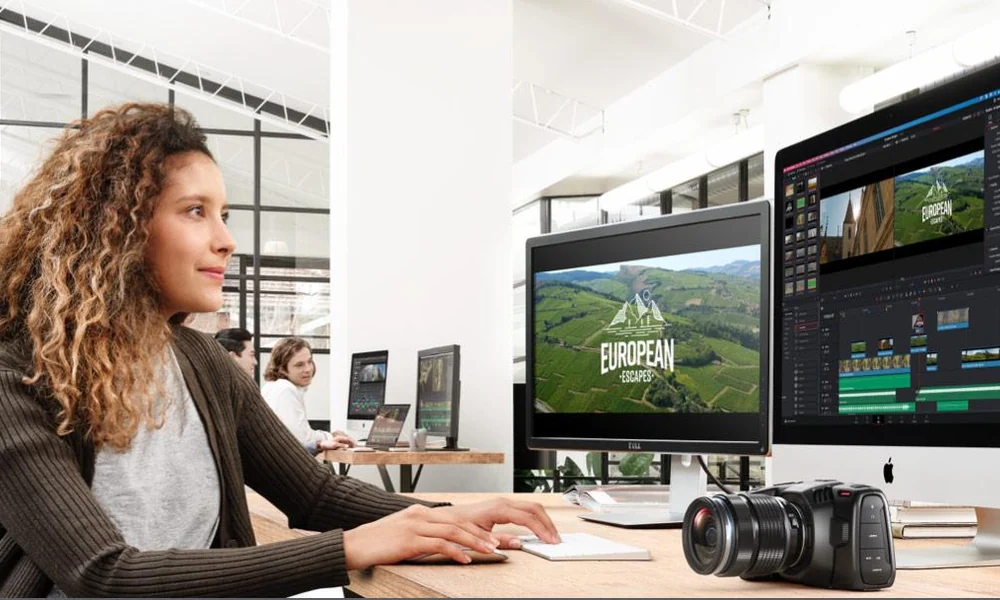
Video editing is an important part of any Pictory AI review because automatic generation is only the beginning. A video may have the correct script and narration but still need changes to its visuals, timing, and presentation. Following a structured AI content workflow can help creators organize these editing steps and maintain consistency throughout the content production process.
Pictory uses a scene-based editing workflow that allows users to make changes without learning a complicated professional editing interface.
Editing Videos Through Text
One useful feature is the ability to edit video content through its transcript or text.
For example, if you want to remove a sentence from a recording, you can edit the text instead of searching through a long video timeline manually. This can make it easier to shorten interviews, podcasts, and recorded presentations.
Replacing Scenes and Visuals
You can review individual scenes and replace images or video clips that do not fit the message.
This is particularly important when the automatic visual selection is too generic. A video about business growth, for example, might receive a generic office clip even when a more specific visual would make the message clearer.
Adding Music and Captions
Pictory allows you to add background music, adjust voiceovers, and include subtitles. These elements help make videos more complete without requiring separate editing software for every task.
Exporting Different Video Formats
Pictory supports landscape, portrait, and square video formats:
- 16:9: Suitable for YouTube and website videos.
- 9:16: Useful for TikTok, Instagram Reels, and YouTube Shorts.
- 1:1: Suitable for square social media posts.
Paid plans support exports up to 1080p, while the free trial has a lower export limit.
Where the Video Editor Falls Short
Pictory focuses on speed and simplicity rather than giving users complete control over every editing detail.
Creators who need advanced motion graphics, detailed keyframe animation, complex visual layers, or precise cinematic editing may find the workflow restrictive. Its automated stock visuals can also make videos look similar to other content using the same approach.
Independent testing by Wyzowl has also highlighted concerns about generic stock footage and limited creative freedom. These are important considerations if visual originality is central to your content strategy.
Pictory AI Pricing: How Much Does It Cost?

Pictory offers a free trial and several paid subscription plans. The main differences include the number of AI credits, video minutes, storage, brand kits, and collaboration features.
The official pricing page currently displays the following prices. Promotional offers may change, so check the checkout page before subscribing.
| Plan | Annual billing (per month) | Monthly billing |
| Starter | $25 | $29 |
| Professional | $35 standard annual rate | $59 |
| Teams | $119 | $199 |
| Enterprise | Custom | Custom |
The Professional annual price may appear at a promotional rate during special offers. Prices and discounts can change.
Starter Plan
The Starter plan is designed for individual creators who need basic video production tools.
It includes:
- 24,000 AI credits per year with annual billing
- Up to 360 video minutes per year
- One user
- One brand kit
- AI video generation and editing tools
- Stock avatars
- Access to licensed stock media
- AI voice and subtitle features
This plan is a reasonable starting point if you want to turn articles, scripts, and other written content into videos regularly.
Professional Plan
The Professional plan is more suitable for creators and marketers who need additional production capacity and branding options.
It includes:
- 72,000 AI credits per year with annual billing
- Up to 1,080 video minutes per year
- Five brand kits
- Custom avatars and voice cloning
- Custom brand fonts
- More AI voice and avatar usage
It can be a better option for users who produce videos for multiple projects or clients.
Teams Plan
The Teams plan is designed for organizations and groups that need shared video production.
Its features include:
- 216,000 AI credits per year with annual billing
- Up to 3,600 video minutes per year
- Support for three or more users
- Shared brand assets
- Collaboration features
- Up to 10 brand kits
- Team onboarding and training
This plan makes more sense when multiple people need to work on videos and maintain consistent branding.
Enterprise Plan
Enterprise pricing is customized according to business requirements.
It includes additional organizational features such as single sign-on, custom templates, priority support, a dedicated account manager, and learning management system support through SCORM exports.
Larger companies that need centralized video production and more control over their content workflows may find this plan useful.
Is There a Free Version of Pictory?
Pictory provides a 14-day free trial rather than a permanent free subscription.
The trial includes limited credits, three video projects, and restricted export options. It is useful for testing the editor and checking whether the automatic video generation process fits your workflow.
Before subscribing, create a complete sample video using your own script. This will help you evaluate the voice quality, visual selection, editing experience, and export quality.
Understanding Pictory’s Credit System
Pictory uses AI credits as a shared allowance for its usage-based AI features. The number of credits available depends on your subscription.
This matters because a plan’s advertised video minutes do not necessarily tell you how much of every AI feature you can use. Image generation, video generation, avatars, and other AI activities can consume credits.
If you plan to generate many AI visuals or experiment with different models, check the credit requirements before choosing a subscription.
Here are clear explanations of your two secondary keywords for your Make.com vs Zapier article.
Here are clear explanations of your three secondary keywords for your Pictory AI Review article.
1. Pictory AI Features

Pictory AI features refer to the tools and capabilities that help users create and edit videos with artificial intelligence. The platform is designed to simplify video production, especially for content creators, marketers, and businesses.
Some important features include:
- Text-to-Video: Convert written scripts and articles into videos.
- AI Voiceovers: Add AI-generated narration to video projects.
- Automatic Captions: Generate subtitles for spoken content.
- Video Templates: Use ready-made designs to create videos more quickly.
- Media Library: Access stock videos, images, and other visual assets.
- Video Editing: Edit scenes, replace media, and adjust video content.
These features help users produce professional-looking videos without requiring advanced video editing skills.
2. Pictory AI Pricing
Pictory AI pricing refers to the subscription costs users pay to access the platform’s video creation and editing tools. Pricing generally depends on the selected plan, available features, video creation limits, and usage allowances.
When comparing Pictory AI plans, users should consider:
- Free Trial: Whether users can test the platform before purchasing.
- Entry-Level Plans: Options for individuals and beginners creating videos.
- Professional Plans: Plans offering higher usage limits and additional editing features.
- Team Plans: Options for businesses that need collaboration and shared resources.
- Usage Limits: Video creation allowances, storage, and other restrictions.
Understanding Pictory AI pricing helps users decide whether the subscription offers enough value for their video production needs.
3. Pictory AI Video Editing

Pictory AI video editing refers to using artificial intelligence and built-in editing tools to create, customize, and improve videos. Instead of manually editing every scene, users can use automated tools to turn scripts, articles, and existing video content into finished projects.
Pictory AI video editing may include:
- Scene Editing: Add, remove, or rearrange video scenes.
- Media Replacement: Replace stock footage and images to match the content.
- Text Editing: Modify scripts, captions, and on-screen text.
- Audio Editing: Add narration, music, and voiceovers.
- Automatic Subtitles: Generate captions for video content.
- Brand Customization: Apply consistent visual styles to business videos.
These editing capabilities can help content creators produce videos more efficiently while reducing the time spent on traditional editing.
How these keywords fit your article:
| Secondary keyword | Main topic to cover |
| Pictory AI features | Tools, capabilities, and video creation options |
| Pictory AI pricing | Subscription plans, costs, and usage limits |
| Pictory AI video editing | Editing tools, captions, scenes, audio, and customization |
Who Should Use Pictory AI?

Pictory is most useful for people who need a repeatable way to create straightforward videos.
Bloggers and content marketers: They can convert existing articles into short videos and reuse information across different content channels.
YouTube creators: Creators who produce explainers, educational videos, and faceless content can use scripts, stock visuals, and AI narration to speed up production.
Small businesses: Businesses can create product introductions, promotional videos, and simple marketing content without hiring an editor for every project.
Teachers and educators: They can turn lesson notes, presentations, and written explanations into video learning materials.
Marketing teams: Teams can use brand kits and collaboration features to maintain a consistent style across multiple videos.
However, Pictory may not be the right choice for filmmakers, advanced video editors, or creators who depend on original footage and detailed visual storytelling.
Frequently Asked Questions About Pictory AI
1. What is Pictory AI used for?
Pictory AI is used to create and edit videos from scripts, blog posts, URLs, presentations, and recordings. It can add stock footage, AI voiceovers, subtitles, and music to simplify video production.
2. Is Pictory AI good for beginners?
Yes. Its scene-based workflow and automated video generation make it accessible to people without professional editing experience. Beginners can create an initial video and then adjust the scenes, text, and audio.
3. How much does Pictory AI cost?
Pictory’s listed Starter plan begins at $25 per month with annual billing or $29 with monthly billing. Professional and Teams plans cost more, while Enterprise pricing is customized. Promotional offers may change the displayed prices.
4. Does Pictory AI have a free plan?
Pictory offers a 14-day free trial, not a permanent free plan. The trial includes limited credits and video projects so users can test the platform before purchasing a subscription.
5. Can Pictory AI convert blog posts into videos?
Yes. You can provide a blog post URL or written content, and Pictory can turn selected information into video scenes with visuals, narration, and captions.
6. Can I use Pictory AI videos commercially?
Pictory states that its licensed stock footage, images, and music are cleared for commercial use. You should still review the applicable subscription terms and ensure that any content you upload or add yourself is properly licensed.
Conclusion
Pictory AI makes video creation more accessible by turning written content and existing recordings into editable videos. Its features, including text-to-video generation, AI voiceovers, automatic subtitles, stock media, and text-based editing, can save time for creators and businesses that publish content regularly.
Its biggest weakness is that automation still needs human judgment. Stock footage may not always match the message, and users who want advanced editing controls may find the platform limiting.
Overall, Pictory AI is a practical option for simple videos, marketing content, educational material, and repurposing blog posts. It is worth testing if speed matters more to you than complete creative control.