Meta just did something big. It launched a brand-new AI model called Muse Spark 1.1 and for the first time ever, put its own model behind a paid service, just like OpenAI and Anthropic do. So what is it, is it actually good, and should you use it? Let’s break it down in plain, simple words.
At OpenAIHit, we track every big AI launch so you don’t have to read boring technical papers. Here’s everything in one place.
AI Overview
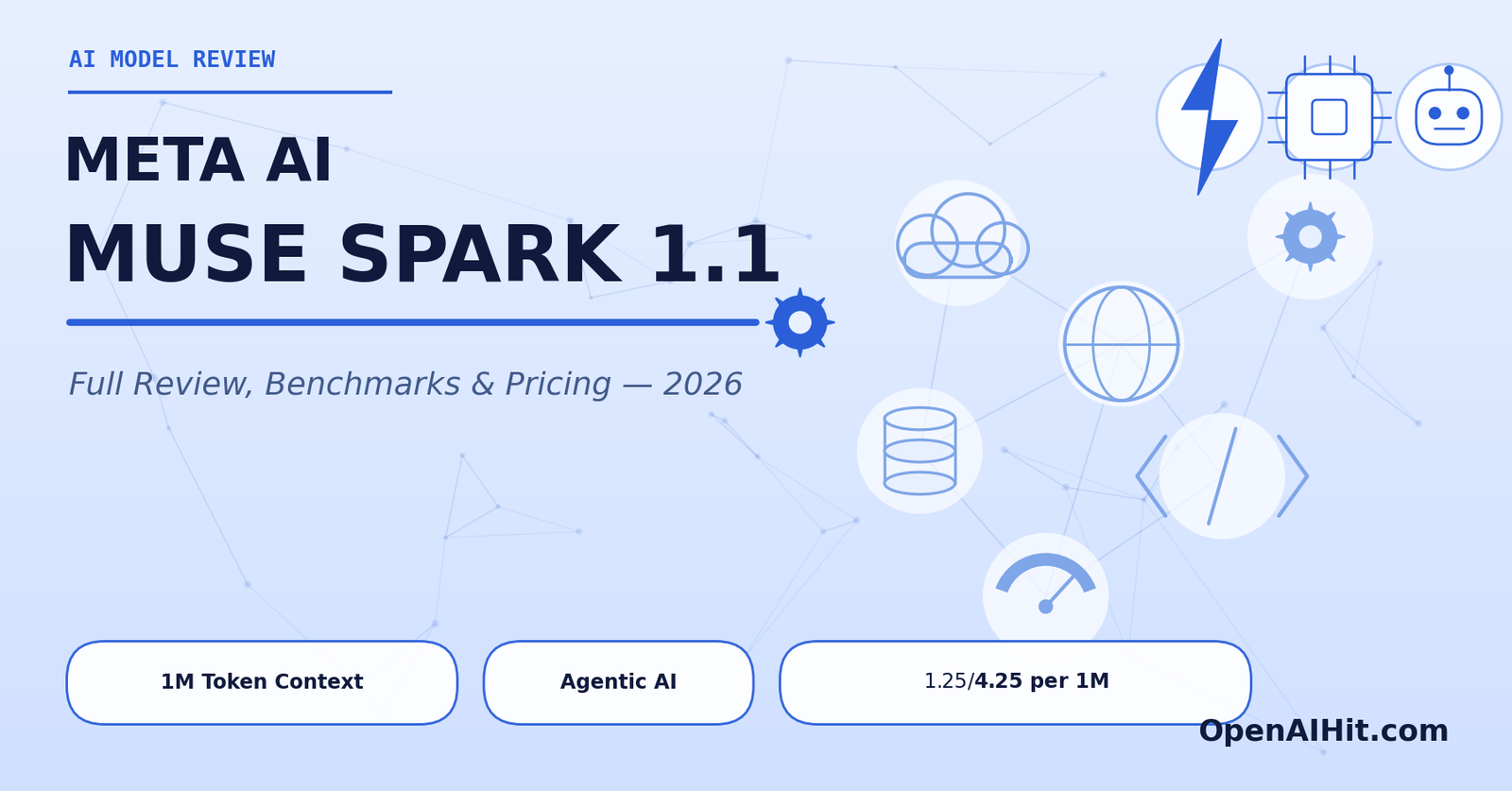
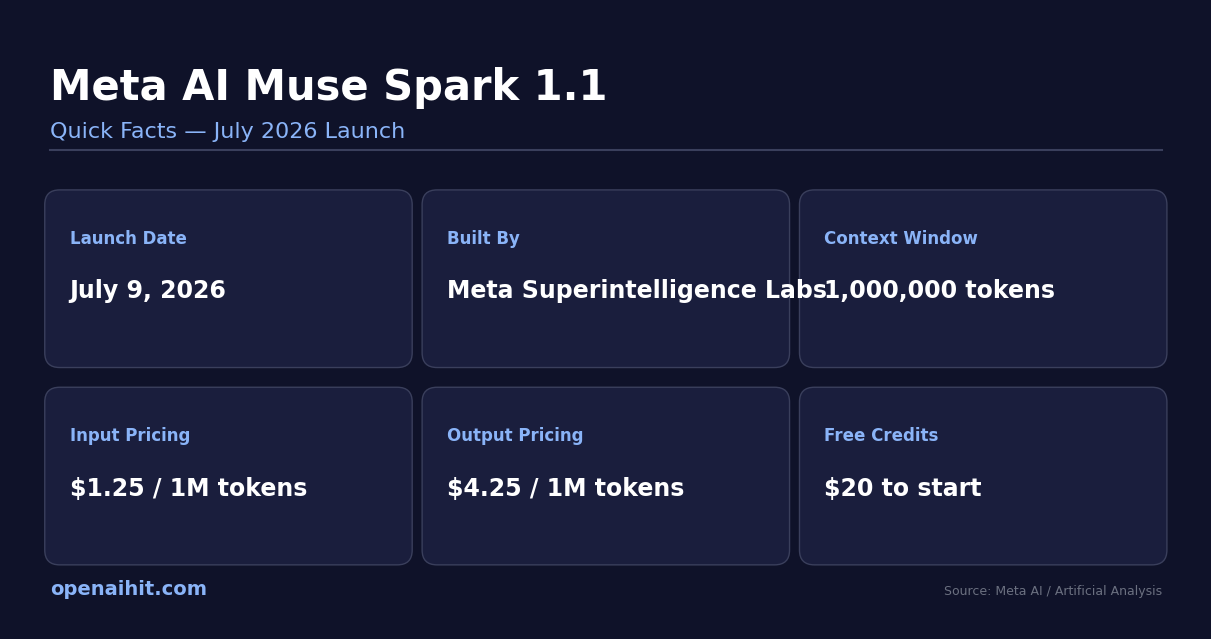
Meta AI Muse Spark 1.1 is a new AI model launched on July 9, 2026, built mainly to control tools, browsers, and multi-step tasks, not just chat. It has a 1 million word memory (context window) that manages itself. It costs $1.25 for every million words you send it, and $4.25 for every million words it replies with. New users get $20 free to try it. It’s free to use inside the Meta AI app for normal people. It beats Claude Opus 4.8 and GPT-5.5 at using tools, but it’s still a bit behind them at pure coding and reading very long documents. It only works in the US for developers right now, not yet in Europe. Unlike Meta’s older Llama models, this one is closed you can’t download or customize it yourself.
What Is Meta AI Muse Spark 1.1?
In simple words, Muse Spark 1.1 is an AI model that doesn’t just answer your questions it can actually do things for you. It can plan a task, use tools, browse the internet, write and fix code, and even control your screen step by step.
Here’s what makes it different from a normal chatbot:
- It can read text, images, videos, audio, and PDF files
- It only writes back in text — no pictures or videos come out of it
- It has a huge memory of 1 million tokens (roughly a few hundred thousand words), and it manages this memory on its own
- It can act like a “team leader” splitting one big task into smaller parts and handing them to smaller helper AIs
- It’s made to work with real software tools, not just a chat box
This is an upgrade of the older Muse Spark model, which came out just three months earlier, in April 2026. The jump between the two is huge the older one used to struggle with hard tasks, and the new one handles them much better.
Meta AI Muse Spark 1.1: Quick Facts
Key Features of Muse Spark 1.1
Here’s what it can actually do:
- Built for real tasks, not just chatting — it plans steps and gets things done
- Splits big jobs into small ones — and gives them to smaller helper AIs working at the same time
- Smart memory — instead of just storing everything, it keeps the important stuff and clears out the rest as the task gets longer
- Can use your computer — it can look at your screen, understand what’s there, and decide whether to click through it or just write a quick script instead
- Searches the internet on its own — and gives you sources, no extra setup needed
- Easy to switch to — it works with both OpenAI’s and Anthropic’s coding formats, so moving your existing project to it is simple
- Learns new tools instantly — it can pick up brand-new tools and skills without needing extra training first
The coolest part? It decides on its own whether it’s faster to write a script or just click through an app manually. Not many other AI models handle that decision this well yet.
What Can You Actually Use It For?
Numbers and benchmarks are nice, but here’s what this actually looks like in real life. Meta shared a few real examples while testing the model, and they help explain why “agentic” AI is such a big deal right now:
- Turning a video into a marketplace listing: Give it a short video of a product shot on your phone, and it can pull out the best photos, understand what the product is, open your browser, and create a full Facebook Marketplace listing for you without you typing a single word of the description yourself
- Planning something with changing details: Say you ask it to organize a dinner party. Halfway through placing an order, something changes maybe a guest has a food allergy or the restaurant runs out of an item. Instead of getting stuck, it notices the change and updates the plan on its own
- Fixing bugs in real apps: In one internal test, engineers asked it to build a chat app. It didn’t just write the code it took screenshots of the finished app, spotted issues in how it looked and worked, found the exact lines of code causing the problem, and fixed them itself
- Managing long, multi-step research: Because it can hold onto a huge amount of information and knows what to keep and what to forget, it’s well suited for tasks that involve reading a lot of material and acting on it over a long session, not just answering one question and stopping
The common thread in all of these is that the AI isn’t just replying to you it’s noticing when something changes mid-task and adjusting on its own, the same way a human assistant would. That’s a meaningfully different skill than just being good at answering questions, and it’s the main reason so many developers are paying attention to this release.
How Do You Access Muse Spark 1.1?
Meta made this available in three simple ways:
- Normal users: Free, inside the Meta AI app, using “Thinking” mode, just log in with your Meta account
- Developers: Through the new Meta Model API currently only available in the US
- Businesses: Through an early partner program, companies like Replit, Cline, and Box are already using it
If you’re a developer, here’s what it costs:
| Access Type | Price | Notes |
|---|---|---|
| Sending words in | $1.25 per 1 million tokens | Cheaper than most big competitors |
| Getting words back | $4.25 per 1 million tokens | About 1/3 the cost of GPT-5.5 |
| Free credits | $20 to start | Enough to properly test it out |
| Normal app use | Free | Meta AI app, “Thinking” mode |
This pricing sits above the cheap, small models but well below expensive top-tier ones, making it one of the more affordable serious options out there right now.
How Good Is Muse Spark 1.1, Really?
Where It Wins
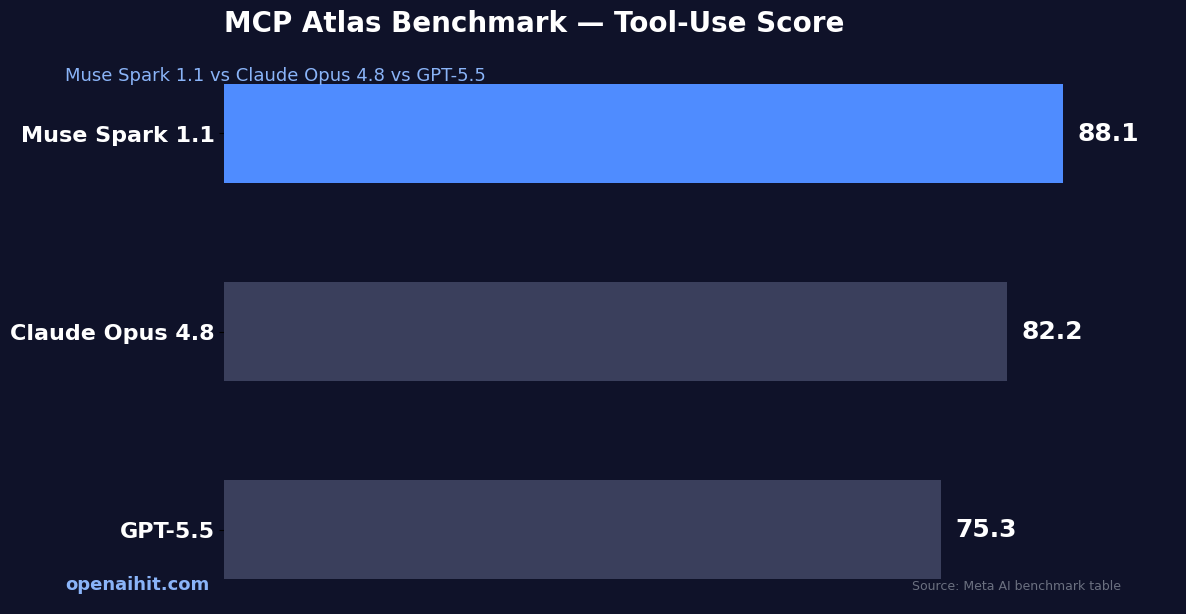
- Using tools (MCP Atlas test): Scores 88.1 — beats Claude Opus 4.8 (82.2) and GPT-5.5 (75.3)
- Doing real office-style tasks (JobBench): Scores 54.7 — beats Opus 4.8 (48.4) and GPT-5.5 (38.3)
- Hard reasoning with tools (Humanity’s Last Exam): Scores 62.1 — beats Opus 4.8 (57.9) and GPT-5.5 (52.2)
- Coding tasks (Vibe Code Bench): Scores 72.2 — over 50 points better than Meta’s older model
Where It Falls Short
- Pure coding skill — Claude Opus 4.8 and GPT-5.5 are still a bit better here
- Reading very long documents — it scores 54.1 on this test, while GPT-5.5 scores 74.0
- Understanding images/visuals — it’s decent, but not the best in its class
Overall Smartness Score
On a general intelligence test, Muse Spark 1.1 scores 51 out of 100. For comparison:
| Model | Score |
|---|---|
| Claude Fable 5 | 60 |
| GPT-5.6 Sol | 59 |
| Claude Opus 4.8 | 56 |
| Grok 4.5 | 54 |
| Muse Spark 1.1 | 51 |
So here’s the simple truth: Muse Spark 1.1 isn’t trying to be the smartest model overall. It’s trying to be the best at actually using tools and getting real work done. For anyone building AI agents, that’s actually the more useful skill.
Muse Spark 1.1 vs GPT-5.6 vs Claude Sonnet 5
All three of these launched within days of each other in July 2026, so people keep comparing them. Here’s the simple version:
| Factor | Muse Spark 1.1 | GPT-5.6 | Claude Sonnet 5 |
|---|---|---|---|
| Best for | Using tools, automation | Heavy-duty reasoning | Everyday coding |
| Memory size | 1 million tokens | Depends on version | 1 million tokens |
| Cost to reply | $4.25 / 1M tokens | $30 / 1M tokens (top tier) | $10 / 1M tokens (launch price) |
| Can you download it? | No | No | No |
| Free to use? | Yes, in Meta AI app | No, paid only | Yes, free + paid plans |
If you mostly need everyday coding help, Claude Sonnet 5 is a strong, cheaper daily pick, check our AI coding tools section for more on that. If you need the best reasoning no matter the cost, GPT-5.6 leads. But if you’re building bots that need to use tools and browsers, Muse Spark 1.1 is a genuinely strong and cheaper choice.
The Bigger Story Behind This Launch
Muse Spark 1.1 didn’t come out alone. Just two days earlier, Meta also launched Muse Image (its first image-making AI) and gave an early look at Muse Video. So this isn’t just one product Meta is building a whole family of AI tools.
A few interesting things to know:
- Muse Spark 1.1 comes from the same team that built Muse Image
- Meta says improving coding was a top goal, because good coding is needed to build proper AI agents
- Meta is already working on an even stronger model, nicknamed “Watermelon” — no release date yet
- Mark Zuckerberg posted about the launch himself on X , his first post there in three years just hours after OpenAI’s own big announcement
This tells us Meta wants to be seen as a serious player, not someone just copying others. For more on how Meta’s tools compare to others, check our AI tools category.
Should You Actually Use It?
Here’s a simple way to decide:
- You’re already using OpenAI or Anthropic’s tools → switching is easy since Muse Spark 1.1 works the same way. Just change one setting and test it.
- You’re building bots that use tools, browsers, or apps → this is the strongest reason to try it, this is exactly what it’s built for
- You want to save money → at this price, it’s cheaper than most similar models. Worth testing even just to compare costs. See our AI tools for business page for more cost comparisons.
- You need it to work in Europe → wait for now, it’s US-only at launch
- You need to download and customize the model yourself → this isn’t for you , stick with Llama instead
Is It Safe to Use?
Meta tested this model for risks in three areas:
- Chemical & biological risk
- Cybersecurity risk
- Risk of the AI acting on its own in unsafe ways
Here’s the honest part: Meta admitted that without safety fixes, the model could have been risky in the first two areas. After adding safety layers, they say all the risks were brought down to a safe level before release.
For regular users and most businesses, this isn’t something to worry about daily. It’s just good to know Meta tested it seriously and was honest about the results instead of hiding them.
Final Verdict
Muse Spark 1.1 isn’t trying to be the smartest AI out there and Meta isn’t hiding that. What it’s really good at is helping build AI agents that can actually use tools, click through apps, and finish multi-step tasks without needing a human to guide every step. And on that job, the numbers back it up.
Whether it’s right for you depends on what you’re building. For tool-based tasks, it’s one of the strongest and cheapest picks today. For pure coding power or reading long documents, Claude Opus 4.8 and GPT-5.5 are still ahead for now.
We’ll keep updating this review as Meta rolls it out further. For more updates on every big AI launch, keep checking OpenAIHit bookmark our AI news page so you never miss one.
Frequently Asked Questions
Q1. What is Meta AI Muse Spark 1.1?
It is Meta’s brand-new AI model launched on July 9, 2026. Unlike traditional chatbots, it is specifically built to act as an “AI agent”—meaning it can plan multi-step tasks, browse the internet, use software tools, and even control your computer screen.
Q2. Is Muse Spark 1.1 free to use?
Yes, for everyday users, it is completely free to use inside the Meta AI app under the “Thinking” mode. Developers using the API have to pay, but Meta gives them a $20 free credit to start testing it.
Q3. How much does the developer API cost?
It costs $1.25 for every 1 million tokens (words sent in) and $4.25 for every 1 million tokens (words replied with). This makes it highly affordable compared to top-tier competitors.
Q4. Can I download and customize Muse Spark 1.1 like Meta’s Llama models?
No. Unlike the open-source Llama models, Muse Spark 1.1 is a closed model. You cannot download it or customize it on your own server; it can only be accessed via Meta’s app or API.
Q5. Is it better than GPT-5.5 or Claude Opus 4.8?
It depends on what you need. Muse Spark 1.1 beats both Claude Opus 4.8 and GPT-5.5 when it comes to using software tools and automating real-world office tasks. However, it still falls slightly behind them in pure coding power and reading very long documents.
Q6. Where is the Muse Spark 1.1 API currently available?
Right now, the developer API is only available in the United States (US). It has not been rolled out in Europe yet.