Removing backgrounds from photos used to require complex graphic software, manual selection masks, and hours of tedious editing work. Fortunately, learning how to remove background from images using AI allows creators, sellers, and marketers to isolate subjects in seconds. Modern artificial intelligence models automatically detect complex edges, separate subjects from surroundings, and deliver clean transparent cutouts with a single click. Using a dedicated ai background remover transforms complex photo editing into an instant, hassle-free task.
What Is an AI Background Remover and How Does It Work?
An automated background removal tool uses deep learning neural networks trained on millions of object images. Consequently, these AI algorithms can instantly identify human faces, hair strands, product shapes, vehicles, and pets.
The underlying machine learning model separates an image into two distinct parts: the primary subject and the backdrop. First, the algorithm creates an automated boundary map around the edges of the subject. Next, it analyzes fine details like transparent glass, flyaway hair, or animal fur. Finally, the system erases the unwanted backdrop and leaves you with a transparent PNG file ready for immediate download.
As a result, business owners and content creators no longer need professional graphic design experience to build professional visual assets.
Why You Should Use an AI Tool to Erase Photo Backgrounds
Manual photo editing requires extreme precision, patience, and expensive editing subscriptions. On the other hand, adopting an ai image editing tool provides several massive advantages for daily workflows.
1. Unmatched Speed and Productivity
Traditional background masking in desktop software takes anywhere from 15 to 45 minutes per image. In contrast, an artificial intelligence tool completes the exact same process in less than five seconds. Therefore, creators can edit dozens of photos in the time it previously took to refine a single edge.
2. High-Precision Edge Detection
Fine details like human hair, sheer fabrics, and glass transparency usually create major problems for manual selection tools. Modern algorithms use computer vision matting techniques to keep fine hair strands and transparent textures intact.
3. Lower Software Overhead Costs
Professional creative software suites often charge high recurring monthly subscription fees. Fortunately, you can easily remove background ai free using modern web apps without spending anything upfront.
Top 6 AI Background Removal Tools Reviewed
Finding the right editor depends on whether you edit individual headshots, manage e-commerce product catalogs, or build social media graphics. Below is an evaluation of the leading options available today.
1. Remove.bg
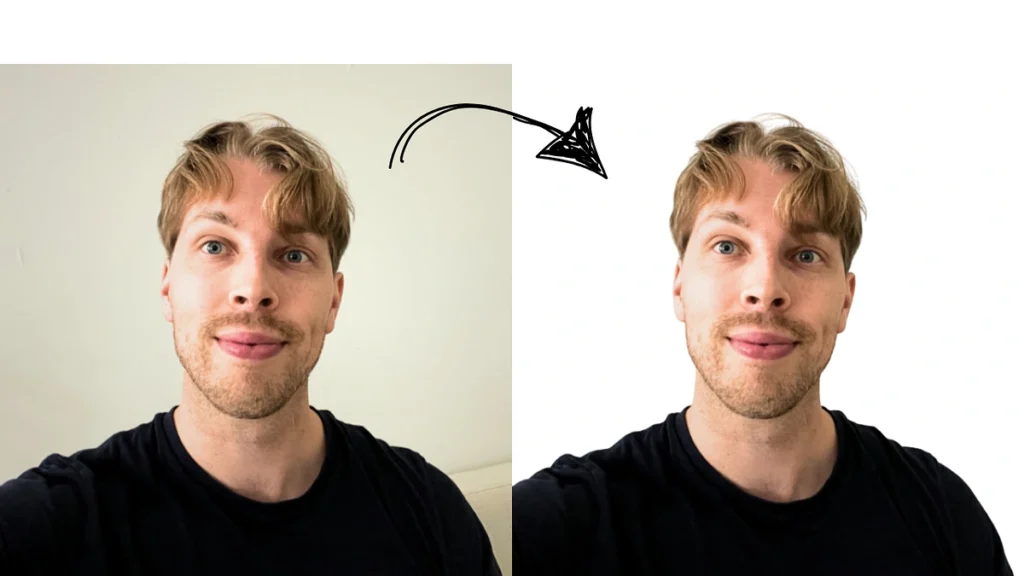
Remove.bg is widely considered one of the most reliable and battle-tested background isolation platforms.
The system processes uploaded photos in roughly five seconds with remarkable edge accuracy. Additionally, it offers seamless integrations for Photoshop, CMS platforms, and automated workflow scripts.
-
Best Feature: Extremely reliable edge accuracy for portrait hair and product shots.
-
Free Plan Limits: Offers free preview downloads, but high-definition exports require image credits.
-
Ideal Audience: Content creators and developers needing fast API integrations.
2. Photoroom
Photoroom is specifically engineered for e-commerce sellers and digital marketers who need polished product displays.
Besides removing existing backdrops, Photoroom instantly replaces plain backgrounds with realistic studio scenes, wooden tables, or custom color gradients. Moreover, its mobile app allows store owners to shoot and edit inventory photos directly from their smartphones.
-
Best Feature: Automated background replacement and multi-object batch processing.
-
Free Plan Limits: Basic edits are free, but premium backdrop templates require paid plans.
-
Ideal Audience: Shopify sellers, Amazon merchants, and reselling business owners.
3. WaveSpeed AI Background Remover
WaveSpeed has quickly emerged as a favorite among budget-conscious users who want an ai background eraser without restrictive paywalls.
Crucially, WaveSpeed requires no account registration or email submission to get started. Furthermore, it exports full-resolution PNG images without adding watermarks or reducing export canvas dimensions.
-
Best Feature: Full-resolution HD downloads without watermarks or forced sign-ups.
-
Free Plan Limits: Completely free standard processing.
-
Ideal Audience: Casual users, students, and budget-focused freelancers needing full quality.
4. Adobe Express
Adobe Express brings powerful generative Firefly technology into an accessible online browser interface.
Because Adobe leverages professional image algorithms, its background extraction handles difficult lighting and complex surroundings with ease. Furthermore, after removing a backdrop, users can immediately add typography, shapes, and brand assets within the built-in editor.
-
Best Feature: Commercial safety and integration with Adobe Creative Cloud libraries.
-
Free Plan Limits: Generous free monthly account allowance.
-
Ideal Audience: Marketing agencies and graphic design teams requiring commercial assets.
5. Canva Free Editor
Canva integrates intelligent image cutoff features directly into its popular graphics workspace.
Although Canva restricts its automated background remover to Pro subscribers, its overall platform functions as a best ai photo editor free for layout assembly, text additions, and social templates. Consequently, design beginners can assemble full presentations or banners in one unified place.
-
Best Feature: Unified canvas workspace with millions of stock elements and font pairings.
-
Free Plan Limits: Background removal requires a Pro trial or paid subscription.
-
Ideal Audience: Social media managers and non-designers building graphics.
6. Pixelcut
Pixelcut specializes in rapid background removal and instant graphic composition for mobile and web browsers.
Specifically, Pixelcut analyzes uploaded images in under three seconds. After erasing the original environment, users can choose solid white backgrounds, studio lighting effects, or custom generative scenes.
-
Best Feature: Fast mobile editing with automated shadow effects.
-
Free Plan Limits: Free basic removal with optional HD upgrades.
-
Ideal Audience: Mobile creators and print-on-demand designers.
Comparison Table: Best AI Background Removal Tools
The table below summarizes key operational features, pricing structures, and export capabilities across top platforms.
| Tool Name | Key Workflow Strength | Free Tier Available | Watermark on Free Tier | Estimated Monthly Cost |
| Remove.bg | Ultra-Fast API Processing | Yes (Preview Quality) | No | $9.00 / month |
| Photoroom | E-Commerce Studio Templates | Yes (Basic Features) | Yes (On Free Templates) | $12.99 / month |
| WaveSpeed AI | Zero Sign-Up & Full HD | Yes (Unlimited Basic) | No | Free / Ad Supported |
| Adobe Express | Commercial Firefly Integration | Yes (Generous Allowance) | No | $9.99 / month |
| Canva | Complete Social Design Suite | Free Trial Available | N/A (Pro Only Feature) | $14.99 / month |
| Pixelcut | Mobile Product Photography | Yes (Standard Exports) | No | $9.99 / month |
Step-by-Step Guide: How to Remove a Photo Background in 3 Easy Steps
Erasing an unwanted background requires zero technical knowledge. Simply follow this straightforward three-step process:
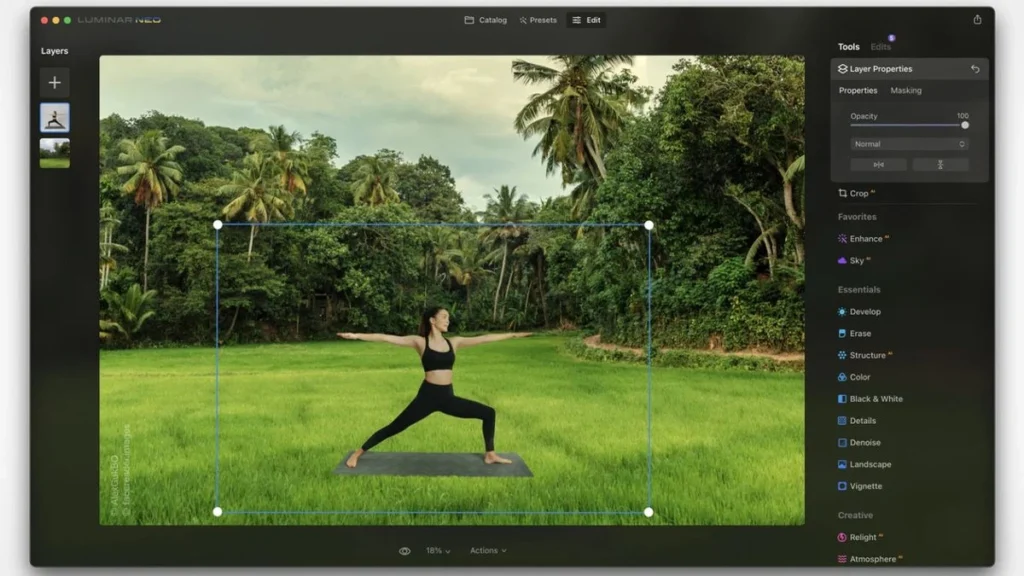
Step 1: Upload Your Image
First, navigate to your preferred online editing platform. Select a clean JPG, PNG, or HEIC image from your computer or smartphone. For the best results, choose a photo where the subject stands out clearly from the background environment.
Step 2: Let the AI Process the Image
Second, wait a few seconds while the machine learning model analyzes the image edges. The algorithm scans the photo, maps the subject contours, and deletes surrounding background pixels automatically.
Step 3: Refine Edges and Download
Finally, review the cutout preview. Most web editors provide a built-in eraser or brush tool to clean up subtle edge artifacts if necessary. Once satisfied, save the isolated subject as a transparent PNG file.
Practical Applications for Isolated AI Cutouts
Using background isolation tools opens up countless practical applications across digital businesses and marketing workflows:
E-Commerce Product Listings
Online marketplaces like Amazon, eBay, and Shopify require clean, uniform white backgrounds for product listings. Removing busy backgrounds builds buyer trust, reduces visual distractions, and boosts conversion rates significantly.
Professional Headshots and Resumes
Replacing messy office or outdoor backgrounds with neutral studio backdrops improves LinkedIn profile photos instantly. As a result, job seekers can create professional headshots without paying for expensive photography sessions.
Marketing Banners and Social Media Graphics
Isolating subject photos allows digital marketers to place people or products onto vibrant custom graphic layouts. Therefore, team members can quickly assemble ad banners, YouTube thumbnails, and Instagram promo posts.
Pro Tips for Getting the Cleanest Cutouts Every Time
Even though artificial intelligence handles edge processing automatically, following simple photography best practices will improve your final export quality.
-
Maximize Subject Contrast: Ensure your primary subject has strong visual contrast against the surrounding background. For example, photographing a dark object against a light wall helps the algorithm detect edges faster.
-
Avoid Blurry Focus: Use crisp, high-resolution source images. Sharp subject edges prevent fuzzy boundary artifacts around hair or clothing.
-
Lighting Consistency: When placing your subject onto a brand-new background, match the lighting direction and color temperature of the new environment for maximum realism.
Conclusion
Mastering how to remove background from images using AI simplifies photo editing for creators, store owners, and marketing teams alike. Whether you choose Remove.bg for speed, Photoroom for product templates, or WaveSpeed AI for full-resolution free exports, automated background erasing saves valuable design time while raising visual presentation standards.
For more actionable tutorials, software guides, and artificial intelligence comparisons, visit openaihit.com to stay ahead in modern digital workflows.
Frequently Asked Questions
What is the best free AI background remover overall?
Based on available testing data, tools like WaveSpeed AI and Remove.bg offer exceptional free editing performance. WaveSpeed provides full-resolution HD transparent exports without requiring account registration, making it ideal for quick, high-quality cutouts.
Can I save transparent PNG images for free?
Yes, most online platforms allow you to export transparent PNG files without charge. Transparent PNG formats preserve empty backgrounds, allowing you to layer isolated subjects over new photos, colors, or design canvas layouts easily.
How does AI handle complex details like human hair?
Modern background isolation software utilizes advanced image matting networks specifically trained on fine edges. These algorithms calculate pixel transparency levels around individual hair strands and fur, ensuring smooth, natural cutouts without harsh jagged lines.
Do I need to install heavy software to erase image backgrounds?
No, you do not need to install local photo editing software. Most modern artificial intelligence background tools run entirely inside web browsers or lightweight mobile apps, allowing you to isolate image subjects on any desktop computer or mobile device.