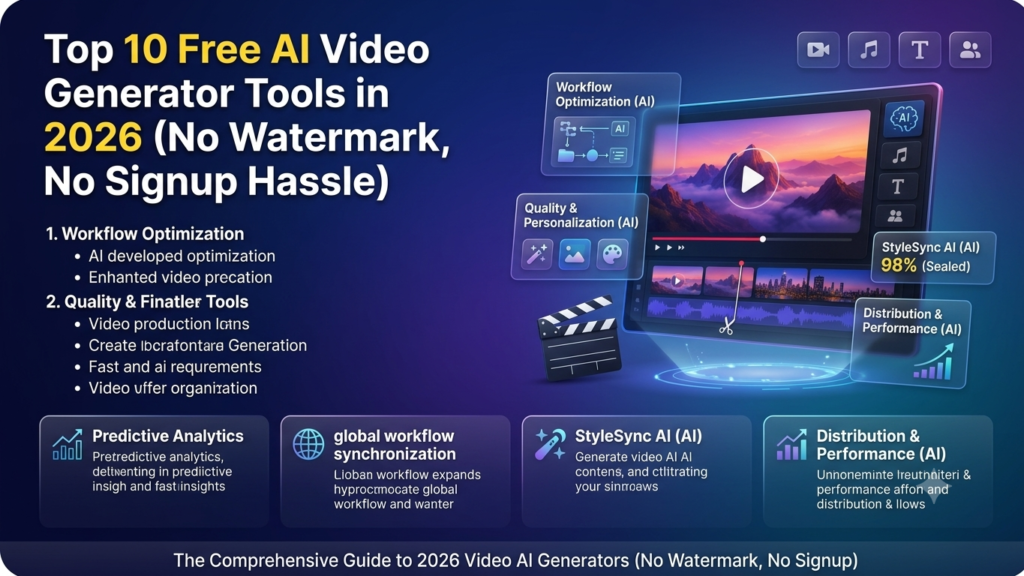
Video content dominates every major digital platform, from YouTube Shorts and Instagram Reels to corporate marketing sites. However, traditional video creation, requiring camera gear, lighting setups, actor hiring, and hours of video editing, remains a major bottleneck for solo creators, small businesses, and social media managers.
In 2026, generative artificial intelligence has rendered video production more accessible than ever. You no longer need a dedicated production studio to convert written ideas into cinematic video clips. With a simple text prompt or reference photo, modern AI models can render 1080p video clips complete with camera movements, realistic lighting, and lip-synced audio in under a minute.
The primary challenge today is not finding an AI video generator, but navigating hidden pricing tier walls, restrictive trial credits, forced watermarks, and tedious sign-up processes. Creators actively search for reliable free ai video generator tools 2026 that deliver clean, publishable, watermark-free output without requiring credit cards or lengthy setup forms.
This ultimate guide breaks down the top 10 watermark-free, accessible, and beginner-friendly AI video generation platforms operating in 2026. You will learn how each tool functions, what you get on their free tiers, and how to get maximum visual quality without spending a dime.
AI Overview & Key Takeaways
Modern free AI video generators produce publication-ready 1080p clips directly from text prompts, eliminating traditional post-production friction.
-
Watermark-Free Exports: Platforms like Seedance, Hailuo AI, and Pika export clean, watermark-free videos on free credit tiers.
-
Native Audio Rendering: Next-generation models like Google Veo 3 render synchronized ambient audio and dialogue alongside video frames.
-
Speed & Iteration: Top tools generate short video clips in 30 to 60 seconds, allowing creators to iterate rapidly.
-
No-Code Accessibility: Beginners can create social media clips, promotional promos, and anime animations using plain natural language prompts.
-
Dual-Generation Modes: Leading platforms support both text-to-video generation and image-to-video animation from still photos.
What Are AI Video Generators?
AI Video Generator Definition: Software platforms powered by deep learning diffusion models and transformer networks that render moving video sequences directly from written text prompts, static images, or existing video inputs.
AI video generators work by analyzing vast datasets of video footage, motion physics, lighting behaviors, and text descriptions. When you type a prompt into a free text to video ai tools online interface—such as “A macro shot of a golden retriever puppy running through wet grass during golden hour”,the neural network constructs matching video frames frame by frame, predicting fluid motion and camera tracking automatically.
+-----------------------------------------------------------------------+
|                    AI VIDEO GENERATION MODES                          |
|                                                                       |
|  1. Text-to-Video (T2V):                                              |
|     [Text Prompt]  ---> [Diffusion AI Engine] ---> [Video Output]     |
|                                                                       |
|  2. Image-to-Video (I2V):                                             |
|     [Still Image + Motion Prompt]  ---> [AI Engine] ---> [Animated Video] |
+-----------------------------------------------------------------------+
Core Categories of AI Video Generation
-
Text-to-Video (T2V): The model synthesizes entirely new visual scenes, characters, environments, and camera sweeps directly from plain written text descriptions.
-
Image-to-Video (I2V): The creator uploads a static photo or AI-generated image (from Midjourney or DALL-E) and prompts the AI to add natural camera movement, wind, liquid motion, or character facial expressions.
-
AI Video Editing & Style Transfer: Tools like CapCut and Clipchamp take existing video assets and automatically apply AI voiceovers, dynamic auto-captions, background removals, and stylistic filters.
How to Choose a Free AI Video Tool in 2026
Evaluating a best free ai video maker without watermark requires looking beyond marketing claims. Many platforms advertise “free” services only to embed massive brand watermarks over exported files or restrict resolutions to unusable 360p clips.
                 FREE AI VIDEO EVALUATION CHECKLIST

  +-----------------------+     +-----------------------+
  | Watermark Policy      | --> | Resolution & Quality  |
  | Clean export vs logo  |     | 720p vs 1080p output  |
  +-----------------------+     +-----------------------+
              |                             |
              v                             v
  +----------------------+     +-----------------------+
  | Credit Renewal        | --> | Friction / Frictionless|
  | Daily vs One-Time     |     | Fast access vs Paywall|
  +-----------------------+     +-----------------------+
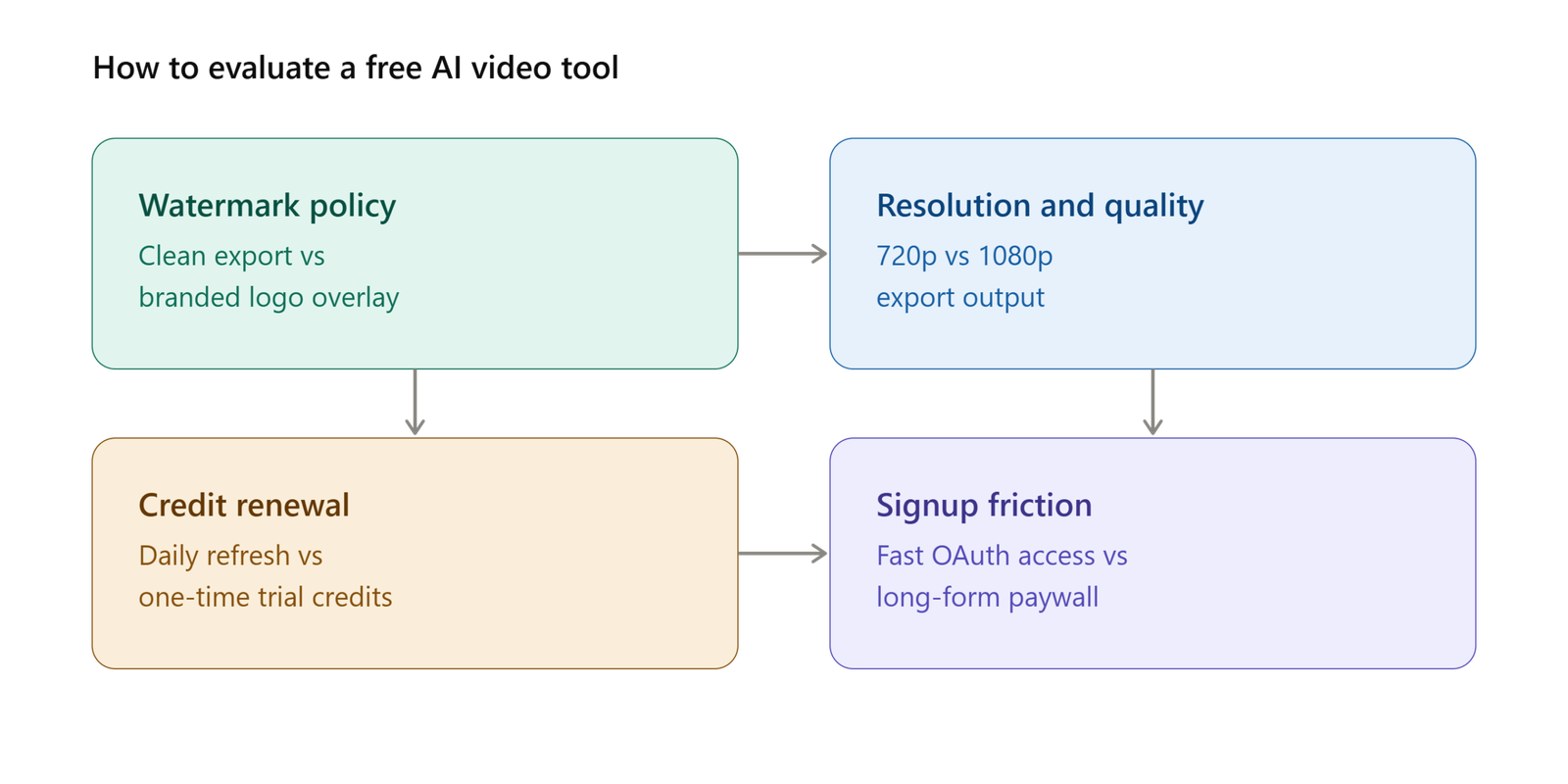
4 Critical Factors to Evaluate
-
Watermark Enforcement: A clean output is mandatory for professional or social media publishing. Select platforms that provide watermark-free exports on their free daily or monthly credit allocations.
-
Resolution & Duration Caps: Verify whether the free plan exports in usable high-definition (720p or 1080p). Check the clip length cap per generation (typically 4 to 8 seconds per clip).
-
Credit Renewal Model: Look for platforms providing daily refreshing credits rather than one-off trial credits that expire permanently after your first few test renders.
-
Signup Friction & Speed: Choose platforms offering frictionless Google/OAuth one-click signups or guest sandbox previews so you can test capabilities before filling out long forms.
Top 10 Free AI Video Generator Tools in 2026
The following curated selection highlights the leading watermark-free, cost-effective, and beginner-accessible ai video generator from text free 2026 platforms.
1. Seedance 2.0: Best Overall Watermark-Free AI Video Engine
Seedance 2.0 stands as one of the most generous free AI video generation platforms operating in 2026. Instead of locking users into a single rendering model, Seedance provides access to multiple underlying engines (including Seedance 2.0, Veo 3, and Kling) within one clean interface.
+------------------------------------------------------------------+
|                    SEEDANCE 2.0 FEATURE SNAPSHOT                 |
|                                                                  |
|  - Watermark: None (100% Clean Exports on Free Tier)              |
|  - Resolution: 1080p HD                                          |
|  - Renewal: Daily Free Credit Refresh                            |
|  - Input Types: Text-to-Video & Image-to-Video                   |
+------------------------------------------------------------------+
-
Key Features: Daily refreshing credits, 1080p resolution exports, native lip-syncing capabilities, and multi-model shot selection.
-
Pros: Zero watermarks on free tier, fast 30-second processing turnaround, crisp physics rendering.
-
Cons: Occasional artifacts on complex multi-finger hand movements.
-
Best Use Case: Creators needing clean, daily 1080p clips for social media shorts without paying subscriptions.
2. Hailuo AI (MiniMax Video): Best for Smooth Human Motion
Developed by MiniMax, Hailuo AI has earned widespread acclaim among short-form video creators for offering smooth character motion and emotional realism with zero watermarks on free exports.
-
Key Features: 10 free video generations refreshed daily, text-to-video generation, hyper-expressive character facial tracking, and realistic cloth/hair physics.
-
Pros: No watermark on free exports, exceptionally natural human facial expressions, high adherence to complex prompt instructions.
-
Cons: Free resolution capped at 720p, clip duration limited to 6 seconds.
-
Best Use Case: Storytellers and marketers creating character-driven, human-focused social media videos.
3. Google Veo 3 (via Google Vids): Highest Cinematic Visual Quality
Google’s Veo 3.1 update lets users create native vertical videos through reference images, and the model has continued to represent a benchmark for visual realism, temporal coherence, and atmospheric lighting in 2026, as covered in TechCrunch’s report on the Veo 3.1 rollout. Every personal Google account receives monthly free credits via Google Vids and Google AI Studio.
         GOOGLE VEO 3 AUDIO-NATIVE GENERATION PIPELINE

  [Text / Photo Prompt] ---> [Google Veo 3 Engine]
                                   |
                                   v
  [8-Second Video Stream] + [Synchronized Audio & Ambient Sound Effects]
-
Key Features: Audio-native video generation (renders sound effects and dialogue alongside video frames), complex camera tracking, 8-second clip generation.
-
Pros: Highest raw cinematic visual quality, audio generated natively in sync, no credit card required.
-
Cons: Limited generation credits per month on the basic Google account tier, slower rendering queues. If you also want to pair your video with a professional voice track or background score, check out our best AI voiceover tools 2026 guide.
-
Best Use Case: Filmmakers and visual artists seeking cinematic B-roll footage with pre-synced background audio.
4. Pika (Pika 2.1): Best for Creative VFX and Special Effects
Pika remains a favorite among creative editors due to its unique “Modify Region” canvas tools and fun generative visual effects features (e.g., squish, melt, explode, inflate).
-
Key Features: Region-based video modification, automated lip-syncing, text-to-video, and custom image animation.
-
Pros: Clean watermark-free output on select free credits, creative visual effects presets, intuitive web interface.
-
Cons: High-volume rendering requires paid tier upgrades.
-
Best Use Case: Content creators looking to add playful visual effects, lip-synced audio, and targeted element edits to clips.
5. Haiper AI: Fastest High-Speed Video Rendering Engine
Haiper AI focuses on speed, simplicity, and low-friction creation. Its minimalist dashboard allows creators to generate 720p clips in under 30 seconds.
-
Key Features: Daily refreshing credits, 720p resolution, text-to-video, image-to-video, repainting tools.
-
Pros: Fast generation times, clean watermark-free downloads on free credits, simple user interface.
-
Cons: Limited advanced camera motion controls on the free tier.
-
Best Use Case: Beginners who want quick video draft turnarounds without long queuing delays.
6. Kling AI (Kling 3.0): Best for Complex Action & Human Kinetics
Kuaishou’s Kling 3.0 is a specialist platform for handling realistic human kinetics, dance routines, walking sequences, and multi-angle camera shifts.
-
Key Features: Daily free credit allowance, 1080p export support, advanced multi-subject tracking, precise camera movement prompts.
-
Pros: Industry-leading human body physics, sharp 1080p clarity, excellent multi-angle support.
-
Cons: Free tier displays a small corner watermark and experiences peak-hour queue delays.
-
Best Use Case: Social media influencers and UGC creators building realistic human action shots.
7. Luma Dream Machine: Best for Cinematic Motion & Lighting
Luma’s Dream Machine provides a generous monthly free allowance combined with smooth, filmic camera motion controls.
-
Key Features: 30 free video generations per month, camera pan/zoom settings, image-to-video keyframing.
-
Pros: Generous monthly allocation, clean camera moves, high aesthetic quality for landscapes and sci-fi scenes.
-
Cons: 5-second clip duration limit on free tier, slight quality drops on multi-person crowds.
-
Best Use Case: Landscape, architecture, and environmental video generation.
8. InVideo AI: Best Prompt-to-Video Engine for Social Media
InVideo AI excels at turning a simple text topic or blog URL into a complete, publishable short video featuring auto-generated scripts, stock footage assembly, text overlays, and voiceovers.
                  INVIDEO AI COMPLETE ASSEMBLY

  [Prompt / Topic] ---> [Script Generation] ---> [Stock Asset Selection]
                                                        |
                                                        v
  [Published Reel / Short] <--- [Voiceover & Auto-Captions Overlay]
-
Key Features: Topic-to-video creation, AI scriptwriting, stock media integration, automated voiceover synthesis.
-
Pros: Generates full complete videos rather than isolated 5-second raw clips, beginner-friendly.
-
Cons: Free exports carry an InVideo brand watermark; best used for drafting before upgrading.
-
Best Use Case: Marketers needing quick explainer videos, promo drafts, and educational YouTube Shorts.
9. PixVerse: Best for Anime & Stylized Content
PixVerse is a popular platform for generating stylized, anime, dynamic fantasy, and 3D cartoon video content.
-
Key Features: Daily free generation credits, specialized anime style filters, multi-subject motion tracking.
-
Pros: Excellent anime aesthetics, watermark-free options on free credits, active Discord community.
-
Cons: Less optimized for photorealistic real-world human rendering.
-
Best Use Case: VTubers, anime creators, and digital artists building stylized animated content.
10. CapCut AI & Clipchamp: Best AI Video Editing Tools for Beginners Free
For creators who prefer editing existing footage with AI assistance, CapCut and Microsoft Clipchamp provide suite tools including AI script-to-video generators, auto-captions, background removers, and text-to-speech engines.
-
Key Features: Auto-caption generator, AI voiceover reader, background removal, template-based video builder.
-
Pros: Completely free 1080p exports without watermarks, accessible on desktop/mobile, comprehensive editing timelines.
-
Cons: Lacks generative text-to-video diffusion capabilities found in dedicated platforms like Veo 3 or Seedance.
-
Best Use Case: Beginner creators who need an ai video editing tools for beginners free solution to stitch clips, add captions, and export watermark-free videos. To take your editing workflow further, our detailed AI tools for video editing guide covers advanced options too.
Quick Comparison Table
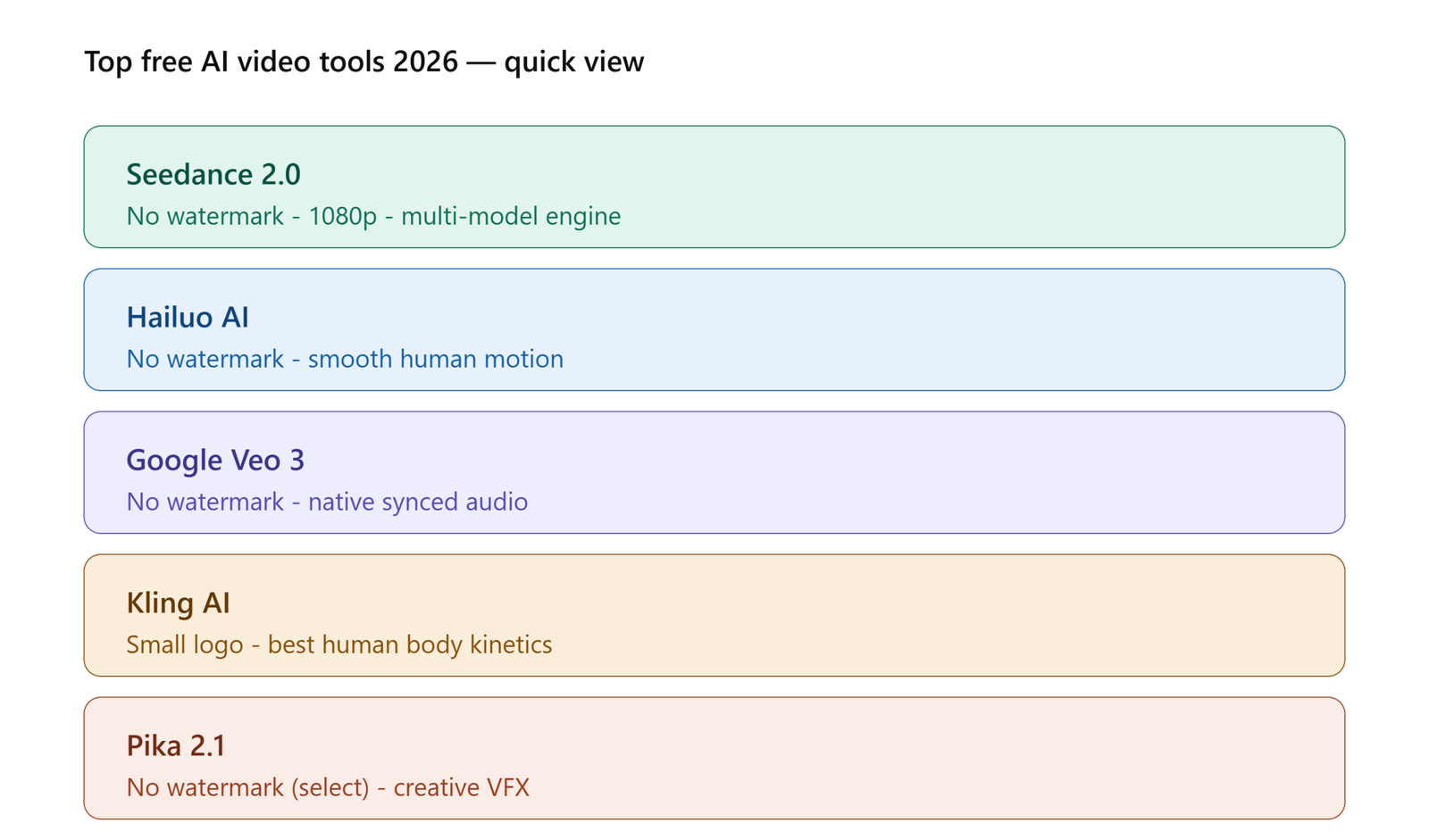
The matrix below provides a quick overview of the free ai video generator tools 2026 landscape.
| Platform | Watermark on Free Tier? | Max Resolution | Daily/Monthly Free Credits | Standout Feature |
| Seedance 2.0 | ❌ No Watermark | 1080p | Daily Refresh | Multi-model engine & 1080p output |
| Hailuo AI | ❌ No Watermark | 720p | Daily Refresh (10 clips) | Smooth human motion & facial physics |
| Google Veo 3 | ❌ No Watermark | 720p / 1080p | Monthly Allowance | Native synced audio & extreme realism |
| Pika 2.1 | ❌ No Watermark (Select) | 1080p | Periodic Credits | Modify region & squish/melt effects |
| Haiper AI | ❌ No Watermark | 720p | Daily Refresh | Fast 30-second rendering speed |
| Kling AI | ⚠️ Small Corner Logo | 1080p | Daily Credits (66 credits) | Industry-leading human body kinetics |
| Luma Dream Machine | ⚠️ Watermark on Free | 720p | 30 Clips / Month | Filmic camera motion controls |
| InVideo AI | ⚠️ Watermark on Free | 1080p | Weekly Credits | Complete topic-to-video with voiceover |
| PixVerse | ❌ No Watermark | 720p | Daily Refresh | Specialized anime & 3D stylized modes |
| CapCut AI | ❌ No Watermark | 1080p | Unlimited Basic Features | Full timeline editing with AI captions |
Free vs. Paid Tools: When Should You Upgrade?
While free AI video generator tools are sufficient for personal projects, social media experimentation, and quick drafts, paid plans become necessary under specific commercial growth conditions. Not sure when to make the jump from free to paid? Our free vs paid AI tools upgrade guide breaks down exactly when it’s worth it.
                      WHEN TO UPGRADE YOUR AI TOOL

  [FREE TIER: Good For]                   [PAID UPGRADE: Needed For]
  - Social media experiments               - 4K Resolution & High Bitrate
  - Learning prompt engineering            - Commercial Reselling Rights
  - Short 5-second B-roll clips            - Batch Generation Pipelines
  - Zero-budget content creators           - Long 60-Second Unbroken Clips
3 Signs It Is Time to Upgrade to a Paid Tier
-
Higher Video Output Demands: If your publishing schedule requires generating 10 to 20 video clips daily, free daily credit allocations will slow down your workflow.
-
Commercial Client Deliverables: Client projects, paid TV commercials, and high-end agency campaigns require 4K upscaling, custom brand watermarks, and full IP commercial usage rights.
-
Complex Multi-Scene Storyboarding: Free tiers limit clip lengths to 4–8 seconds. Paid plans unlock long-form generation, scene extensions, and multi-shot storyboards in a single timeline.
Tips to Get the Best Results from Free AI Video Tools
To produce professional, cinematic output using free text to video ai tools online, apply these proven prompt engineering strategies:
                    STRUCTURE OF A PRO-GRADE PROMPT

  [SUBJECT] + [ACTION] + [ENVIRONMENT] + [LIGHTING] + [CAMERA ANGLE]

  Example: "A futuristic silver sports car drifting around a neon-lit
            corner in rain-slicked Tokyo, volumetric lighting,
            low-angle tracking shot, 35mm lens style."
5 Pro Engineering Tips for AI Video
-
Use Specific Camera Terminology: Direct the AI’s virtual camera by using explicit cinematographic terms like “low-angle tracking shot,” “slow dolly zoom,” “aerial drone view,” or “macro close-up.”
-
Detail Lighting and Ambiance: Describe atmospheric lighting clearly—such as “golden hour backlight,” “neon cinematic reflections,” “soft volumetric sunlight,” or “overcast diffuse studio light.”
-
Start with High-Quality Still Images (I2V): For maximum control over character appearance, generate a detailed still image first using Midjourney or Leonardo AI, then input the image into an image-to-video model (like Seedance or Hailuo) to animate it.
-
Avoid Vague Motion Descriptions: Instead of prompting “a man moving,” specify exact kinetics: “a man walking slowly while turning his head toward the camera.”
-
Stitch Short Clips in a Free Editor: Generate 3 to 4 separate 5-second B-roll clips using free credits, then combine them using CapCut or Clipchamp to build a polished, multi-shot 20-second reel.
Conclusion
Finding the right free ai video generator tools 2026 solution allows content creators, marketers, and storytellers to produce high-impact, watermark-free video content without expensive production software or equipment.
If your goal is generating clean 1080p clips daily with zero watermark friction, Seedance 2.0 and Hailuo AI offer the most dependable free tiers. For unmatched cinematic lighting and audio-native realism, Google Veo 3 delivers benchmark quality. Meanwhile, beginner editors can combine these AI B-roll generators with timeline editors like CapCut to build complete, viral short-form videos.
For more hands-on software breakdowns, AI creative workflows, and digital marketing guides, explore the latest tutorials on OpenAIHit.
FAQs
Which free AI video generator has no watermark in 2026?
Platforms such as Seedance 2.0, Hailuo AI (MiniMax), Google Veo 3 (via free credits), and CapCut AI allow creators to export clean, watermark-free videos on their free tiers.
Can I use free AI-generated videos for commercial purposes?
It depends on the platform’s terms of service. While open-source frameworks and select platforms grant commercial rights on clean outputs, others restrict free-tier outputs to personal, non-commercial use. Always verify the platform’s licensing terms before using videos in paid advertising.
What is the easiest AI video generator for beginners?
Tools like Hailuo AI, Haiper AI, and InVideo AI feature intuitive, prompt-driven interfaces that require zero technical expertise or video editing background.
Do free AI video generators require installing software?
No. Most leading AI video tools operate directly inside modern web browsers via cloud rendering, requiring no local software installations or powerful graphics cards.
How long does it take an AI tool to generate a video clip?
Average generation speeds range from 30 seconds to 3 minutes per 5-second clip, depending on server traffic, model complexity, and current queue priority.