Turning YouTube videos into blog posts is one of the easiest ways to create more content without starting from scratch. Instead of spending hours watching videos, taking notes, and writing articles manually, you can use Claude AI to transform video transcripts into informative, engaging, and SEO-friendly blog posts.
However, the quality of your article depends on the instructions you provide. A simple request may produce a summary, while a well-written prompt can help Claude organize ideas, create compelling headings, explain important concepts, and develop content that meets your audience’s needs.
That is why Claude YouTube to blog prompts are useful for bloggers, content creators, digital marketers, and website owners. With the right prompts, you can turn educational videos, tutorials, interviews, and podcasts into valuable written content. In this guide, you will discover the 10 best Claude prompts for turning YouTube videos into blog posts, along with a comparison table, ready-to-use prompts, and practical tips for creating better content with AI.
AI Overviews:
The best Claude prompts for turning YouTube videos into blog posts instruct Claude to analyze a video transcript, extract important information, organize ideas into clear headings, and create a readable article. The most useful prompts include SEO blog writing, video summarization, step-by-step tutorials, listicle creation, keyword optimization, and content repurposing.
To get better results, provide an accurate YouTube transcript, your primary keyword, relevant secondary keywords, and a clear description of your target audience. Review the generated article for factual accuracy, originality, and usefulness before publishing.
Key Takeaways
- Best overall prompt: SEO blog post creation for transforming transcripts into complete articles.
- Best for long videos: Claude video summarization prompts for extracting key insights.
- Best for tutorials: Step-by-step prompts that convert demonstrations into actionable guides.
- Best for SEO: Keyword optimization prompts that improve topic coverage and readability.
- Best for multiple platforms: YouTube content repurposing prompts for creating blog posts, newsletters, and social media content.
- Best practice: Verify facts, add original insights, and edit the final article before publishing.
10 Best Claude Prompts for Turning YouTube Videos Into Blog Posts
Comparison Table: 10 Best Claude YouTube to Blog Prompts
| No. | Prompt Name | Best For | Main Benefit |
| 1 | SEO Blog Post Prompt | Complete blog articles | SEO-friendly structure |
| 2 | Video Summarization Prompt | Long videos | Extracts key insights |
| 3 | Tutorial Writing Prompt | How-to videos | Clear, actionable steps |
| 4 | Listicle Creation Prompt | Tips and recommendations | Scannable content |
| 5 | Long-Form Article Prompt | Educational videos | Detailed explanations |
| 6 | Storytelling Prompt | Interviews and personal stories | Engaging narratives |
| 7 | Keyword Optimization Prompt | SEO improvement | Better topic coverage |
| 8 | Brand Voice Prompt | Business blogs | Consistent writing style |
| 9 | Content Repurposing Prompt | Multiple platforms | More value from one video |
| 10 | Editing and Polishing Prompt | Final article drafts | Improved quality and accuracy |
1. SEO Blog Post Creation Prompt

Best for: Turning a YouTube transcript into a complete, SEO-friendly blog post.
This prompt helps Claude organize the video’s main ideas into a structured article with an engaging introduction, descriptive headings, useful examples, and relevant keywords. You can also use Claude prompts to humanize AI content to refine the wording and make the final article sound more natural and engaging for readers.
Copy-and-paste prompt:
Act as an experienced SEO content writer. Transform the following YouTube transcript into a comprehensive, engaging, and helpful blog post.
Primary keyword: [Insert primary keyword]
Secondary keywords: [Insert secondary keywords]
Target audience: [Describe your audience]
Instructions:
- Write an engaging introduction that explains the reader’s problem.
- Create a compelling H1 title and logical H2 and H3 headings.
- Cover the important ideas, examples, and explanations from the transcript.
- Incorporate relevant keywords naturally without keyword stuffing.
- Use short paragraphs, bullet points, and practical explanations.
- Include relevant FAQs and a helpful conclusion.
- Avoid repetition, filler, and unsupported claims.
2. Claude Video Summarization Prompt
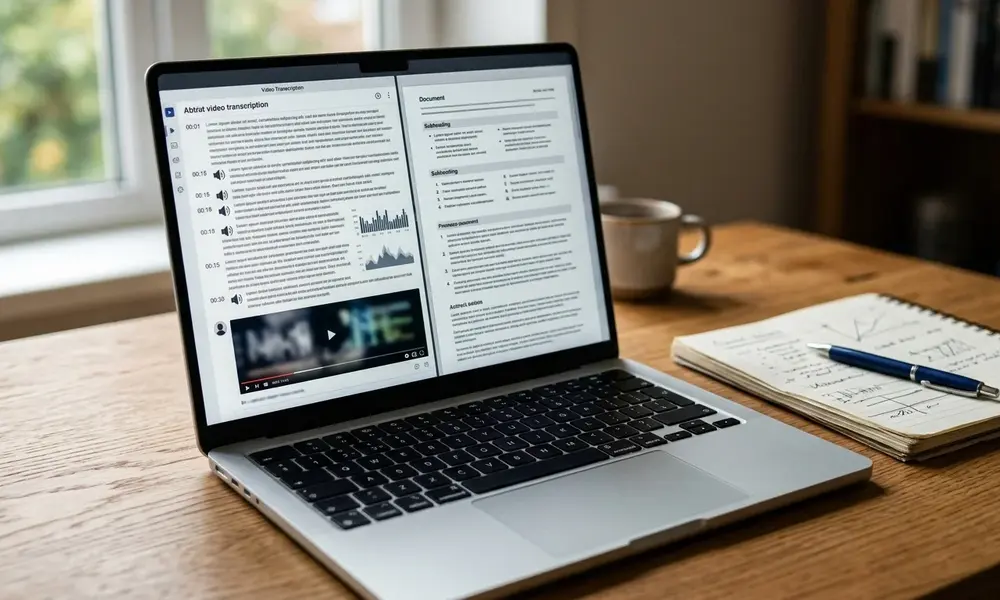
Best for: Extracting important information from long videos.
Before creating a complete article, use this prompt to identify the video’s most valuable insights and organize them into a clear summary.
Copy-and-paste prompt:
Act as a professional content researcher. Analyze the following YouTube transcript and create a structured summary.
Identify the main topic, key arguments, important examples, actionable lessons, and questions answered by the video. Organize the findings into clear sections and suggest a logical blog post outline.
Separate the speaker’s statements from your own interpretations. Do not invent facts or include unsupported claims. Flag unclear information that requires verification.
Transcript: [Paste YouTube transcript]
3. Step-by-Step Tutorial Prompt
Best for: Software demonstrations, practical guides, and instructional videos.
This prompt converts spoken instructions into an organized tutorial that readers can follow without repeatedly watching the video.
Copy-and-paste prompt:
Act as an experienced instructional writer. Turn the following YouTube transcript into a beginner-friendly, step-by-step blog tutorial.
Explain what readers will learn, list any tools or prerequisites mentioned in the video, and organize the process into numbered steps. Explain each step clearly, preserve important warnings, and include troubleshooting advice when supported by the source.
Finish with a checklist and a short FAQ section. Do not invent technical instructions or product features.
Transcript: [Paste YouTube transcript]
4. Listicle Creation Prompt
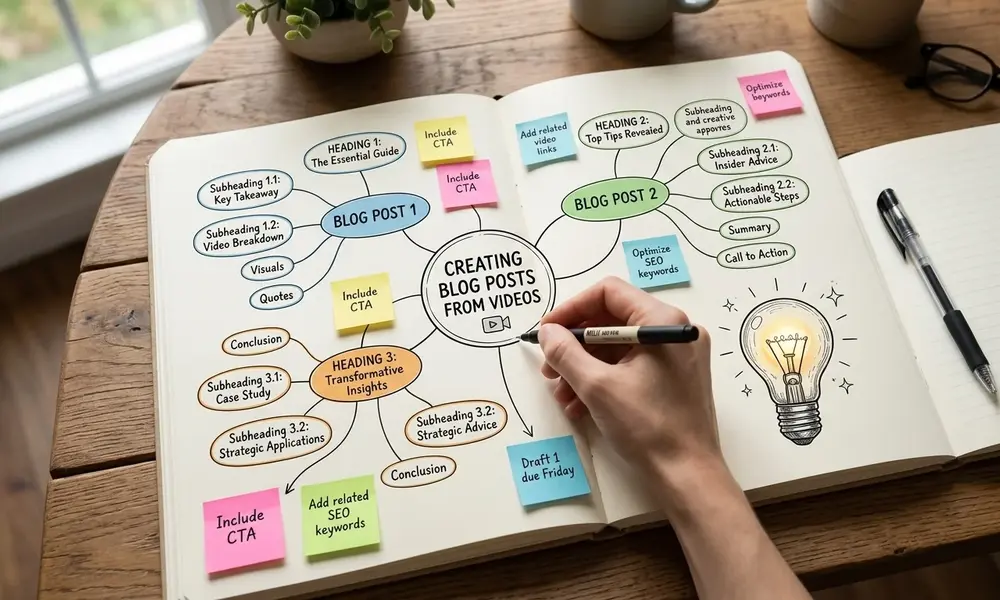
Best for: Videos about tools, tips, strategies, recommendations, and common mistakes.
Listicles make information easier to scan by dividing the article into clearly defined points.
Copy-and-paste prompt:
Act as a professional listicle writer. Transform the following YouTube transcript into a useful, engaging list-based blog post.
Create a compelling title, an introduction, and descriptive headings for each distinct point. Explain why each recommendation matters and how readers can apply it. Remove duplicate ideas, preserve useful examples, and do not invent additional points just to reach a specific number.
Finish with a concise conclusion and practical next steps.
5. Long-Form Article Writing Prompt
Best for: Educational videos, expert interviews, and complex subjects.
Some topics need detailed explanations rather than a brief summary. This prompt helps Claude develop a more comprehensive article without adding unnecessary filler.
Copy-and-paste prompt:
Act as an experienced long-form blog writer. Transform the following YouTube transcript into a detailed article for [target audience].
Explain the central topic, define important concepts, develop the video’s main arguments, and preserve relevant examples. Organize the information into logical sections and include practical applications and limitations mentioned in the source.
Avoid repetition, artificial word-count padding, and unsupported claims. Identify information that requires additional research.
6. Storytelling Blog Post Prompt
Best for: Interviews, personal experiences, business journeys, and case studies.
When a video tells a story, converting it directly into a conventional article may remove its narrative flow. This prompt helps preserve the original story while improving readability.
Copy-and-paste prompt:
Act as a professional storytelling writer. Transform the following YouTube transcript into an engaging narrative blog post.
Begin with an interesting moment or question supported by the source. Introduce the central challenge, organize events logically, and explain the lessons readers can learn.
Preserve important details, use natural transitions, and avoid inventing dialogue, emotions, events, or personal experiences.
7. SEO Keyword Optimization Prompt

Best for: Improving an article’s search relevance and topic coverage.
This prompt helps you identify missing information, weak headings, and unnatural keyword placement before publishing.
Copy-and-paste prompt:
Act as an SEO content editor. Review the following article for search intent, keyword relevance, readability, and topic coverage.
Primary keyword: [Insert primary keyword]
Secondary keywords: [Insert secondary keywords]
Identify missing subtopics, repetitive sections, unclear headings, and relevant questions readers may have. Suggest improvements to the title, introduction, headings, and meta description.
Use keywords naturally. Do not invent search-volume data or guarantee search rankings.
Article: [Paste draft]
8. Brand Voice Adaptation Prompt
Best for: Businesses, agencies, and websites with an established writing style.
This prompt helps Claude adapt an article to your preferred tone and brand identity.
Copy-and-paste prompt:
Act as a professional brand voice editor. Transform the following YouTube transcript into a blog post using this tone: [Friendly, professional, conversational, or technical].
Target audience: [Describe your audience]
Preserve the original meaning and important facts. Improve sentence flow, remove unnecessary spoken-language repetition, and use natural phrasing.
Avoid clichés, exaggerated claims, fabricated personal experiences, and unnecessary jargon.
Optional writing sample: [Paste a sample from your website]
Transcript: [Paste transcript].
9. YouTube Content Repurposing Prompt

Best for: Creating multiple content formats from one video.
This prompt helps transform a single source into several assets for your content marketing strategy.
Copy-and-paste prompt:
Act as a content repurposing strategist. Use the following YouTube transcript to create a coordinated content package.
Produce:
- A blog post outline.
- A complete blog post.
- An email newsletter.
- Five social media posts.
- Three alternative article titles.
- Five relevant FAQs.
Adapt each asset to its intended format and audience. Preserve the source’s meaning, avoid repetitive content, and do not invent facts.
Transcript: [Paste YouTube transcript]
10. Editing and Polishing Prompt
Best for: Improving a draft before publication.
The final step is to review the generated article for accuracy, readability, and unnecessary repetition.
Copy-and-paste prompt:
Act as a meticulous blog editor. Compare the following article against its original YouTube transcript.
Identify factual inconsistencies, repetitive ideas, awkward sentences, weak transitions, unsupported claims, unnatural keyword placement, and missing context.
First, list the most important issues. Then provide a revised article that improves clarity, organization, accuracy, and readability.
Do not invent sources, quotations, statistics, or verification results. Preserve the original meaning.
Original transcript: [Paste transcript]
Draft article: [Paste article]
1. Claude Video Summarization Prompts
Claude video summarization prompts are instructions designed to extract a video’s main ideas, important examples, arguments, and practical lessons from a transcript or other accessible source material.
They are especially useful for long YouTube videos, interviews, podcasts, and educational lectures. You can summarize the transcript first, review the important points, and then turn the summary into a complete article.
2. YouTube Content Repurposing

YouTube content repurposing means adapting the information in a video into other useful formats, including blog posts, email newsletters, social media posts, and tutorials.
For example, one educational video can become a detailed article, a newsletter, and several social media updates. Each format should be tailored to its intended audience rather than copied word for word.
3. Video-to-Blog AI
Video-to-blog AI refers to AI-assisted workflows that transform video information into written content. These workflows can include transcription, summarization, outlining, drafting, and editing.
Claude can support several of these tasks when you provide the relevant source material. Using effective Claude prompts for writing alongside an accurate transcript and clear instructions can improve the writing process, while human review ensures the final article remains accurate, useful, and appropriate for your audience.
| Secondary Keyword | Search Intent | How to Use It in Your Article |
| Claude video summarization prompts | Informational | Explain how Claude extracts key ideas from video transcripts |
| YouTube content repurposing | Informational | Describe ways to adapt one video into multiple content formats |
| Video-to-blog AI | Informational | Explain how AI assists with turning video content into articles |
Conclusion
The 10 best Claude prompts for turning YouTube videos into blog posts can help you create structured articles, summarize lengthy videos, write tutorials, and repurpose existing content more efficiently.
Start with the SEO blog post prompt when you need a complete article, use Claude video summarization prompts to organize lengthy transcripts, and apply the editing prompt before publishing. YouTube content repurposing can also help you create additional content from a single video.
For the best results, provide an accurate transcript, define your audience, and add original insights that make the article more valuable than a basic transcript rewrite. Using effective Claude content brief prompts can help you organize ideas and develop a clear content structure. AI can simplify the writing process, but careful editing, fact-checking, and a focus on reader needs remain essential.
Frequently Asked Questions
1. What are the best Claude YouTube-to-blog prompts?
The best prompts depend on your goal. SEO blog post prompts help create complete articles, summarization prompts extract key insights, and tutorial prompts organize instructions into clear steps.
2. Can Claude turn a YouTube video into a blog post?
Yes. Claude can help create blog posts from transcripts, notes, and other accessible source material. Direct video access depends on the capabilities available in your setup, so providing a transcript is often the most reliable approach.
3. How do I get a YouTube transcript for Claude?
Open the YouTube video and look for the transcript option when available. Copy the transcript and paste it into Claude. If a transcript is unavailable, you may need a transcription tool.
4. What are Claude video summarization prompts used for?
They help extract the main ideas, important examples, and actionable lessons from video transcripts. They are especially useful when working with long videos or interviews.
5. What is YouTube content repurposing?
YouTube content repurposing is the process of adapting video information into formats such as blog posts, newsletters, tutorials, and social media content.
6. What does video-to-blog AI mean?
Video-to-blog AI refers to using artificial intelligence to help transform video information into written articles through tasks such as transcription, summarization, drafting, and editing.