Last year, asking AI to write an email or summarize a document felt impressive enough. Today, that feels almost basic. Instead of simply responding to prompts, AI can now research information, plan projects, automate repetitive tasks, analyze data, and even complete multi-step workflows with minimal human input.
A few months ago, a client asked me to help her team stop spending three hours every Friday manually pulling data from five different platforms into a single report. I suggested trying n8n AI agents. Two weeks later, that three-hour task was running automatically every Friday morning before anyone logged in. That experience changed how I think about what AI can actually do.
That’s why best AI agents 2026 has become one of the fastest-growing technology searches this year. Businesses, freelancers, developers, students, and creators are all looking for AI tools that do more than chat. They want intelligent assistants capable of taking action, connecting apps, and saving hours of work every week.
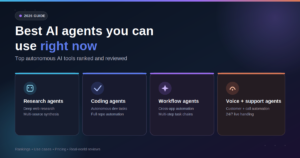
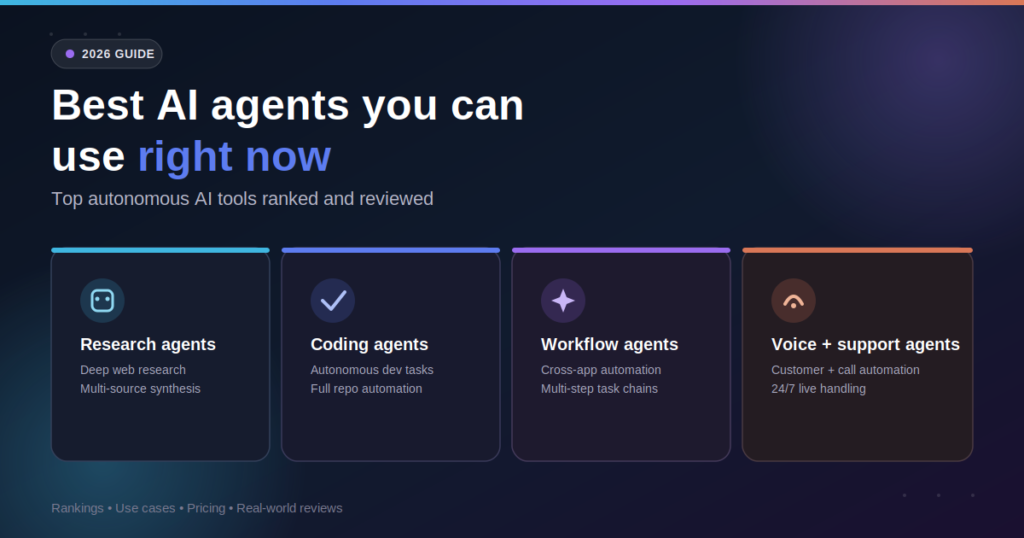
The good news is that AI agents have matured rapidly. Whether you need help writing reports, conducting research, generating code, managing projects, or automating business processes, there’s now an AI agent built specifically for that purpose. In this guide, you’ll discover six of the best AI agent tools available in 2026, learn how they compare, understand which one fits your workflow, and see how to start using AI agents without overcomplicating your daily routine.
AI Overview
AI agents are software systems that use artificial intelligence to perform tasks, make decisions, and complete workflows with minimal human intervention. Unlike traditional AI chatbots that simply answer questions, modern AI agents can plan actions, connect with external applications, retrieve information, execute multi-step processes, and continuously improve task completion.
In 2026, AI agents are becoming essential productivity tools for individuals and businesses alike. They’re helping professionals write content, automate customer support, analyze documents, manage projects, conduct research, generate software code, and streamline repetitive work.
The six AI agents featured in this guide represent some of the most capable options available today. From everyday productivity assistants to advanced workflow automation platforms, each tool excels in a different area. Understanding those strengths and their limitations will help you choose the right AI agent instead of simply selecting the most popular one.
Key Takeaways
-
Action Over Answers: AI agents complete entire workflows instead of just answering prompts.
-
Specialization Matters: Different AI agents are designed for specific tasks.
-
High Value for Free: Free AI agents are perfectly suitable for many everyday workflows.
-
Enterprise Priorities: Businesses should prioritize integrations and security over feature lists alone.
-
Start Small: Starting with one automation delivers better results than adopting multiple tools at once.
What Is an AI Agent?
An AI agent is an intelligent software system that can understand goals, make decisions, and perform multi-step tasks with minimal human input. Unlike standard chatbots, AI agents can interact with applications, automate workflows, retrieve information, and complete actions instead of only generating responses.
| AI Agent | Best For |
| ChatGPT | Everyday productivity |
| Claude | Writing & analysis |
| Perplexity | Research |
| GitHub Copilot | Coding |
| Microsoft Copilot | Microsoft 365 workflows |
| n8n AI | Workflow automation |
Understanding this distinction matters because modern autonomous AI systems are now handling tasks that once required a dedicated human assistant.
Why AI Agents Are Becoming Essential in 2026
Artificial intelligence has evolved beyond simple conversation. The newest generation of AI agent apps 2026 can reason through problems, plan multiple steps ahead, interact with different software platforms, and complete complex workflows with very little supervision. For many professionals, these tools are becoming digital teammates rather than digital assistants. Adoption is growing quickly, though independent developer research shows actual agent usage still lags behind general AI tool adoption, with most professionals still in the early experimentation phase.
AI Agents vs. Traditional Chatbots
Although the terms are often used interchangeably, AI agents and chatbots are not the same. A chatbot typically waits for instructions and responds to individual prompts. Every conversation begins and ends with user input.
An AI agent goes much further. It can remember context, break large objectives into smaller tasks, search for missing information, interact with third-party applications, and carry out complete workflows before returning the final result. This shift from reactive responses to proactive execution is exactly what separates a true AI-powered work assistant from a simple Q&A tool.
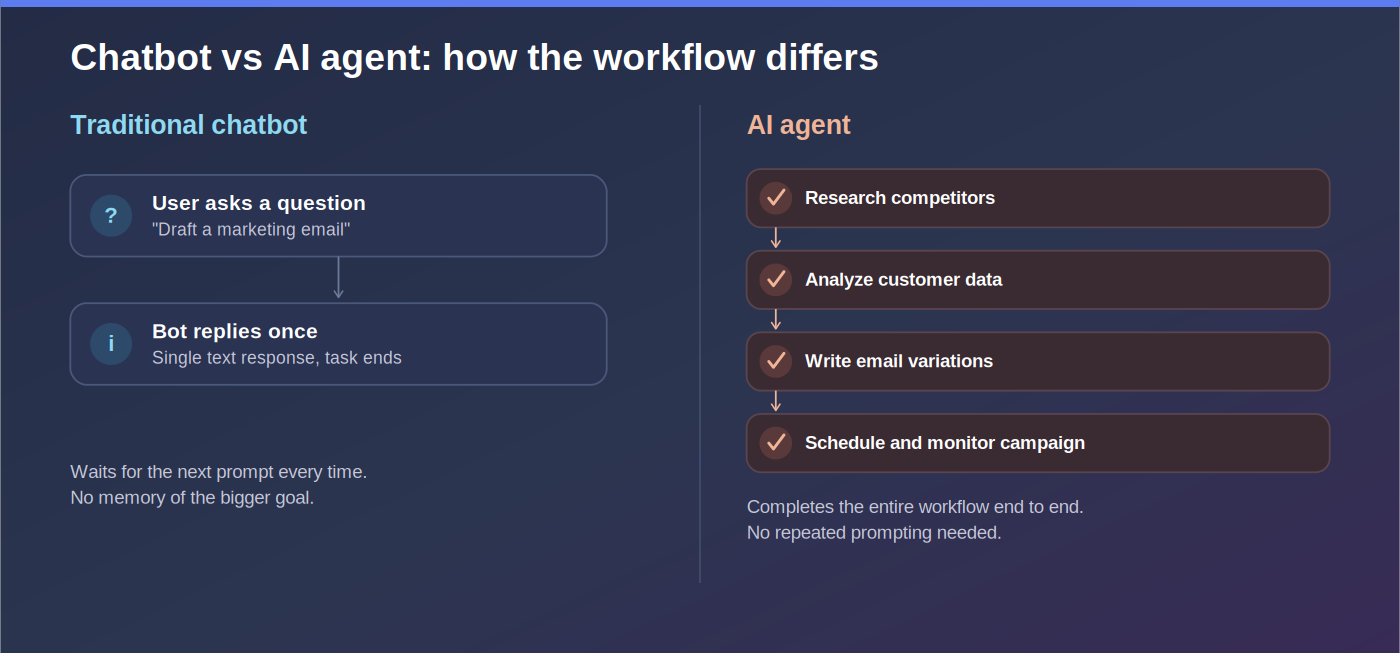
Example: Instead of asking an AI to draft a marketing email, an AI agent could:
Research your competitors.
Analyze customer data.
Write multiple email variations.
Schedule campaigns.
Monitor performance.
Recommend future improvements.
Everyday Tasks AI Agents Can Handle
Modern AI agents for everyday tasks are capable of assisting with far more than writing text. They can:
-
Manage calendars
-
Summarize lengthy reports
-
Organize research
-
Generate presentations
-
Write and debug code
-
Create marketing campaigns
-
Analyze spreadsheets
-
Draft legal or business documents
-
Automate repetitive workflows
-
Answer customer questions
Why Businesses Are Investing in AI Agents
Organizations are adopting AI agents because productivity improvements are no longer theoretical. Rather than hiring additional staff for repetitive tasks, companies are increasingly using AI agents to help existing teams accomplish more with the same resources:
-
Marketing: Accelerate targeted campaign creation.
-
Development: Generate and review structural code faster.
-
Support: Automate routine inquiries instantly.
-
Sales: Deep-dive research on prospects before meetings.
-
Operations: Connect multiple business applications into unified automated workflows.
Free vs. Paid AI Agents
Many autonomous AI agents free options offer enough functionality for personal productivity and experimentation. However, paid plans typically provide:
-
Larger context windows
-
Faster processing performance
-
Advanced reasoning capabilities
-
Deeper software integrations
-
Secure team collaboration tools
-
Dedicated API access
Meet the Top 6 AI Agents of 2026
1. ChatGPT: The Best All-Round AI Agent
When people think about AI, ChatGPT is often the first tool that comes to mind, and for good reason. What began as a conversational AI assistant has evolved into a powerful productivity platform capable of researching topics, writing content, analyzing files, generating images, solving programming problems, and automating increasingly sophisticated tasks through connected tools and memory features.
-
Best For: Everyday productivity, writing, research, brainstorming, and learning new skills.
-
Key Features: Natural multi-turn conversations, document analysis, DALL-E image generation, advanced coding assistance, custom memory profiles, and GPT store tool integrations.
-
Pros: Extremely easy for beginners; excellent all-purpose assistant; supports multiple content formats.
-
Cons: Some advanced features require a paid subscription; accuracy still requires human oversight.
-
Pricing: Free plan available; premium tiers offer higher limits and advanced intelligence models.
2. Claude: The Best AI Agent for Writing and Deep Analysis
Claude has earned a reputation for producing thoughtful, well-structured responses that excel in long-form writing and document analysis. Rather than focusing solely on speed, Claude emphasizes clarity, reasoning, and nuance context. This makes it especially valuable for professionals working with research papers, business reports, contracts, and lengthy technical documentation.
-
Best For: Long-form writing, research, strategic planning, and complex document analysis.
-
Key Features: High-ceiling contextual understanding, strong logical reasoning, massive token window for large documents, and natural professional writing styles.
-
Pros: Produces highly readable and articulate content; handles massive files exceptionally well.
-
Cons: Fewer native third-party integrations than some major competitors.
-
Pricing: Free tier available; paid subscriptions offer higher limits and advanced reasoning capabilities.
3. Perplexity: The Best AI Agent for Research
Finding accurate information quickly has become one of AI’s most valuable applications. Perplexity combines conversational AI with real-time web search, making it one of the most effective tools for research-intensive work. Instead of simply generating answers, it cites sources, compares information, and helps users explore topics in greater depth.
-
Best For: Online research, fact-checking, market analysis, and academic support.
-
Key Features: Real-time semantic web search, direct source citations, guided follow-up questioning, and multi-source data synthesis.
-
Pros: Excellent research transparency; robust source attribution saves hours of manual verification.
-
Cons: Less suited for advanced task automation or long-form creative writing.
-
Pricing: Generous free version alongside premium plans with access to specialized foundational models.
4. GitHub Copilot: The Best AI Agent for Developers
Writing software has always involved more than typing code. Developers spend a significant amount of time searching documentation, debugging errors, explaining existing code, and switching between multiple tools. GitHub Copilot helps eliminate much of that friction by acting as an intelligent coding partner inside your native editor environment.
-
Best For: Software development, code generation, debugging, and writing tests.
-
Key Features: AI-powered inline code completion, full function generation, bug detection assistance, and seamless IDE integration.
-
Pros: Saves massive development hours; supports multiple coding languages; reduces syntax lookup fatigue.
-
Cons: Generated code requires strict human code review; not built for non-technical workflows.
-
Pricing: Subscriptions available for individual professionals and enterprise engineering teams.
5. Microsoft Copilot: The Best AI Agent for Office Productivity
Millions of professionals already spend their day working in Microsoft Word, Excel, Outlook, Teams, and PowerPoint. Microsoft Copilot brings AI directly into those familiar applications instead of requiring users to switch between multiple standalone tools.
-
Best For: Corporate professionals, project managers, and business teams in the Microsoft ecosystem.
-
Key Features: Automated Teams meeting summaries, Excel data analysis, email draft formatting in Outlook, and rapid PowerPoint generation.
-
Pros: Deep native integration with Microsoft 365 data; enterprise-ready security compliance.
-
Cons: Realized value is strictly limited if you are not deeply embedded in the Microsoft office environment.
-
Pricing: Access tied to specific business tier Microsoft 365 subscriptions or Copilot add-on plans.
6. n8n AI: The Best AI Agent for Workflow Automation
Not every AI tool is designed to answer questions, some are built to execute multi-step application routines autonomously. That’s where n8n stands out. It is a visual, nodes-based workflow automation platform that combines AI with hundreds of app integrations, allowing data to move securely across your business apps.
-
Best For: Advanced business automation, cross-platform app integration, and low-code scaling.
-
Key Features: Visual canvas engine, node-based custom logic, hundreds of built-in app nodes, and native self-hosting capabilities.
-
Pros: Unmatched flexibility for data pipelines; supports deep customization; great data control.
-
Cons: Higher initial setup learning curve; benefits from basic technical or low-code logic awareness.
-
Pricing: Free community self-hosted version available alongside scalable cloud plans.
Comprehensive AI Agent Comparison Matrix
| AI Agent | Primary Strength | Ease of Use | Ideal User Profile |
| ChatGPT | General versatility | Very Easy | General public, marketers, creators |
| Claude | Nuanced writing & deep analysis | Easy | Authors, legal teams, strategic analysts |
| Perplexity | Citation-backed research | Very Easy | Students, journalists, market researchers |
| GitHub Copilot | IDE code engineering | Moderate | Software developers, engineering teams |
| Microsoft Copilot | 365 Suite workspace integration | Easy | Corporate managers, administrators |
| n8n AI | Custom multi-app workflows | Moderate | Startups, operations teams, developers |
How to Choose the Right AI Agent
With so many options available, selecting the right AI agent can feel overwhelming. Instead of comparing dozens of features, follow this step-by-step strategy to align a tool with your specific workflow:
1. Define Your Core Goal
Isolate the primary bottleneck in your week. If you spend most of your time cross-referencing industry papers, look toward Perplexity. If your day is consumed by building application updates across files, your answer is GitHub Copilot.
2. Verify Platform Integrations
An AI agent’s utility multiplies when it communicates with the tools you already use. Look for native ecosystem cross-talk with platforms like Slack, Google Workspace, GitHub, or your internal CRM dashboards.
3. Review Security & Data Privacy Protocols
If your workflow touches proprietary backend architectures, client financial datasets, or private enterprise documents, carefully read the data retention policies. Ensure the vendor allows you to turn off model training options on your input logs.
4. Begin via Sandboxed Trials
Utilize standard free-tier offerings before deploying paid seats across entire departments. Let a test team run daily tasks through the agent to see if it delivers real workflow efficiency increases.
Implementation Guide: Transitioning to Autonomous Workflows
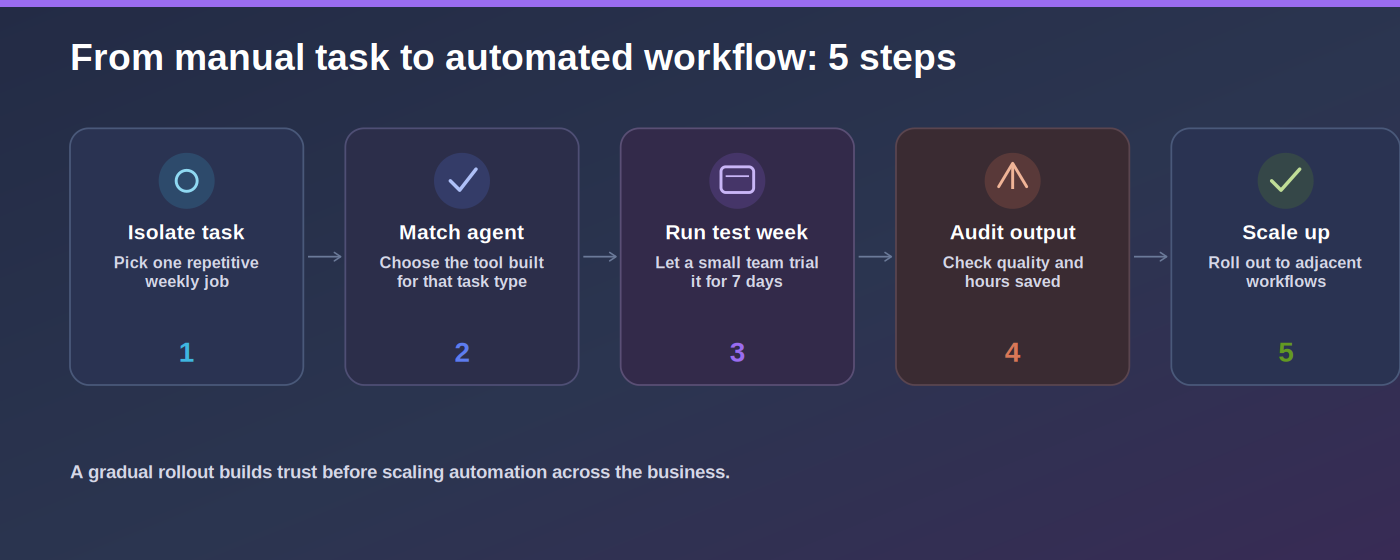
You don’t need to automate your entire operation on day one. A gradual approach reduces complexity while building system trust.
[Step 1: Isolate 1 Repetitive Task]
               │
               ▼
[Step 2: Match to a Specialized Agent]
               │
               ▼
[Step 3: Run Test Group for 1 Week]
               │
               ▼
[Step 4: Audit Output Quality & Saved Hours]
               │
               ▼
[Step 5: Safely Scale to Adjacent Pipelines]
Common Mistakes to Avoid
-
Popularity Bias: Do not pick an agent model simply because it is trending on tech feeds. Choose based on integration fit.
-
Over-automating Early: Forcing multi-app loops with ten variables right out of the gate often breaks logic paths. Start with simple two-step triggers.
-
Zero-Review Merging: AI agents are execution tools, not infallible replacements for strategic oversight. Always treat the final output as a draft needing human review.
The Future of AI Agents (2026–2027)
AI agents are moving beyond isolated data-task execution toward autonomous cross-agent collaboration. The next iteration of development will feature multi-agent frameworks, where your research agent can talk directly to your code or workflow engine to complete complete business loops with zero terminal friction.
Learning to orchestrate these automated pipelines today gives professionals and enterprise teams a distinct efficiency runway as workspace systems shift completely from manual tools to AI-driven operation environments.
Conclusion
Just a short time ago, using AI meant asking a question and waiting for an answer. Today, AI can research, write, analyze, code, organize, automate, and help complete entire workflows. That shift is why AI agents have become one of the most valuable productivity technologies of 2026.
Whether you’re a student looking to study more efficiently, a developer writing software, a marketer creating campaigns, or a business owner automating daily operations, there’s an AI agent designed to make your work faster and easier.
The key isn’t choosing the most popular platform; it’s choosing the one that solves your biggest productivity challenge. Start with one workflow, measure the results, and expand from there. Small improvements made consistently often deliver far greater value than trying to automate everything at once. if you want to get more information about updated tool must explore Openaihit.
Frequently Asked Questions
1. What is the best AI agent in 2026?
There isn’t a single best option for everyone. ChatGPT is an excellent all-round choice, Claude excels at long-form analysis, Perplexity is ideal for research, GitHub Copilot is built for developers, Microsoft Copilot enhances office productivity, and n8n is a strong workflow automation platform.
2. Are AI agents free to use?
Yes, many top AI agents offer functional free tiers suitable for personal use. Premium plans generally unlock advanced reasoning models, higher processing speeds, custom API calls, and collaborative enterprise management.
3. What is the difference between an AI agent and a traditional chatbot?
A traditional chatbot simply responds linearly to immediate prompt inputs. An AI agent can process an ultimate objective, break down individual tasks autonomously, connect to external applications, and execute a multi-step loop without human hand-holding at each stage.
4. Which AI agent is best for everyday business administrative tasks?
For general business operations, ChatGPT or Microsoft Copilot offer the best administrative balance, managing tasks like formatting docs, drafting meeting summaries, and sorting database information.
5. How do I securely introduce AI agents to my company’s workflow?
Identify a single low-risk manual process, apply a specialized agent using the vendor’s enterprise privacy settings (to block external model data training), evaluate results across a week trial, and scale incrementally.