Nano Banana Pro AI is Google’s newest image generation model inside Gemini, and it’s built to work like a real photo editor, not just a prompt-to-image tool. Upload a photo and ask it to change the lighting, merge it with another image, or keep the same face and product consistent across a whole set, and it just does it, in plain conversation. It also generates sharp 4K output and gets text inside images right, which most AI tools still struggle with. That combination is exactly why so many people now call Nano Banana Pro AI the best AI image generator of 2026, ahead of Midjourney and DALL-E for anything that needs to look real.
If you’ve opened Instagram or X this month, you’ve probably already seen a really sharp, clean AI picture with a small caption saying “made with Nano Banana Pro.” This isn’t just hype. This tool has quietly become the go-to image maker inside Gemini, and it’s doing things that used to take a real photo editor hours to finish.
In this guide, we’ll explain everything about Nano Banana Pro AI in simple words,what it is, how it compares to Midjourney and DALL-E, the actual price, how to use it step by step, and the honest good and bad points. No confusing terms, just what you need to know before trying it.
What Is Nano Banana Pro AI?
Nano Banana Pro AI is the nickname people gave to Google’s new image tool that lives inside Gemini. It started out as “Nano Banana,” a small test tool for making images, and later got upgraded into “Nano Banana Pro” — a stronger version that makes sharper images and keeps things looking consistent.
Older image tools only understand one thing: you type a sentence, and they make a picture. Nano Banana Pro AI works differently — it works like a chat. You can:
- Upload a photo and ask it to change the background, lighting, or clothes
- Mix two or three photos into one natural-looking picture
- Just tell it in plain words what to fix (“make the sky look like sunset, don’t change anything else”)
- Keep the same face or product looking exactly the same across many pictures
This is why people search for a Google AI image generator 2026 they want a tool that actually listens to instructions, instead of giving random results every time.
The name has a fun little story too. When Google was quietly testing this model, it showed up under a random codename, “Nano Banana” and people liked the name so much that it stuck around even after the real launch. The “Pro” version came later with better image quality and sharper 4K photos, which is what this guide is all about.
What makes this tool different from older AI image tools is simple: instead of typing one big request and hoping for the best, you can keep chatting and fixing the picture bit by bit, just like sitting with a real photo editor and telling them what to change.
Key Features of Nano Banana Pro AI
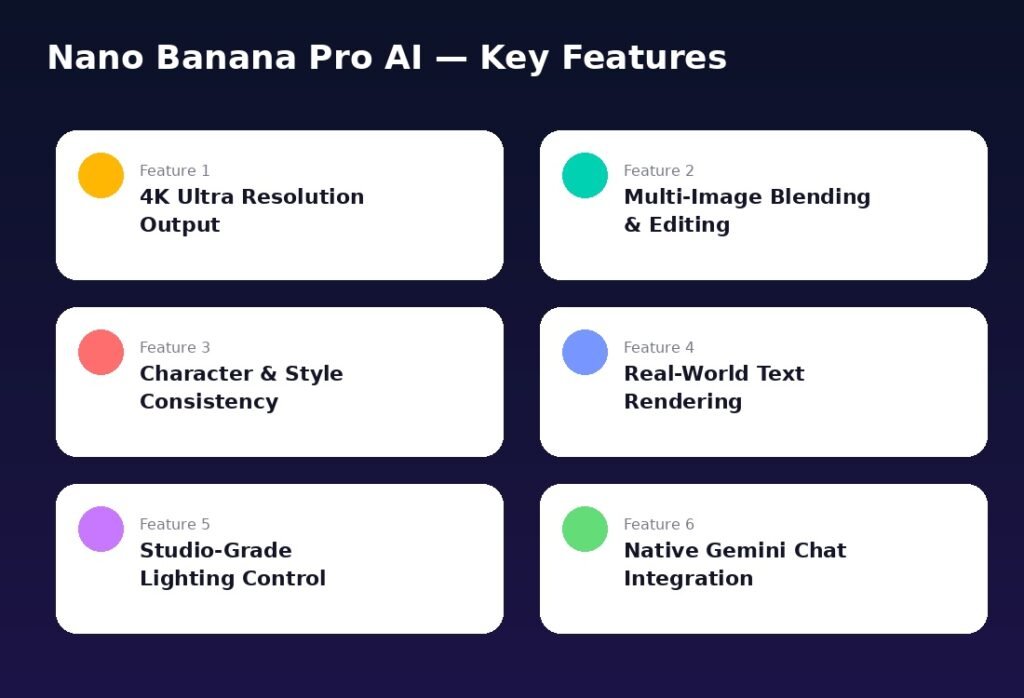
Here’s what actually makes this tool stand out from other best AI image generator 2026 options:
- Sharp 4K pictures – good enough for printing, not just for Instagram posts
- Mixing photos together – put a product, person, or object from one photo into another
- Same face or product every time – the same person or item looks identical in every picture you make
- Readable text in images – posters, menus, and signs come out clear, not blurry or broken
- Understands lighting words – say “soft light” or “sunset glow” and it knows exactly what you mean
- Works right inside Gemini chat – no extra app needed, everything happens in one place
These simple features are the reason so many creators and small business owners have switched to this tool this year.
Nano Banana Pro vs Midjourney vs DALL-E vs Firefly
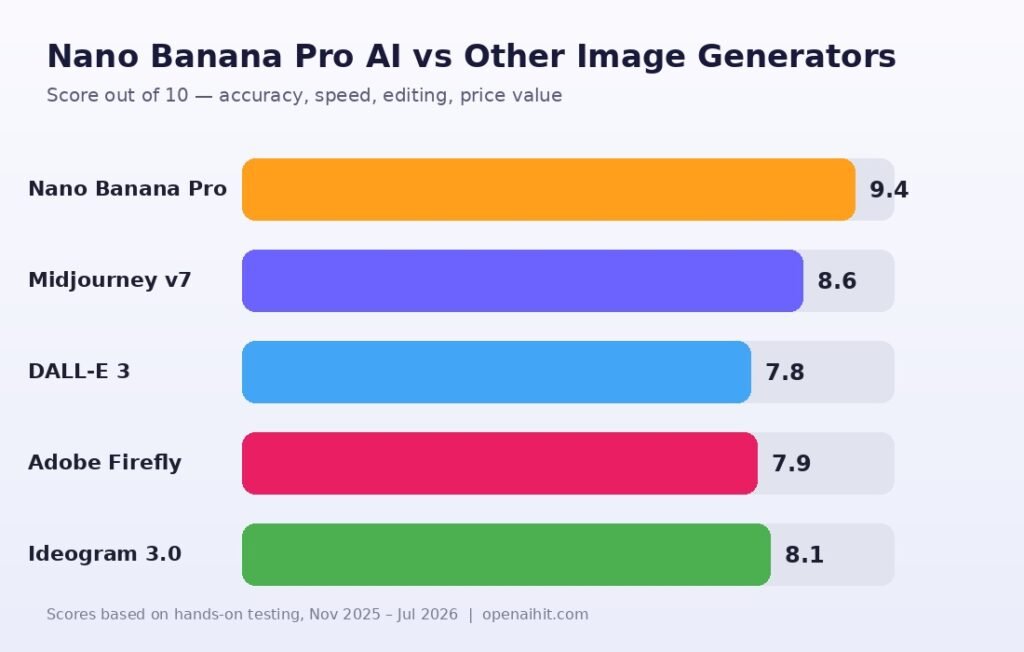
The big question everyone asks: is it really better? Based on real testing, checking accuracy, ease of editing, speed, and value for money — here’s how it compares.
| Tool | Best For | Max Quality | Chat Editing | Free Plan | Score /10 |
|---|---|---|---|---|---|
| Nano Banana Pro AI | Real, natural photos and edits | 4K | Yes | Yes (limited) | 9.4 |
| Midjourney v7 | Artistic, fantasy-style images | 2K | No | No | 8.6 |
| DALL-E 3 | Quick, simple images | Up to 2K | A little (via ChatGPT) | Limited | 7.8 |
| Adobe Firefly | Safe images for business use | 2K | Yes | Yes (limited) | 7.9 |
| Ideogram 3.0 | Posters with lots of text | 2K | A little | Yes | 8.1 |
Want to go deeper into the older tools? Check our full Midjourney vs DALL-E 3 comparison and the 2026 AI image generator showdown for a side-by-side look at each one.
How to Use Nano Banana Pro AI (Step-by-Step)
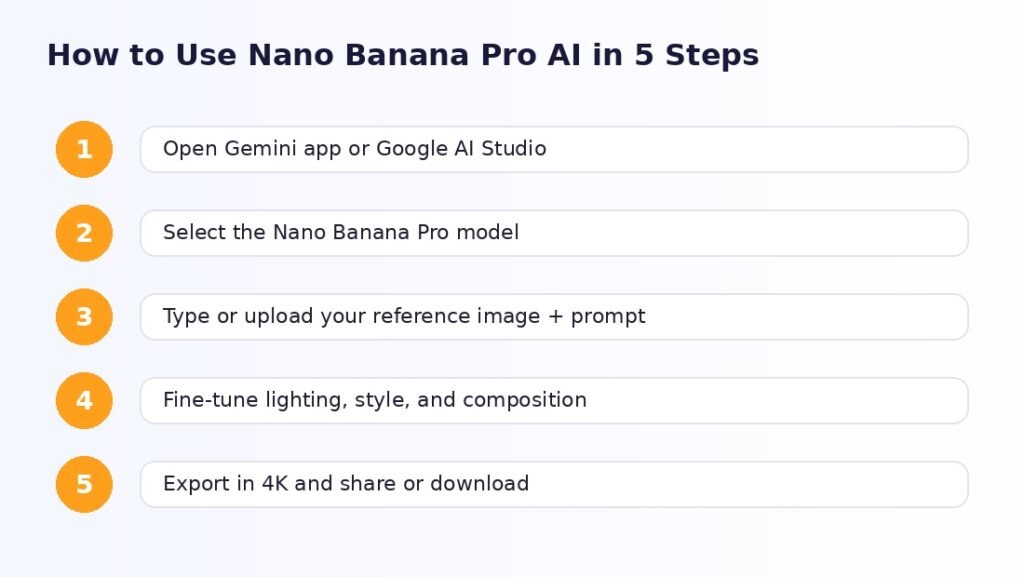
You don’t need any special skill to use this. Here’s exactly how it works:
- Open the Gemini app or Google AI Studio — Nano Banana Pro AI is already built in, no need to download anything extra.
- Pick the Nano Banana Pro model from the model list inside the chat.
- Type what you want or upload a photo — the more details you give (style, lighting, mood), the better the result.
- Ask for small changes by chatting back: “remove that object,” “make it look warmer,” “keep the face same, just change the shirt.”
- Download in 4K or keep chatting until the picture looks exactly right.
That’s it. No extra software, no waiting in long queues like some other tools require.
Real-World Examples: What People Are Actually Making
To really see why this tool got so popular, look at how normal people are using it,not just fancy AI art:
- A home baker uploads a cake photo and asks for five different backgrounds (marble table, wooden table, soft pastel colors) for Instagram, same cake, same lighting, just different looks.
- A real estate agent takes a daytime photo of a living room and asks for an “evening, lamps on” version for the listing — no need for a second photoshoot.
- A small business owner makes the same water bottle in five different colors for their online store, without paying for a photo studio.
- A local restaurant makes a poster with a real, readable menu and prices, something older AI tools usually turn into blurry, meaningless text.
- A YouTuber creates one cartoon face that looks the same across ten different video thumbnails.
None of these are big, complicated projects. They’re small, everyday jobs that used to need either a professional photographer or hours of manual editing. That’s exactly why this tool has stayed popular instead of fading away after the first few weeks of hype.
Nano Banana Pro AI Pricing
| Plan | Price (Approx.) | Monthly Limit | Best For |
|---|---|---|---|
| Free (Gemini App) | ₹0 / $0 | Limited pictures per day | Casual users, trying it out |
| Google AI Pro | ~₹1,950 / $19.99 per month | More pictures + 4K download | Freelancers, content creators |
| Google AI Ultra | ~₹4,000+ / $49.99+ per month | Highest limit + faster speed | Agencies, businesses |
| API (Pay-as-you-go) | Based on use | No fixed limit, pay per image | Developers, automated tools |
Prices can change anytime, so it’s best to check Google’s official page before you subscribe.
Who Should Use Nano Banana Pro AI?
- Online sellers who need clean product photos without booking a studio
- Social media managers who post a lot of pictures and need them to match their brand
- Bloggers and writers who want a fresh, unique image instead of the same old stock photos
- Small business owners who need posters or menus with clear, readable text
- Designers who want a quick first draft before polishing it further
If you want to look at other options too, check out our list of the best image AI generator tools or these free AI image generators if you’re on a budget.
Pros and Cons
Pros
- Very realistic pictures with accurate lighting and shadows
- Understands multiple instructions in plain, simple language
- Keeps the same face, product, or character looking identical
- Gets text inside images right (rare for AI tools)
- Works directly in Gemini, nothing extra to install
Cons
- Free plan has a daily limit on how many pictures you can make
- Best quality (4K) is only available on paid plans
- Can get a little confused with very busy, crowded scenes
- Some artistic styles are still better on Midjourney
Common Mistakes Beginners Make
Before we get to the tips, here’s where most new users go wrong:
- Asking for too many changes in one go instead of fixing the picture step by step
- Not uploading a real photo when you actually need the face or product to look exact
- Not mentioning lighting or angle, then being surprised the picture looks plain
- Forgetting about the daily free limit and getting stuck in the middle of a project
- Not checking the final picture closely before using it, small text or hands can look off
Fixing just these five small habits will make a big difference in your results.
7 Tips to Get the Best Results from Nano Banana Pro AI
- Describe the lighting simply, like: “soft light,” “sunset glow,” “bright studio light”
- Upload a real photo when the face or product needs to look exact
- Make small changes one at a time instead of one long request
- Mention the angle: “from above,” “eye level,” “wide shot from the street”
- Clearly say where you want the text if you need a poster or sign
- Use the same words every time if you’re making a set of matching pictures
- Always zoom in and check the final picture before you use it anywhere
Is Nano Banana Pro AI Worth It in 2026?
For anyone who regularly needs pictures for work, marketing, or content, yes, it’s absolutely worth it. It gives you a great mix of realistic photos, easy editing, and a fair price. If you mainly want artistic or fantasy-style pictures, Midjourney is still a good choice. But for real, natural-looking photos with clear text and matching characters, Nano Banana Pro AI is one of the best options right now.
If you want to read more, Google’s own AI blog shares regular updates about their tools, and the Gemini API documentation is the best place to check what’s currently possible before using it for bigger projects. And if you’re also comparing AI chat tools, our Gemini vs ChatGPT vs Claude guide is worth a read too.
Conclusion
Nano Banana Pro AI isn’t just another AI tool riding a trend, it actually feels made for everyday, real work. Whether you’re a home baker needing quick product shots, a marketer making ad pictures, or a blogger who wants a fresh image instead of the same stock photos, this tool turns hours of work into just a few minutes, and you don’t need any design skills to use it.
If you’re still using old stock photos or switching between many AI tools for one good picture, now is a good time to try Nano Banana Pro AI. Start with the free plan inside Gemini, try it on something real, and see the difference yourself , it might just become your go-to image tool for 2026. if you want to know more about the new tool update m
ust explore Openaihit.
Frequently Asked Questions
1. What is Nano Banana Pro AI used for?
It’s used to make and edit realistic pictures, product photos, ads, posters, and social media images, just by chatting with it.
2. Is Nano Banana Pro AI free to use?
Yes, there’s a free plan inside the Gemini app with a daily limit. Paid plans give you 4K downloads and more pictures per day.
3. Is Nano Banana Pro AI better than Midjourney?
For real, natural-looking photos and easy editing, yes. For artistic or fantasy-style pictures, Midjourney is still strong.
4. Can Nano Banana Pro AI edit my own photos?
Yes, you can upload any photo and ask it to change the background, lighting, clothes, or mix it with another picture.
5. Do I need to download a separate app for it?
No, it works right inside the Gemini app and Google AI Studio, nothing extra to install.
6. What’s the highest quality it can make?
It can make pictures up to 4K, which works well for both social media and printing.
7. Can I use it for my business?
Yes, many businesses already use it for product photos, ads, and branded content, just double-check the usage rules before using it commercially.