The landscape of generative artificial intelligence has fundamentally evolved over the past year. We are no longer comparing experimental engines that produce distorted faces and scrambled text blocks. Instead, the current arena is a full-scale battle between comprehensive visual platforms. These modern systems are fully capable of advanced multi-step canvas editing, cinematic lighting fidelity, and commercial-grade graphic output.
Consequently, if you are trying to decide between midjourney vs dall-e 3, you are looking at the two absolute titans of creative AI. OpenAI has pushed the boundaries of prompt adherence and software integration by embedding its engine inside the ChatGPT ecosystem. Meanwhile, Midjourney has moved beyond its chat-app origins to deliver breathtaking realism and granular artistic control.
This complete best ai image generator comparison breaks down their visual aesthetics, interface ease, unique parameter toolsets, and commercial licensing structures. Ultimately, this detailed ai art tool comparison 2025 and 2026 update will help you determine the exact creative engine your digital workflow requires to maximize professional output.
Core Artistic and Structural Differences
Choosing between midjourney or dalle comes down to what specific creative priorities drive your daily projects. While both platforms handle simple concepts and basic illustration requests flawlessly, their core engineering philosophies highlight completely different operational strengths.
The following data summarizes how their flagship architectures stack up across critical performance metrics based on available technical testing data this year.
1. Prompt Adherence and Text Rendering (DALL-E 3 Wins)
When looking purely at how accurately an engine translates complex instructions into a final image canvas, OpenAI holds a structural advantage that is difficult to ignore.
Exact Clutter Management and Complex Prompts
First, DALL-E 3 consistently wins praise for its advanced language understanding model. If you type a highly descriptive prompt containing four separate characters doing distinct actions, DALL-E 3 renders each element accurately. It assigns the requested clothing styles, background colors, and object positioning precisely where you specified. Conversely, Midjourney can occasionally drop secondary details from heavy prompts unless you carefully format your parameters.
Crisp Graphic Lettering
Similarly, DALL-E 3 excels at embedding clear, legible text directly into your generated graphics. It handles short phrases, store signs, and merchandise labels with exceptional spatial accuracy. Therefore, it saves digital marketing teams significant graphic cleanup time. Midjourney has improved its text generation tools significantly in recent versions, but it still requires highly specific string formatting to prevent letters from morphing into abstract shapes.
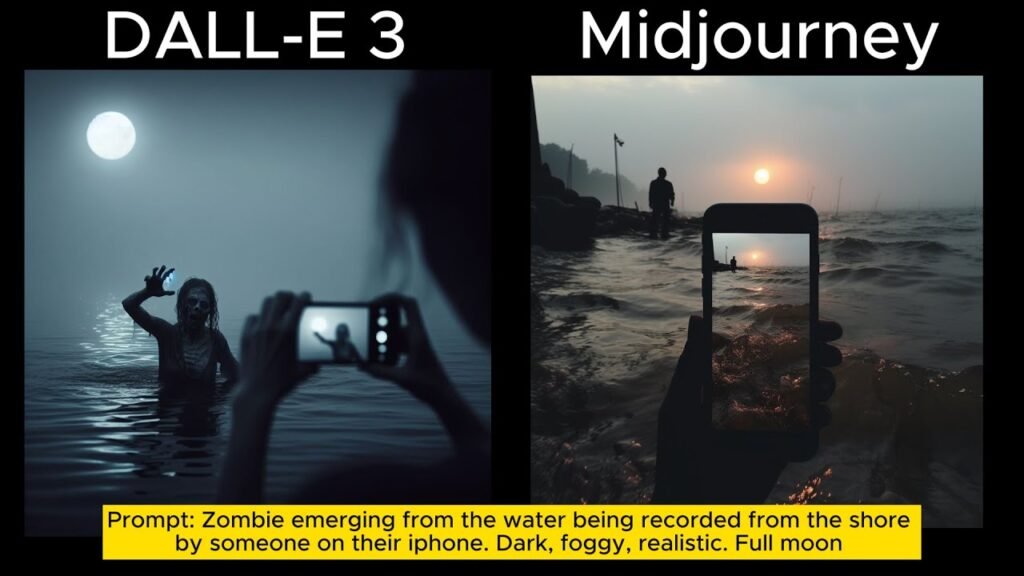
2. Photorealism and Cinematic Aesthetics (Midjourney Wins)
While OpenAI dominates instruction accuracy, Midjourney continues to set the absolute gold standard for raw aesthetic beauty and cinematic realism.
Breathtaking Material Textures and Studio Lighting
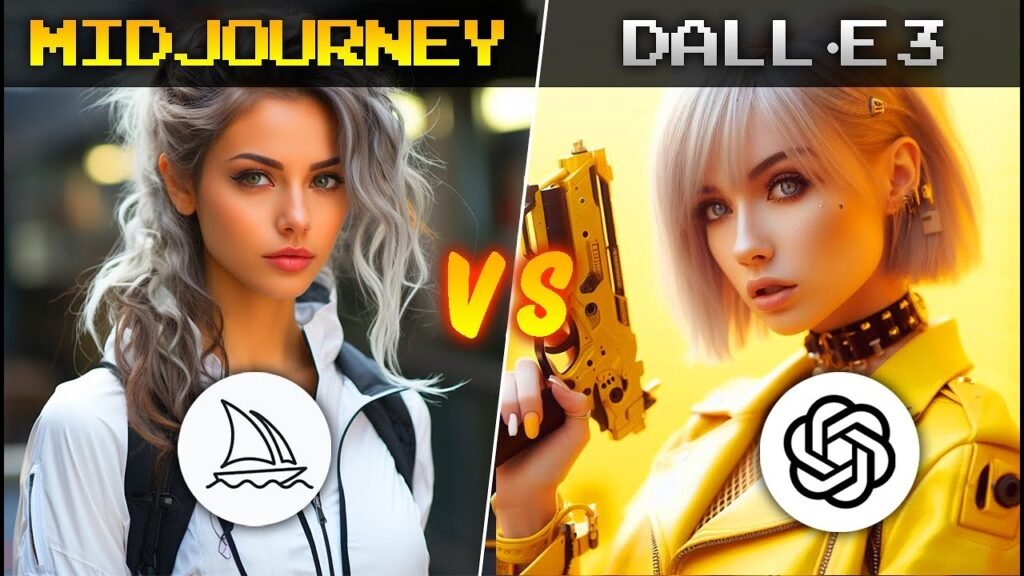
To begin with, images generated by Midjourney feature stunning organic qualities. It handles skin textures, lens flares, ambient lighting, and material surfaces with professional camera fidelity. If you ask for a portrait photo, the engine introduces subtle imperfections like real skin pores, complex hair flyaways, and believable depth of field. Conversely, DALL-E 3 outputs can occasionally default to a slightly smooth, digital rendering style unless you apply heavily stylized prompt modifiers.
Diverse Fine-Art Variations
Additionally, Midjourney offers a vastly superior toolkit for capturing distinct artistic mediums. It reproduces the exact characteristics of specific historical camera lenses, classic printmaking textures, oil paintings, and architectural blueprint aesthetics. Consequently, for conceptual designers, professional illustrators, and film pre-visualization teams, Midjourney remains the preferred creative choice.
3. Workflow Environments and Advanced Parameter Controls
The decision regarding which creative platform fits your production pipeline depends heavily on your comfort level with advanced editing tools.
-
Go with DALL-E 3 if: You prefer an intuitive, conversational workflow. Because it sits inside ChatGPT, you can use plain English to tweak your image. If an asset is too bright, you simply tell the chatbot to dim the lights. Furthermore, it operates seamlessly across web browsers and mobile applications without requiring external platform launchers.
-
Go with Midjourney if: You want granular control over your camera parameters. Midjourney features an incredibly rich web alpha interface alongside its classic Discord setup. It provides deep control sliders for image aspect ratios, stylistic weight adjustments, fast pan directions, and regional inpainting tools. It also allows you to isolate and vary specific seed parameters to maintain character consistency across a sequence of images.
4. Inpainting, Outpainting, and Canvas Extensions
Both platforms have recognized that creating a raw image is only the first phase of professional digital design. Therefore, both companies have rolled out dedicated canvas manipulation tools.
Midjourney’s Advanced Zoom and Pan Functions
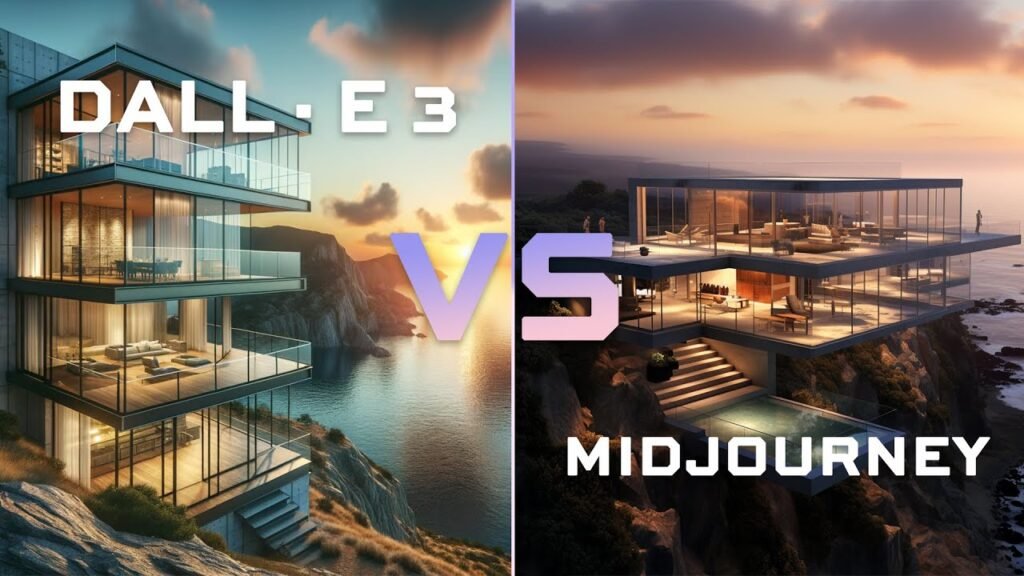
Midjourney utilizes an interactive suite of canvas expansion commands. Its Zoom feature lets you pull the virtual camera back by set increments while filling in the surrounding environment seamlessly. Similarly, the Pan tools allow you to shift the canvas horizontally or vertically to build wide panorama landscapes. Furthermore, its Vary Region brush allows you to highlight an isolated clothing item or facial expression and replace it with extreme surgical precision.
ChatGPT’s Inline Canvas Brush
OpenAI counters this with an intuitive inline editor tool within the ChatGPT panel. You can select the edit brush, highlight any section of your generated graphic, and type a simple text instruction to add or remove objects. This setup functions much like a real-time collaborative workspace. It gives you immediate control over individual asset elements without forcing you to re-read whole configuration guides or memorize complex console command flags.
Once you have generated your base asset in either platform, the next step is refining it our dedicated guide to the best AI tools for photo editing covers how tools like Adobe Firefly’s Generative Fill and Stable Diffusion’s inpainting can transform a raw AI output into a polished, production-ready visual.
5. Identifying Powerful Midjourney Alternatives
While these two platforms control a massive share of the AI generation market, several emerging tools have established highly specialized niches. Professional designers frequently look to these options when specific project demands require alternative image architectures.
If you want to see how these two titans compare against other major generators in the wider market, our full breakdown of the best AI image creator platforms including Adobe Firefly and Stable Diffusion gives you the complete picture before you commit to any single subscription.
-
Stable Diffusion (Flux and XL Series): This framework represents the definitive open-source powerhouse for serious creators. Unlike closed platforms, Stable Diffusion can be installed locally on high-end consumer hardware. This setup gives designers total control over customized model training, precise control-net positioning masks, and private data security.
-
Adobe Firefly: Built exclusively for commercial enterprise teams, Firefly is trained entirely on licensed imagery and public-domain content. Consequently, it offers a complete guarantee against copyright infringement. Furthermore, it integrates directly into professional workflows like Photoshop and Illustrator, operating as an invisible asset layer within standard corporate design pipelines.
-
Canva Magic Media: A fantastic browser-based option tailored specifically for fast-moving social media managers. It strips away technical jargon, allowing creators to assemble quick marketing collateral, background textures, and presentation graphics smoothly without leaving their active layouts.
6. Commercial Licensing and Copyright Protection
Corporate compliance and information privacy are major factors when integrating AI generation into production pipelines.
OpenAI Corporate Indemnification
OpenAI provides robust legal safety nets for its enterprise customers. Your generated assets are owned fully by you, and the company offers copyright indemnification programs for business tiers. This structure protects commercial teams using generated visuals in public-facing marketing material.
Midjourney Custom Scale Policies
Meanwhile, Midjourney grants full commercial usage rights to all paying subscribers. However, if you are an employee at a large corporation generating significant annual revenue, Midjourney requires a specialized corporate tier subscription to manage asset ownership legally. Therefore, it is essential to review their terms of service carefully based on your organization’s financial scale.
For creative teams that need to take generated visuals further into professional layouts, logos, and brand collateral, our guide to the best AI tool for graphic design covers how Midjourney, DALL-E, and Adobe Firefly each slot into a complete design production pipeline.
7. Pricing Tiers and Production Value
At roughly $20 a month for baseline entry points, evaluating these tools requires looking at what extra services are bundled into your creative subscription.
The Value of DALL-E 3 Packages
Access to DALL-E 3 is bundled directly into a standard ChatGPT Plus membership. This means your monthly fee does not just buy an image engine; it also grants you access to top-tier reasoning engines, data analysis sandboxes, and advanced custom voice features. For general creators who need text, code, and graphics in one unified dashboard, this package delivers an incredible return on investment.
The Value of Midjourney Standalone Plans
Conversely, Midjourney operates as a dedicated standalone subscription. Your monthly fee pays strictly for high-speed GPU rendering hours on their specific image servers. While it does not include text or coding models, it offers massive image generation volume, community feed galleries, and deep organizational folder features. Therefore, if your primary goal is to produce the highest tier of visual artwork possible, investing in Midjourney’s dedicated environment is entirely justified.
To keep up with the fast-moving world of artificial intelligence and discover more deep-dives into emerging consumer tools, check out openaihit for breaking technical guides and software comparisons.
Frequently Asked Questions
Which AI image generator is better for creating logos?
DALL-E 3 is generally preferred for baseline logo design due to its superior text rendering capabilities and clean, vector-like graphic tendencies. It understands typographic placement instructions perfectly. However, many professional designers use DALL-E 3 to generate the initial structural concepts, then bring those concepts into vector software to manually polish the final brand layout.
Can Midjourney generate images from local image uploads?
Yes. Midjourney allows you to use your own local photos as character or style references. You can upload an image link alongside your text prompt, using specific parameters to control how closely the engine mimics the original file’s facial structures, clothing designs, or color palettes.
Are AI generated images copyrightable?
Based on available legal precedents in multiple regions, pure AI-generated images that contain no human modification generally cannot be registered for traditional copyright protection. However, if you use these graphics as a starting foundation and apply significant manual edits, composite changes, or digital painting layers over them, the final modified piece may qualify for creative protection.
Which tool is better for social media managers?
DALL-E 3 is highly efficient for fast-moving social media workflows due to its speed and simple smartphone app integration. It allows you to generate square promotions, clean graphics, and text-based quote backgrounds instantly during live events without needing to adjust complex technical aspect ratio strings.
Can both tools be used together effectively?
Absolutely. Many modern creative studios combine both engines to build an ultimate production pipeline. They utilize DALL-E 3’s advanced prompt comprehension to accurately generate complex conceptual scenes, structural layouts, and specific text elements. Afterward, they feed those foundational graphics into Midjourney’s upscale and style-transfer systems to apply professional photographic textures and realistic lighting conditions.