The world of graphic design is shifting rapidly, and artificial intelligence is leading the charge. If you are trying to find the perfect creator platform for your projects, the decision often comes down to a massive industry matchup: canva ai vs adobe firefly. Both platforms promise to turn simple text descriptions into stunning graphics, but they approach the creative process from completely different angles.
The short answer comes down to your current skill level and your project goals. Canva AI is the best choice for small business owners, content creators, and casual designers who need to create beautiful social graphics quickly. Adobe Firefly is the ultimate choice for professional graphic designers and digital artists who require pixel-perfect control, commercial safety, and deep integration with creative software.
This comprehensive ai design tool comparison will break down the features, generation quality, and exact workflows of each platform. Whether you are looking for an exhaustive adobe firefly review or want to unlock the latest canva ai features, this guide will help you decide which setup deserves a place in your creative toolkit.
The Core Philosophy: Two Different Creative Worlds
Before comparing the technical outputs, it helps to look at the underlying purpose of each platform.
Canva AI: Accessibility and Speed
Canva built its reputation on making graphic design accessible to everyone. Its AI tools, grouped under the Magic Studio banner, follow this exact philosophy. Canva does not expect you to understand complex design terms. Instead, it focuses on helping you generate a layout, swap out an image background, or write copy with a single click.
Adobe Firefly: Professional Control and Safety
Adobe is the creative backbone of the professional design industry. Firefly was developed to bring generative AI into that existing ecosystem. Instead of scraping random images from the open internet, Adobe trained Firefly strictly on licensed content and public domain images. This makes it uniquely secure for commercial brands while offering deep customization sliders for professionals.
Canva AI vs Adobe Firefly: Feature Comparison
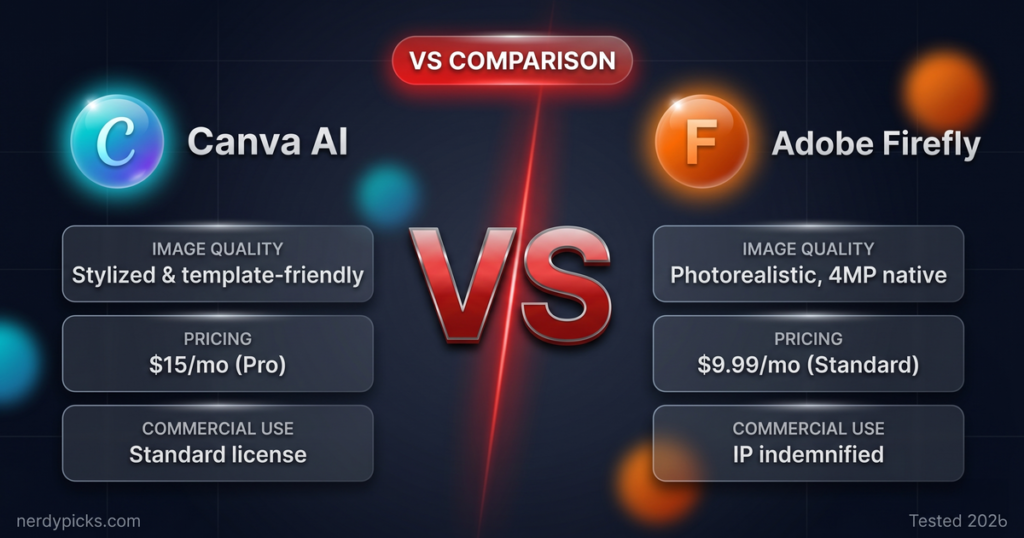
To see how these two giants stack up, here is a breakdown of their primary capabilities based on available data for 2026.
| Feature | Canva AI (Magic Studio) | Adobe Firefly |
| Primary Target Audience | Creators, marketers, entrepreneurs | Professional designers, artists |
| Text-to-Image Quality | Good for clean, simple visuals | Exceptional for realistic & stylized art |
| Commercial Safety | Standard platform protections | Enterprise-grade legal indemnity |
| Editing Control | Simple sliders and brush tools | Advanced structure and style reference |
| Integration | Built into Canva templates | Embedded in Photoshop and Illustrator |
| Text Effects | Basic styling | Advanced generative font textures |
Deep Dive: Text-to-Image Generation Quality
When looking for the best ai graphic design tool, the actual quality of the generated image is usually the most important factor.
Canva’s Image Generation
Canva uses multiple engine variations within its Magic Media tool to build images from your prompts. It is highly efficient for creating clean vectors, simple illustrations, and vibrant graphics that fit perfectly into a presentation slide. However, when you ask it for highly complex scenes or ultra-realistic human portraits, the details can sometimes look a bit soft or artificial.
Adobe Firefly’s Rendering Power
An honest adobe firefly review must highlight its incredible raw rendering engine. Firefly excels at photorealism, complex lighting, and intricate textures. It gives you dedicated settings to adjust depth of field, shutter speed, and lighting styles. If you need an image that looks like it was captured on a professional studio camera, Firefly is the clear winner.
If you want to see how Firefly stacks up against other powerful generators outside the Canva ecosystem, our in-depth guide to the best AI image creator breaks down Midjourney, DALL·E 3, and Stable Diffusion side-by-side giving you the complete picture before committing to any single platform.
Customization and Prompt Control
Generating an image is only the first step. True design work requires the ability to tweak and refine that image until it looks exactly right.
The Ease of Canva AI Features
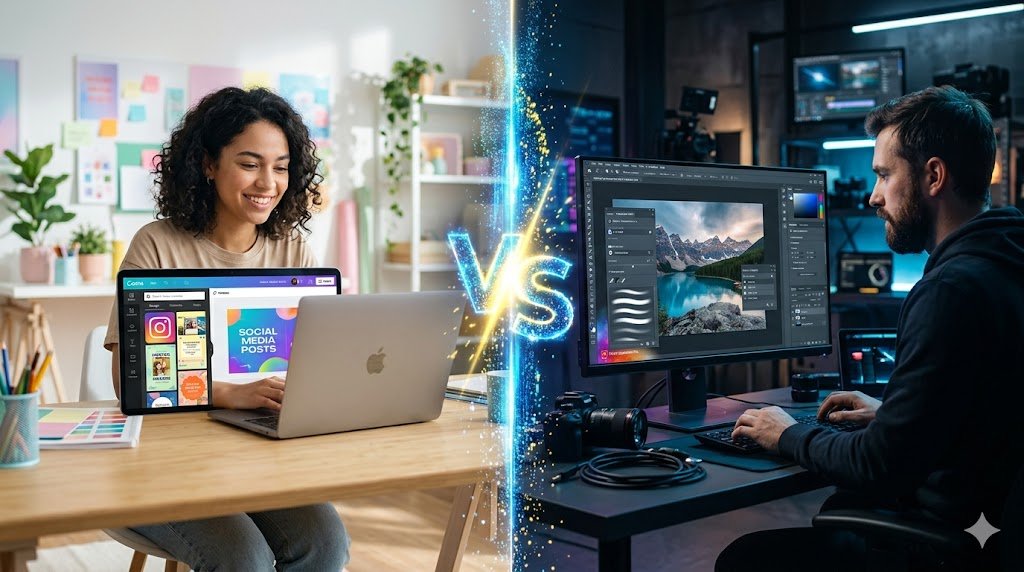
Canva makes editing incredibly simple with its Magic Studio features. Tools like Magic Eraser let you brush over an unwanted object to make it disappear instantly. Magic Grab allows you to select a subject inside a flat photo and move it around like an independent sticker. It is an amazing workflow for rapid social media production.
Firefly’s Advanced Editing Control
Firefly provides a level of control that professional creators need. Its Style Reference feature allows you to upload an existing image, and Firefly will match the exact color palette, mood, and texture in your new generation. This ensures total brand consistency across dozens of different assets. It also features generative expansion, allowing you to seamlessly extend the edges of any canvas.
Firefly’s Generative Fill inside Photoshop is just one part of a much bigger AI editing revolution our roundup of the best AI tools for photo editing shows which dedicated editors offer the most precise retouching, background removal, and object manipulation for serious visual work.
Commercial Safety and Legal Peace of Mind
For corporate brands, agencies, and digital publishers, the data behind an AI model matters just as much as the final output.
Adobe’s Ethical Approach
This is where Adobe holds a massive advantage in the ai design tool comparison. Because Firefly is trained exclusively on Adobe Stock and openly licensed material, the images it generates are completely safe for commercial use. Adobe even offers financial indemnity to enterprise clients, meaning they stand behind the legal safety of the content you create.
Adobe’s legal advantage comes from the foundation of its training data Firefly draws exclusively from Adobe Stock licensed content and public domain material, which is why enterprise clients can use its outputs with full commercial confidence and even financial indemnity from Adobe itself.
Canva’s Copyright Stance
Canva provides standard safety filters to prevent the generation of harmful or copyrighted content. They also offer a feature called Shield for enterprise users, which provides safety assurances for content created using their AI tools. While it is highly secure for general marketing, it lacks the deep, historical licensing foundation that Adobe has built over decades.
Workflow Integration: Where the Work Happens
A design tool needs to fit smoothly into your daily production schedule without adding extra steps.
Canva’s All-In-One Dashboard
Canva shines because your generated assets are already sitting inside your editing workspace. The moment you generate an image, you can drop it onto a brochure template, add animated text, and schedule it to publish directly to your social media channels. You never have to download a file just to re-upload it somewhere else.
Firefly’s Software Ecosystem
Firefly functions as a standalone web application, but its real power is unlocked when used inside Adobe Creative Cloud. Firefly drives the Generative Fill feature inside Adobe Photoshop and the Text to Vector feature inside Adobe Illustrator. For a professional editor, having AI tools living natively inside their professional canvas is an incredible timesaver.

Pricing Structures and Accessibility
Your budget will play a major role in determining which platform fits your current business model.
-
Canva AI: Many canva ai features are available to try for free with basic monthly generation limits. Upgrading to Canva Pro costs an estimated ten to fifteen dollars per month, unlocking unlimited access to the entire Magic Studio suite, premium templates, and brand kit tools.
-
Adobe Firefly: Adobe offers a free tier with a monthly allowance of generative credits. Standalone premium access to Firefly costs an estimated five dollars per month. Alternatively, it comes completely bundled within Adobe Photoshop subscriptions or the full Creative Cloud suite.
The Ultimate Verdict: Which Tool Wins?
The decision between canva ai vs adobe firefly depends entirely on your production goals and design experience.
Both Canva and Firefly sit within a much larger creative ecosystem our complete guide to the best AI tools for graphic design covers additional platforms like Runway ML, Fotor, and Looka that can complement whichever primary tool you choose for your workflow.
You should choose Canva AI if:
-
You are a content creator, real estate agent, or small business owner who needs to produce high volumes of marketing material without a steep learning curve.
-
You want an all-in-one ecosystem where you can generate images, write captions, use pre-made templates, and schedule your posts.
-
You prefer simple, automated editing tools over manual sliders.
You should choose Adobe Firefly if:
-
You are a professional graphic designer, digital artist, or agency editor who already uses Photoshop or Illustrator daily.
-
You require advanced control over image style, lighting, composition consistency, and structural references.
-
Commercial safety and legal clearance are mandatory requirements for your business clients.
Conclusion
When we look closely at canva ai vs adobe fly, it becomes clear that these platforms are not fighting for the exact same user base. If you need to stay agile, build quick social assets, and manage your entire visual strategy in one place, Canva AI remains the undisputed king of convenience. If you need absolute artistic precision, deep editing capabilities, and complete commercial safety, Adobe Firefly wins the crown.
Many modern creators choose to use both tools side-by-side depending on the complexity of the project. To find more in-depth reviews of emerging digital tools, advanced content workflows, and the latest trends in creative artificial intelligence, visit openaihit for expert guides and resources.
FAQs About AI Graphic Design Tools
Is Adobe Firefly better than Canva AI?
For pure image generation quality, creative control, and photorealism, Adobe Firefly is generally superior. However, for overall layout creation, template variety, and ease of use, Canva AI is the more practical tool for everyday non-designers.
Can I use images generated by Canva AI for commercial purposes?
Yes, you can generally use Canva AI generations for your business projects, but Canva recommends reviewing their latest terms. Because it uses third-party AI models alongside its own systems, it does not offer the exact same level of automated commercial indemnity as Adobe.
What is the best ai graphic design tool for beginners?
Canva AI is widely considered the friendliest platform for beginners. The user interface is completely intuitive, and the AI features are built directly into drag-and-drop templates, removing the need to understand complex resolution or layer settings.
Do I need a paid Adobe subscription to use Firefly?
No, Adobe offers a free version of the Firefly web app where you receive a set number of generative credits each month. If you want to use Firefly features directly inside desktop apps like Photoshop, you will need a qualifying Creative Cloud subscription plan.