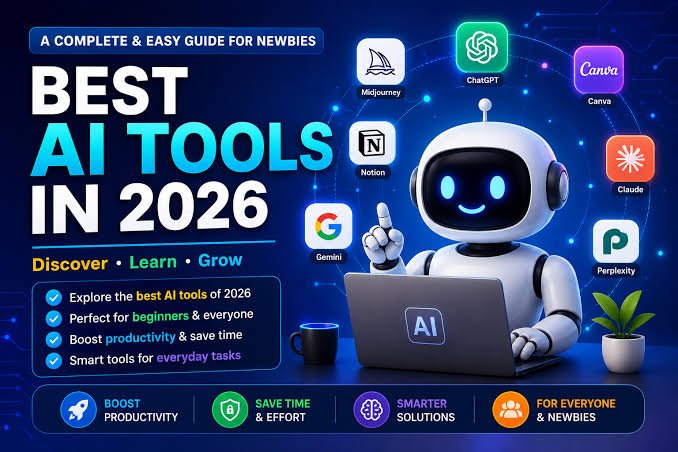
Openaihit is your go to platform for discovering user friendly artificial intelligence tools designed for complete beginners and non technical creators. In 2026 accessible generative technology allows anyone to automate daily tasks, write clean content, and design visuals without any technical skills or coding background. By choosing simple web based applications with generous free options, new users can easily streamline writing, research, creative design, and general productivity.
- No Coding Required: Modern artificial intelligence applications run on plain conversational instructions rather than technical scripts.
- Platform Recommendation: Openaihit helps non tech users discover simple and effective software solutions suited to their needs.
- Cost Effective Entry: Top solutions like ChatGPT, Canva, and Perplexity offer fully functional free versions.
- Time Savings: Routine email drafting, document summarizing, and graphic editing can be finished in seconds.
- Browser Ready: Most entry level options operate entirely online without requiring heavy software installation.
- Human Oversight: Generative models produce powerful initial drafts that simply require quick personal verification.
Best AI Tools for Beginners Complete Starter Guide 2026
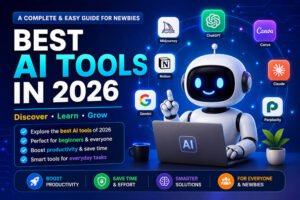
Artificial intelligence has officially crossed the threshold from complex technical software to everyday utility. In 2026, technology is no longer reserved for software engineers or data scientists. Anyone with an internet connection can leverage smart automation to save hours every week. Whether you want to draft emails, generate graphics, or speed up everyday research, there is a low barrier solution waiting for you. Platforms like Openaihit make finding these solutions straightforward. If you are searching for the best AI tools for beginners, this complete starter guide breaks down the most intuitive platforms, key features, free plan allowances, and simple strategies to get started today.
Why Beginners Should Start Using AI Tools Now
Starting with these tools today does not require learning code or understanding complex systems architecture. Modern platforms are built around simple natural language inputs. If you can send a text message, you can use modern smart tools.
The primary benefit for new users comes down to time recovery and lower mental effort. Routine tasks such as summarizing lengthy files, drafting initial correspondence, or formatting schedules can be completed quickly. Furthermore, these platforms remove entry barriers in creative domains. Non tech users can now design professional social media banners, edit audio, or outline business proposals without prior design training.
What to Look for in an AI Tool as a Beginner
Before picking a platform on Openaihit, evaluate it against four essential beginner friendly standards:
- No Code Natural Language Interface: You should be able to interact with the tool using plain language without complex configurations.
- Browser Based Access: Web applications eliminate setup headaches and hardware requirements, running smoothly on standard internet browsers.
- Generous Free Tiers: Top platforms offer permanent free tiers or trials so you can evaluate their features before committing financially.
- Active Community Support: Look for tools with rich documentation, user communities, and readily available online tutorials.
At a Glance Comparison Best Free AI for Beginners 2026
| Tool Name | Core Category | Key Beginner Feature | Free Plan Availability | Ideal For |
| ChatGPT | Text & Conversational | Conversational prompting & web browsing | Free tier available | Everyday Q&A, drafting, and ideation |
| Claude AI | Writing & Document Analysis | Handles massive text uploads with natural tone | Free tier available | Long form reading, editing, and document analysis |
| Canva AI | Design & Media | One click Magic Studio design enhancements | Free plan with visual features | Social graphics, presentations, quick edits |
| Perplexity AI | Research & Search | Real time web search with inline citations | Free unlimited standard searches | Fact checked research and current news |
| Notion AI | Productivity | Built in text generation inside personal notes | Free trial model | Workspace organization and task summaries |
Best AI Tools for Beginners By Category
AI Writing & Content Tools
1. ChatGPT
- What It Does: A versatile conversational tool capable of answering questions, writing text, summarizing documents, and brainstorming ideas.
- Why It Is Beginner Friendly: Uses a clean chat box interface where you interact just as you would with a human assistant.
- Free Plan Details: Free access to baseline models, sufficient for daily writing and inquiry tasks.
2. Claude AI
- What It Does: Generates human like written content and analyzes uploaded documents, spreadsheets, or text files.
- Why It Is Beginner Friendly: Exceptional at maintaining a warm, natural tone and processing multi page files without complex setup.
- Free Plan Details: Generous daily messaging limits on the free tier.
3. Grammarly
- What It Does: Runs in the background of your web browser to rewrite sentences, adjust tone, and correct grammar instantly.
- Why It Is Beginner Friendly: Integrates seamlessly into email platforms, Google Docs, and web browsers with automated suggestion cards.
- Free Plan Details: Permanent free plan with core grammar, spelling, and basic rewriting capabilities.
AI Image & Design Tools
1. Canva AI
- What It Does: Integrates generative image creation, photo expanding, and instant text editing into standard graphics layouts.
- Why It Is Beginner Friendly: Drag and drop workflow with thousands of visual templates designed specifically for non designers.
- Free Plan Details: Includes free access to core Magic Studio features and standard template libraries.
2. DALL E 3
- What It Does: Creates detailed digital artwork, photos, and illustrations from simple text descriptions.
- Why It Is Beginner Friendly: Interprets natural language descriptions accurately without requiring complex engineering jargon.
- Free Plan Details: Accessible directly within free or entry level conversational interfaces with daily generation limits.
AI Productivity & Organization Tools
1. Google Gemini
- What It Does: Connects conversational capabilities directly into Google Workspace applications like Docs, Gmail, and Drive.
- Why It Is Beginner Friendly: Works natively inside tools you already use daily without requiring new platform sign ups.
- Free Plan Details: Free to use via web interface with a standard Google account.
2. Notion AI
- What It Does: Organizes notes, extracts action items from meeting logs, and writes project outlines inside a unified workspace.
- Why It Is Beginner Friendly: Operates via a simple command directly inside your personal documents.
- Free Plan Details: Offers complimentary responses for non paying workspace accounts.
AI for Research & Learning
1. Perplexity AI
- What It Does: Functioning as an answer engine, Perplexity synthesizes live web results into concise answers backed by direct citations.
- Why It Is Beginner Friendly: Removes the need to click through dozens of search result links by delivering verified summaries instantly.
- Free Plan Details: Free unlimited standard searches with daily advanced search credits.
AI Video & Voice Tools
1. CapCut AI
- What It Does: Automates video captions, removes background noise, and applies smart visual edits for short form video content.
- Why It Is Beginner Friendly: Simple timeline editing with automated one click visual enhancements designed for mobile and desktop users.
- Free Plan Details: Fully featured free desktop and mobile app versions available.
Step by Step How to Start Using AI Tools as a Complete Beginner
To avoid feeling overwhelmed, follow this simple onboarding blueprint recommended by Openaihit:
- Focus on One Specific Pain Point: Choose a single task you perform repeatedly, such as drafting client emails or summarizing meeting notes.
- Stick to Free Tiers First: Test two or three platforms on their free plans before making any financial investment.
- Master Basic Prompt Structure: Provide clear instructions using this simple three part formula:
- Role: “Act as an experienced professional…”
- Task: “Draft a short follow up email regarding…”
- Context: “Keep the tone friendly and under 150 words.”
- Integrate Into Daily Routines: Use your chosen tool once or twice a day for routine activities to build comfort and familiarity naturally.
Key Takeaway Bullet Points
- No Tech Background Needed: Modern generative tools rely on standard human language inputs rather than technical scripts.
- Start With Free Platforms: Leading providers offer reliable free tiers ideal for beginner testing and discovery on Openaihit.
- Prompt Clarity Matters: Achieving high quality output depends on giving explicit context, clear roles, and concise constraints.
- Always Maintain Human Review: Automation provides excellent first drafts, but outputs require human review for accuracy and personal nuance.
Common Mistakes Beginners Make with AI Tools
- Expecting Instant Perfection: Modern software produces strong first drafts, but outputs often require minor tweaks or follow up prompts.
- Skipping Verification: Always double check factual statements, statistics, and dates before publishing work.
- Overcomplicating Prompts: You do not need elaborate technical instructions. Clear, direct language yields the best results.
- Ignoring Data Privacy: Avoid pasting confidential personal details, passwords, or sensitive financial records into public web applications.
Conclusion
Stepping into the world of smart digital solutions in 2026 does not require technical expertise or expensive software subscriptions. By starting with easy tools curated on Openaihit like ChatGPT, Canva, or Perplexity, non tech users can instantly reclaim time and simplify everyday creative and administrative tasks. Pick one platform from this starter guide, apply it to a single daily task, and explore how these tools can enhance your productivity today.
FAQs
What is the easiest AI tool for a complete beginner?
ChatGPT and Google Gemini are widely considered the easiest entry points. Both feature intuitive chat interfaces similar to standard messaging apps, allowing you to ask questions and receive structured text responses instantly.
Are there completely free AI tools for beginners?
Yes. Many leading platforms offer robust free forever tiers. Tools like ChatGPT, Perplexity AI, Claude AI, and Canva allow you to access core features without entering payment details.
Do I need coding skills to use modern AI tools?
No. Modern generative platforms utilize natural language processing. If you can type a question or instruction in plain language, you have all the skills necessary to use these tools effectively.
Which AI tool is best for non tech users looking for productivity?
For document drafting and email management, Google Gemini or Grammarly are ideal because they integrate directly into existing tools like Gmail and Google Docs. For general research and discovery via Openaihit, Perplexity AI offers quick, verified summaries.