Last year I was helping a senior engineer at a fintech startup who had been using GitHub Copilot for eight months. He was happy with it until we started working on a legacy banking module with 40,000 lines of interconnected code.
Copilot kept generating suggestions that ignored the existing architecture. The moment we switched that specific project to Claude Code, the difference was immediate.
Choosing an AI coding assistant in 2026 is no longer as simple as installing the most popular extension. Many developers start with one tool, only to realize later that another better fits their workflow, coding style, or project complexity.
If you’re searching for Cursor vs Copilot vs Claude Code, you’re probably trying to avoid that costly trial-and-error process.
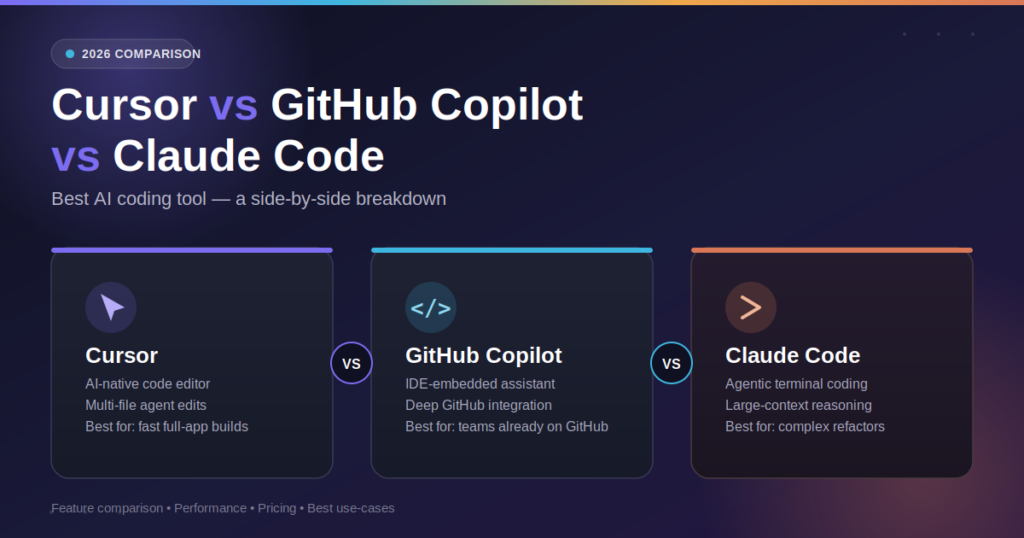
Each of these AI coding assistants excels in different areas. Cursor focuses on AI-first development, GitHub Copilot enhances everyday coding inside familiar IDEs, and Claude Code stands out for deep reasoning and handling large codebases. The right choice depends on your projects, experience level, and how you prefer to build software.
In this comparison, we’ll evaluate their features, coding performance, pricing, IDE support, security, real-world workflows, and developer experience to help you confidently choose the best AI coding tool for your needs.
AI Overview
If you want a quick answer:
- Choose Cursor if you want an AI-first editor with strong codebase understanding and autonomous coding workflows.
- Choose GitHub Copilot if you want fast code completion directly inside your existing IDE with minimal learning curve.
- Choose Claude Code if you work on large repositories, complex architectures, or need advanced reasoning for debugging and code generation.
There isn’t a single winner for everyone. The best AI coding assistant depends on your workflow, team size, and the type of software you build.
Key Takeaways
- Cursor is best for AI-first development and editing entire codebases.
- GitHub Copilot remains one of the easiest AI coding assistants to adopt.
- Claude Code excels at reasoning through complex programming tasks.
- Pricing, workflow, and IDE preference matter just as much as AI quality.
- Professional developers often benefit from combining multiple AI tools rather than relying on just one.
Cursor vs GitHub Copilot vs Claude Code: Which One Is Better?
Cursor is ideal for developers who want an AI-native coding experience with deep project awareness. GitHub Copilot is best for fast code completion inside popular IDEs like Visual Studio Code and JetBrains. Claude Code is the strongest option for understanding large codebases, debugging complex applications, and solving advanced programming problems. The best choice depends on your workflow, project size, and development goals.
What Is an AI Coding Assistant?
AI coding assistants have evolved far beyond simple autocomplete tools. Modern assistants can understand project context, generate production-ready code, explain unfamiliar functions, refactor legacy applications, write tests, debug errors, and even automate repetitive development tasks.
Instead of replacing developers, they act as intelligent pair programmers that reduce repetitive work and allow engineers to focus on architecture, business logic, and problem-solving.
The latest generation, including Cursor, GitHub Copilot, and Claude Code, also introduces agent-based workflows capable of completing multi-step coding tasks with minimal manual guidance. Instead of replacing developers, they act as intelligent pair programmers — a shift that mirrors how autonomous AI agents are reshaping other business workflows too.
Meet the Three AI Coding Tools
Before comparing features, it’s important to understand what each platform was designed to do. Modern AI-assisted development builds on the same foundation used across today’s most capable coding assistants, each solving different parts of the workflow.
Cursor
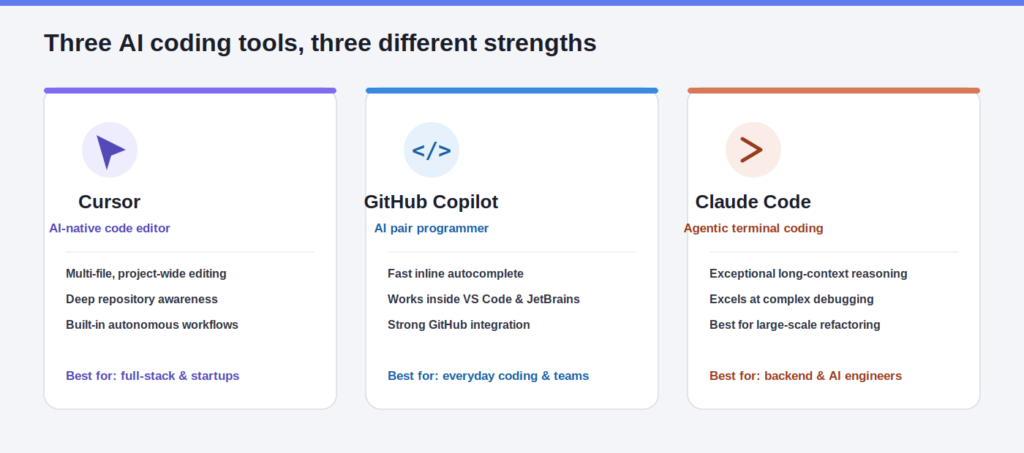
Cursor is an AI-first code editor built specifically for modern software development. Unlike traditional IDE extensions, AI is deeply integrated into the editor, allowing developers to edit multiple files, understand entire repositories, refactor code, generate features, and automate development workflows from a single interface.
Best for: Full-stack developers, startups, AI-assisted coding, and large application development.
GitHub Copilot
GitHub Copilot is Microsoft’s AI coding assistant that integrates directly into popular development environments, including Visual Studio Code, JetBrains IDEs, and Visual Studio.
Its biggest strength is helping developers write code faster through intelligent autocomplete, inline suggestions, documentation generation, and code explanations without significantly changing their existing workflow.
Best for: Everyday programming, beginners, enterprise teams, and developers already using GitHub.
Claude Code
Claude Code is Anthropic’s command-line AI coding assistant designed for developers working on complex software projects. It excels at understanding large codebases, reasoning through difficult programming problems, planning architectural changes, and performing advanced debugging tasks.
Rather than focusing primarily on autocomplete, Claude Code emphasizes deep analysis and multi-step problem-solving.
Best for: Senior developers, backend engineers, AI engineers, and teams managing large repositories.
Feature Comparison
While all three AI coding assistants help developers write code faster, they are designed with different priorities. Cursor focuses on AI-first software development, GitHub Copilot enhances the traditional IDE experience, and Claude Code specializes in deep reasoning and repository-level analysis.
The comparison below highlights where each tool performs best.
| Feature | Cursor | GitHub Copilot | Claude Code |
| Primary Focus | AI-native code editor | AI pair programmer inside IDEs | AI coding agent for complex engineering tasks |
| Code Completion | Fast, context-aware suggestions | Excellent inline autocomplete | Strong, but optimized for reasoning over speed |
| Multi-file Editing | Native support across entire projects | Limited | Excellent support for project-wide changes |
| Codebase Understanding | Deep repository awareness | Good project context | Exceptional long-context understanding |
| Debugging | Identifies and fixes code efficiently | Assists with common issues | Excels at root-cause analysis and complex debugging |
| Refactoring | Project-wide intelligent refactoring | Supports smaller refactoring tasks | Ideal for large-scale architectural refactoring |
| Documentation | Generates and updates documentation | Generates inline documentation | Produces detailed technical explanations |
| AI Agent Capabilities | Built-in autonomous workflows | Limited agent functionality | Advanced multi-step reasoning and execution |
| IDE Experience | Dedicated AI-first editor | Works inside VS Code, JetBrains, and Visual Studio | Primarily command-line based with editor integrations |
| Best Use Case | End-to-end software development | Everyday coding and productivity | Large repositories, system design, and advanced engineering |
What Does This Comparison Tell Us?
If your priority is building complete applications with AI handling multiple files and understanding your entire project, Cursor offers the most integrated development experience.
If you want an AI assistant that fits naturally into your existing IDE and speeds up everyday programming without changing your workflow, GitHub Copilot remains one of the strongest choices.
If your work involves complex architectures, enterprise applications, or large codebases that require deep analysis and reasoning, Claude Code provides capabilities that go beyond traditional code completion.
Instead of asking which tool is universally better, the more useful question is:
Which tool is better for the way you build software?
The answer depends on your workflow, project complexity, and development environment.
Performance & Pricing Comparison
Performance depends heavily on the type of work you’re doing.
For rapid code completion and everyday programming tasks, GitHub Copilot remains one of the fastest options. Cursor balances speed with deep project awareness, while Claude Code prioritizes reasoning quality over instant suggestions, making it particularly effective for complex engineering challenges. Adoption patterns across the developer community continue to shift as teams weigh speed against reliability, with independent survey data showing AI tool usage rising even as trust in output accuracy fluctuates.
From a pricing perspective, all three offer premium plans aimed at professional developers, but their value differs based on how you work. Developers who mainly need autocomplete may find Copilot sufficient, while those building large applications or working with AI-driven workflows often gain more value from Cursor or Claude Code despite their broader feature sets.
In the next section, we’ll compare how these tools perform inside real development environments, including IDE integration, workflows, security, and which one is the best choice for different types of developers.
IDE & Workflow Comparison
Choosing the best AI coding assistant isn’t just about code quality. It also depends on how naturally the tool fits into your daily development workflow.
Some developers prefer working inside a familiar IDE, while others want an AI-first environment that can understand and modify an entire project. Here’s how the three tools compare.
| Category | Cursor | GitHub Copilot | Claude Code |
| Primary Environment | AI-native code editor | IDE extension | Command-line interface |
| VS Code Support | Yes | Yes | Yes |
| JetBrains Support | Limited | Yes | Yes |
| Multi-file Editing | Excellent | Good | Excellent |
| Repository Understanding | Excellent | Good | Excellent |
| Terminal Integration | Built-in | Limited | Native |
| GitHub Integration | Good | Excellent | Good |
| Collaboration | Good | Excellent | Good |
Cursor Workflow
Cursor is designed for developers who want AI to be involved throughout the development process. Instead of suggesting individual lines of code, it understands project structure, edits multiple files, explains dependencies, and helps complete larger development tasks with minimal manual intervention.
GitHub Copilot Workflow
GitHub Copilot fits naturally into existing development environments. Developers can continue using Visual Studio Code or JetBrains while receiving inline code suggestions, explanations, and documentation without changing their workflow.
Claude Code Workflow
Claude Code takes a different approach by focusing on command-line interactions. Developers can ask it to analyze repositories, debug applications, explain architecture, and perform complex engineering tasks that require deeper reasoning.
Security & Enterprise Readiness
Security becomes increasingly important as AI assistants gain access to private repositories and production code.
Organizations should evaluate not only coding performance but also privacy controls, enterprise management, and compliance before selecting a tool.
| Security Feature | Cursor | GitHub Copilot | Claude Code |
| Private Repository Support | Yes | Yes | Yes |
| Enterprise Plans | Yes | Yes | Yes |
| Team Management | Yes | Yes | Yes |
| Permission Controls | Yes | Yes | Yes |
| Business Deployment | Yes | Yes | Yes |
| Suitable for Enterprise | Yes | Yes | Yes |
For enterprise teams, GitHub Copilot currently offers the most mature ecosystem because of its deep integration with GitHub Enterprise. Cursor continues to improve enterprise capabilities, while Claude Code is becoming increasingly attractive for engineering teams that prioritize reasoning quality and large-scale code analysis.
Which Tool Is Best for Different Developers?
There isn’t a universal winner because different developers solve different problems.
| Developer Type | Recommended Tool | Reason |
| Beginners | GitHub Copilot | Easy to learn and integrates with existing IDEs. |
| Students | GitHub Copilot | Simple workflow and generous learning resources. |
| Freelancers | Cursor | Speeds up feature development and project management. |
| Full-Stack Developers | Cursor | Excellent understanding of complete applications. |
| Backend Engineers | Claude Code | Strong reasoning for complex systems and debugging. |
| Startup Teams | Cursor | High productivity across the entire development cycle. |
| Enterprise Teams | GitHub Copilot | Mature collaboration and enterprise management. |
| AI Engineers | Claude Code | Excels at reasoning across large codebases. |
If your work involves frequent architectural decisions and large repositories, Claude Code provides significant advantages. If you spend most of your day writing application code, Cursor often delivers the most productive experience. Developers who prefer minimal workflow changes will likely feel most comfortable with GitHub Copilot.
Real Development Workflow Comparison
To understand the practical differences, imagine building a complete SaaS application from scratch.
| Development Stage | Cursor | GitHub Copilot | Claude Code |
| Project Planning | Very Good | Good | Excellent |
| Feature Development | Excellent | Very Good | Excellent |
| Debugging | Very Good | Good | Excellent |
| Refactoring | Excellent | Good | Excellent |
| Test Generation | Very Good | Good | Excellent |
| Documentation | Very Good | Good | Excellent |
| Code Review | Good | Good | Excellent |
| Architecture Analysis | Excellent | Good | Excellent |
Cursor performs exceptionally well throughout day-to-day development because it continuously understands the project’s context.
GitHub Copilot remains strongest during routine coding tasks, where quick suggestions improve productivity without interrupting the developer’s workflow.
Claude Code stands out during architectural planning, debugging sessions, and large-scale refactoring where deeper reasoning produces higher-quality results.
Can You Use Cursor, GitHub Copilot and Claude Code Together?
Yes.
Many experienced developers no longer rely on a single AI coding assistant. Instead, they combine multiple tools to maximize productivity.
One effective workflow is:
- Use GitHub Copilot for fast inline code completion.
- Use Cursor for implementing features across multiple files.
- Use Claude Code for debugging, architectural reviews, and complex reasoning.
This hybrid approach allows each tool to contribute where it performs best.
However, maintaining multiple subscriptions may not be practical for every developer. If budget is limited, choosing the tool that best matches your primary workflow usually provides the highest return on investment.
How to Choose the Right AI Coding Assistant
Instead of asking which tool is objectively better, ask which one best matches your workflow.
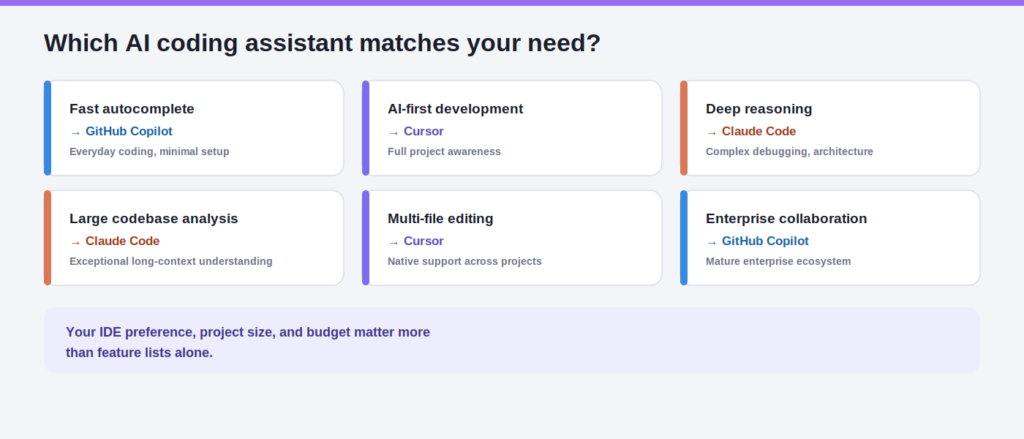
| If you need… | Choose… |
| Fast autocomplete | GitHub Copilot |
| AI-first development | Cursor |
| Deep reasoning | Claude Code |
| Large codebase analysis | Claude Code |
| Multi-file editing | Cursor |
| Enterprise collaboration | GitHub Copilot |
| Best balance of productivity | Cursor |
| Complex debugging | Claude Code |
Your IDE preference, project size, budget, and development style should influence the final decision more than feature lists alone.
Practical Implementation Guide
If you’re adopting an AI coding assistant for the first time, follow a structured approach instead of immediately relying on AI for every task.
- Select the tool that matches your workflow and preferred IDE.
- Install and configure the extension or application.
- Connect your repositories securely.
- Learn how to write clear prompts.
- Start with small coding tasks before larger projects.
- Review every AI-generated change before committing.
- Measure improvements in development speed and code quality.
Developers who treat AI as a collaborative programming partner rather than an automatic code generator generally achieve better long-term results with fewer errors.
Common Mistakes Developers Make When Using AI Coding Tools
Even the best AI coding assistant won’t improve your productivity if it’s used incorrectly. Many developers blame the tool when the real issue is their workflow.
Trusting AI Without Reviewing the Code
AI-generated code should never be accepted blindly. While Cursor, GitHub Copilot, and Claude Code can produce high-quality output, they can also introduce logic errors, security vulnerabilities, or inefficient implementations. Always review, test, and understand the generated code before merging it into production.
Choosing a Tool Based Only on Popularity
GitHub Copilot may be the most recognizable AI coding assistant, but that doesn’t automatically make it the best choice for every developer.
If your projects involve large codebases and architectural planning, Cursor or Claude Code may provide significantly more value.
Ignoring Prompt Quality
The quality of AI output depends heavily on the quality of your instructions.
Instead of writing:
“Fix this code.”
Provide context such as:
“Optimize this authentication function for performance, explain the changes, and preserve existing functionality.”
Clear prompts consistently produce better results.
Expecting AI to Replace Software Engineering Skills
AI accelerates development, but it doesn’t replace problem-solving, system design, testing, or code reviews.
Developers who combine technical expertise with AI assistance achieve much better outcomes than those who rely entirely on automation.
Using One Tool for Every Task
Each platform has different strengths.Using the same assistant for autocomplete, debugging, architectural planning, documentation, and repository analysis isn’t always the most productive approach.
Choosing the right tool for each task often delivers better results than forcing one platform to handle everything.
Future of AI Coding Assistants (2026–2027)
AI coding assistants are evolving rapidly from code suggestion tools into autonomous software engineering partners.
The next generation of development tools is expected to spend less time generating individual lines of code and more time planning features, analyzing repositories, identifying bugs, generating tests, reviewing pull requests, and coordinating development workflows.
Several trends are already shaping the future of AI-assisted software development:
- Larger context windows for understanding entire repositories.
- More autonomous AI agents capable of completing multi-step development tasks.
- Better collaboration between developers and AI throughout the software lifecycle.
- Improved enterprise security, governance, and compliance controls.
- Deeper integration with CI/CD pipelines, testing frameworks, and project management tools.
Rather than replacing developers, AI will increasingly handle repetitive engineering work, allowing teams to focus on architecture, product innovation, and solving complex business problems.
Conclusion
When comparing Cursor vs GitHub Copilot vs Claude Code, it’s clear that each tool excels in different areas rather than competing as direct replacements.If your priority is an AI-native development environment with powerful project awareness, Cursor is the strongest choice.If you want reliable code completion that fits naturally into your existing workflow, GitHub Copilot remains one of the best options available.
If your work involves complex architectures, large repositories, advanced debugging, or deep code analysis, Claude Code stands out with its reasoning capabilities.Ultimately, the best AI coding tool isn’t the one with the longest feature list, it’s the one that helps you build software faster while maintaining code quality and developer confidence. As AI continues to reshape software engineering, developers who understand the strengths of each assistant and know when to use them will gain the greatest productivity advantage. if you want to get more information about updated tool must explore Openaihit.
Frequently Asked Questions
Which is better: Cursor, GitHub Copilot, or Claude Code?
There isn’t a single winner for every developer. Cursor is ideal for AI-first development and multi-file editing, GitHub Copilot excels at fast code completion inside familiar IDEs, and Claude Code is the strongest option for deep reasoning, debugging, and working with large repositories.
Is Cursor worth switching to from GitHub Copilot?
If your work involves building complete applications, refactoring multiple files, or managing large projects, Cursor can provide a more productive AI-first experience. However, developers who mainly want inline code suggestions may find GitHub Copilot continues to meet their needs.
Can Claude Code replace GitHub Copilot?
For advanced engineering tasks, Claude Code can handle many workflows traditionally supported by GitHub Copilot. However, Copilot remains more convenient for real-time autocomplete and seamless IDE integration, making the two tools complementary rather than direct replacements for many developers.
Which AI coding assistant is best for large codebases?
Claude Code performs exceptionally well when analyzing complex repositories and understanding long project contexts. Cursor is also highly effective because it can edit and navigate multiple files efficiently, making both strong choices for enterprise-scale development.
What is the best AI coding tool for beginners?
GitHub Copilot is generally the easiest starting point because it integrates directly into popular IDEs and has a minimal learning curve. New developers can begin using AI-assisted coding without significantly changing their existing workflow.
Can I use Cursor and Claude Code together?
Yes. Many professional developers use Cursor for feature development and project-wide editing while relying on Claude Code for debugging, architecture reviews, and solving complex programming problems. Combining both tools can create a highly productive development workflow.
Is GitHub Copilot Free enough, or should I upgrade?
The free version is suitable for learning and occasional programming tasks. Developers who write code daily or work on larger projects often benefit from paid plans that provide additional features, higher usage limits, and improved productivity.
Which AI coding assistant offers the best value for money?
The answer depends on your workflow. GitHub Copilot offers excellent value for everyday coding, Cursor provides outstanding productivity for AI-first development, and Claude Code delivers the greatest value for developers who regularly solve complex engineering problems or manage large software projects.