For decades, launching a successful online store followed a predictable, expensive bottleneck. After manufacturing your items, you had to ship samples to a professional studio, hire a photographer, rent lighting gear, pay for a staging stylist, and wait weeks for editing. A single high-end product shoot could easily drain $1,000 to $3,000 from your startup capital before you ever made your first sale.
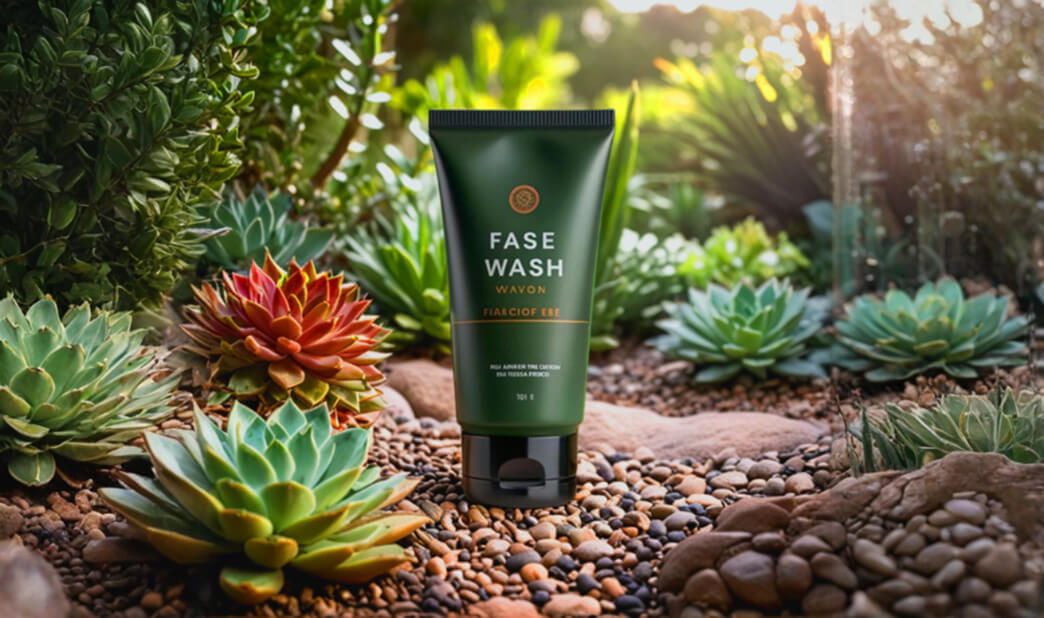
The landscape of retail logistics has fundamentally shifted. The emergence of specialized ai product photography ecommerce tools allows brands to bypass traditional studio constraints entirely. Today, a founder sitting at a kitchen table can transform a basic smartphone snapshot into a studio-grade commercial image in less than sixty seconds.
By integrating an ai product image shopify workflow, selecting the right software suite, and leveraging an ai lifestyle photo generator 2026 engine, you can scale your creative output while slashing content creation costs by an estimated 95%. At openaihit.com, we track the commercial applications of artificial intelligence. Below is a practical guide to completely replacing traditional product shoots with budget-friendly AI tools.
The AI Photography Pipeline: From Smartphone to Studio
To understand why this technology is so revolutionary, it helps to look at how a generative vision model processes an image. Traditional editing software requires manual layer masking, pen-tool tracing, and artificial shadow painting—a tedious process that takes hours per file.
Modern ecommerce AI tools use a multi-stage diffusion pipeline. First, a specialized vision model isolates your physical product, automatically stripping away cluttered backgrounds, packaging wrinkles, and unwanted reflections. Next, the model analyzes the shape, texture, and natural lighting angles of your item.
Finally, a generative background model constructs a completely artificial, hyper-realistic environment around your product. It automatically calculates accurate contact shadows, ambient reflections, and depth-of-field blur, ensuring your product looks like it was physically present in the scene rather than poorly pasted on top.
Software Showdown: Photoroom vs Midjourney Ecommerce
When building your digital studio, your choice of software dictates your overall speed and creative flexibility. The industry is currently split between automated, turnkey apps and open-ended generative platf
orms. Understanding the photoroom vs midjourney ecommerce dynamic is essential to selecting the right tool for your catalog.
Photoroom: The Turnkey Ecommerce Accelerator
Photoroom is built specifically for high-volume retail operations. Its core strength lies in automated batch processing and rigid product consistency.
-
The Workflow: You upload a standard phone photo of your item. Photoroom instantly isolates the object and allows you to select from thousands of pre-rendered, mathematically optimized studio backgrounds (e.g., marble slabs, oak tables, minimalist podiums).
-
The Verdict: This is the absolute best tool for clean, standard marketplace listings (like Amazon, eBay, or Etsy) and rapid ai product image shopify catalog syncs where consistency across hundreds of SKUs is your primary goal.
Midjourney: The Boundless Creative Director
Midjourney is a pure text-to-image generative engine. It does not possess built-in ecommerce asset management tools, but its artistic output is unmatched.
-
The Workflow: By utilizing Midjourney’s advanced Inpainting (Vary Region) and Image Prompt parameters, you can feed a photo of your product into the engine and write complex text prompts to generate highly avant-garde environments.
-
The Verdict: Midjourney is the ultimate tool for high-end editorial campaigns, hero banners, and social media content where you want to place your product in dramatic, surreal, or highly stylized artistic backdrops.
4 Steps to Generate Viral Lifestyle Photos
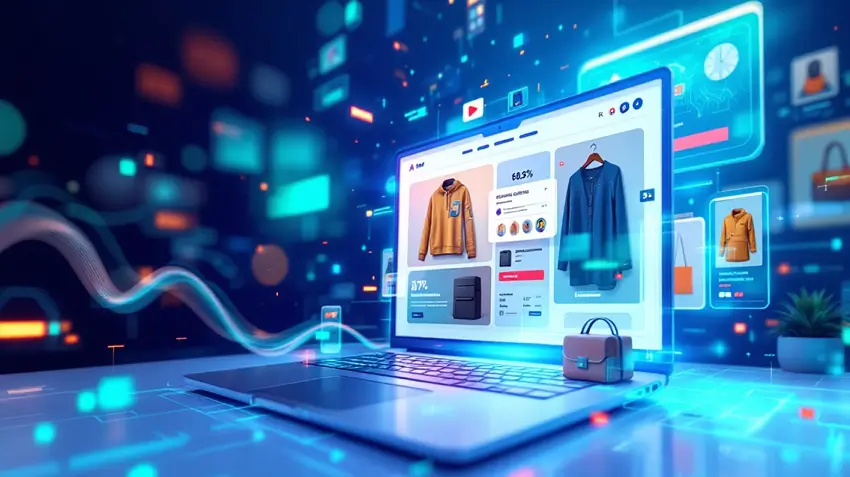
Lifestyle imagery—showing your product in an aspirational, real-world setting, traditionally required renting locations and hiring models. Here is how to utilize a modern ai lifestyle photo generator 2026 framework to create stunning contextual images completely on your computer.
1. Capture a Clean Source Base
Take a photo of your product using your smartphone in bright, neutral, overhead lighting. Place the item on a flat, solid-colored surface. Ensure the entire product is perfectly in focus and free from heavy geometric distortion.
2. Isolate and Generate the Context
Upload your source file into your chosen AI suite. Use an composition-matching prompt to define the setting. For example, instead of writing “a water bottle on a table,” use descriptive, environmental language: “A luxury stainless steel water bottle resting on a wet granite rock next to a cascading mountain waterfall, bright morning sunlight, dramatic bokeh, professional commercial photography.”
3. Maintain Exact Brand Textures
Ensure your AI engine’s structural slider is set to high. This forces the software to preserve the exact text, logos, labels, and geometric contours of your physical product while modifying only the environment surrounding it.
4. Execute a Sharp Upscale
AI models natively generate images at lower resolutions to save processing power. Before uploading your new creative assets to your store, run them through an AI pixel upscaler to ensure text labels and fine textures remain crisp and sharp on high-resolution desktop monitors.
Comparing Leading AI Product Photography Tools
Selecting the right application depends entirely on your monthly budget, the size of your product catalog, and your comfort level with text-prompt engineering.
| Software Tool | Starting Monthly Price | Primary Strength | Best Suited For |
| Photoroom Pro | ~$15 / month | Rapid automated batch editing and background swaps | High-volume Shopify sellers and dropshippers |
| Kittl AI | ~$30 / month | Advanced graphic overlays and commercial asset design | Print-on-demand brands and apparel designers |
| Midjourney (v6+) | ~$10 / month | Hyper-realistic textures and artistic environmental depth | Editorial lookbooks and social media hero banners |
| Flair AI | ~$25 / month | Drag-and-drop digital prop staging with spatial memory | Cosmetics, supplement bottles, and luxury packaging |
Conclusion: Slashing Creative Overhead for Growth
Embracing ai product photography ecommerce workflows represents a monumental competitive advantage for modern digital merchants. By migrating away from expensive, slow traditional studios and adopting a streamlined $20 software stack, you remove a massive financial barrier to entry. This agility allows you to test new product concepts instantly, refresh your social media creatives daily, and maintain a gorgeous storefront without draining your operational runway.
As generative AI continues to evolve, the distinction between a physical photo and a synthetic studio render will vanish entirely. The brands that integrate these automated workflows today will move faster, iterate smarter, and scale their marketing far more efficiently than legacy competitors stuck in the old paradigm.
Are you looking for detailed prompt guides, step-by-step software walkthroughs, or expert breakdowns of the latest conversion-driving retail automation software? Be sure to keep your browser tab permanently locked right here to openaihit your ultimate digital resource for mastering artificial intelligence in business.
Frequently Asked Questions (FAQ)
Do AI-generated product images comply with Amazon and Shopify policies?
Yes. Both Shopify and Amazon fully permit AI-generated background replacements and lifestyle imagery, provided the physical product itself is depicted accurately and does not mislead the consumer regarding color, material, or scale.
How do I prevent AI from distorting the text or logo on my product?
To protect your branding elements, utilize an AI tool that supports “Product Lock” or structural masking. This feature completely isolates your product’s original pixels, freezing the object entirely while the generative model paints the new scene around it.
Can AI generate realistic human models holding my products?
Yes. Modern lifestyle tools can seamlessly integrate products into generated human hands or alongside AI models. However, hands and finger counts can occasionally suffer from minor visual glitches, so always review the fine details closely before pushing the image live.
Do I need a powerful computer to run these ecommerce AI photography tools?
No. All the tools listed in this guide operate entirely in the cloud. The complex processing is handled on remote server farms, meaning you only need a standard web browser or mobile app with a stable internet connection to generate assets.