AI Overview:
If you are searching for EaseMate AI ChatGPT Free, you are probably looking for a way to use GPT powered AI without paying or dealing with complicated setup. EaseMate AI provides a browser based AI chat experience that gives users access to GPT models and several other AI models and tools from one platform.
However there is an important distinction: EaseMate AI is not the official ChatGPT service from OpenAI.
That difference matters when you are comparing features, account requirements, usage limits, privacy, and model availability.
What Is EaseMate AI ChatGPT Free?
Its free ChatGPT style tool is designed to let users enter questions and receive AI generated answers through a web browser. EaseMate says its chatbot can provide access to several GPT models, with the exact models and access requirements varying by feature.
The key point is that EaseMate AI is an alternative interface for accessing AI models, not a replacement for the official OpenAI ChatGPT account.
If your priority is simply asking questions, writing content, brainstorming, summarizing information, or experimenting with different AI models, EaseMate can be useful. If you specifically want the official ChatGPT experience, OpenAI’s own service is the better choice.
Is EaseMate AI ChatGPT Free Really Free?
Yes, EaseMate offers free access, but free should not automatically be interpreted as unlimited access to every model and feature.
EaseMate’s pricing page lists a Basic free plan alongside paid Lite and Pro plans. The free plan provides limited access to AI chat and other tools while paid plans increase available credits and capabilities.
There is also a distinction between using the basic chatbot without an account and accessing more advanced models.
EaseMate’s free chat page says users can start chatting without registration while its instructions indicate that signing in can unlock additional GPT models.
How to Use EaseMate AI ChatGPT Free
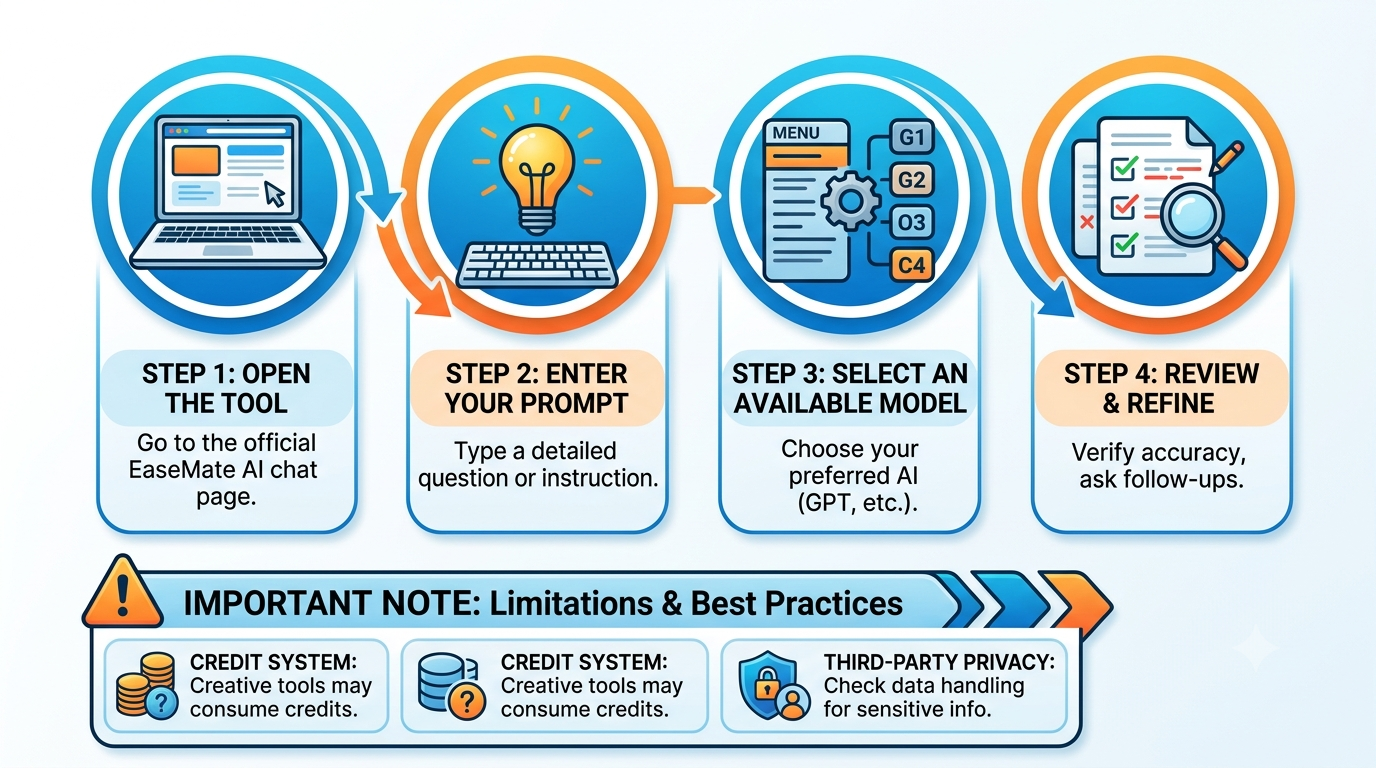
Getting started is straightforward.
Step 1: Open the EaseMate AI chat tool
Go to the EaseMate AI ChatGPT page and open the online chat interface.
Step 2: Enter your question
Type your question, instruction, or task into the chat box. The quality of the response will generally depend heavily on how clearly you describe what you want.
Specific prompts usually produce more useful results.
Step 3: Select an available model
EaseMate’s interface allows users to choose from available AI models depending on their access level. Its current ChatGPT page lists several GPT options, while the broader platform also promotes models from other AI providers.
Step 4: Review and refine the response
Do not automatically assume the first answer is correct. Ask follow up questions, request sources, provide additional context, or ask the model to correct specific sections.
This is particularly important for research, financial information, technical instructions, and other topics where accuracy matters.
What Can You Do With EaseMate AI ChatGPT Free?
EaseMate is broader than a basic chatbot. Its platform combines conversational AI with productivity and creative tools.
Writing and rewriting
You can use AI chat for:
- Blog outlines
- Drafting and editing
- Summaries
- Brainstorming
- Emails
- Social media ideas
- Rewriting and paraphrasing
- Translation
- General research assistance
EaseMate also provides separate AI writing and grammar tools as part of its wider platform.
Studying and homework
Students can use the platform for explanations, brainstorming, and problem solving. EaseMate offers dedicated mathematics, physics, chemistry, quiz, flashcard, and other study related tools.
For example, rather than asking an AI to simply provide the answer to a math problem, you can ask:
Explain how to solve this equation step by step and show where each formula comes from.
PDF and document assistance
One of EaseMate’s notable features is its document functionality. Its ChatPDF tool supports PDF, DOC, and PPT files and can be used to summarize documents, ask questions about their contents, and extract information.
This can be useful for students, researchers, and professionals working with long documents.
Multiple AI models
One of EaseMate’s biggest selling points is the ability to access different AI models from one platform.
That creates an interesting advantage for users who like comparing responses without constantly switching between different websites.
EaseMate AI vs Official ChatGPT
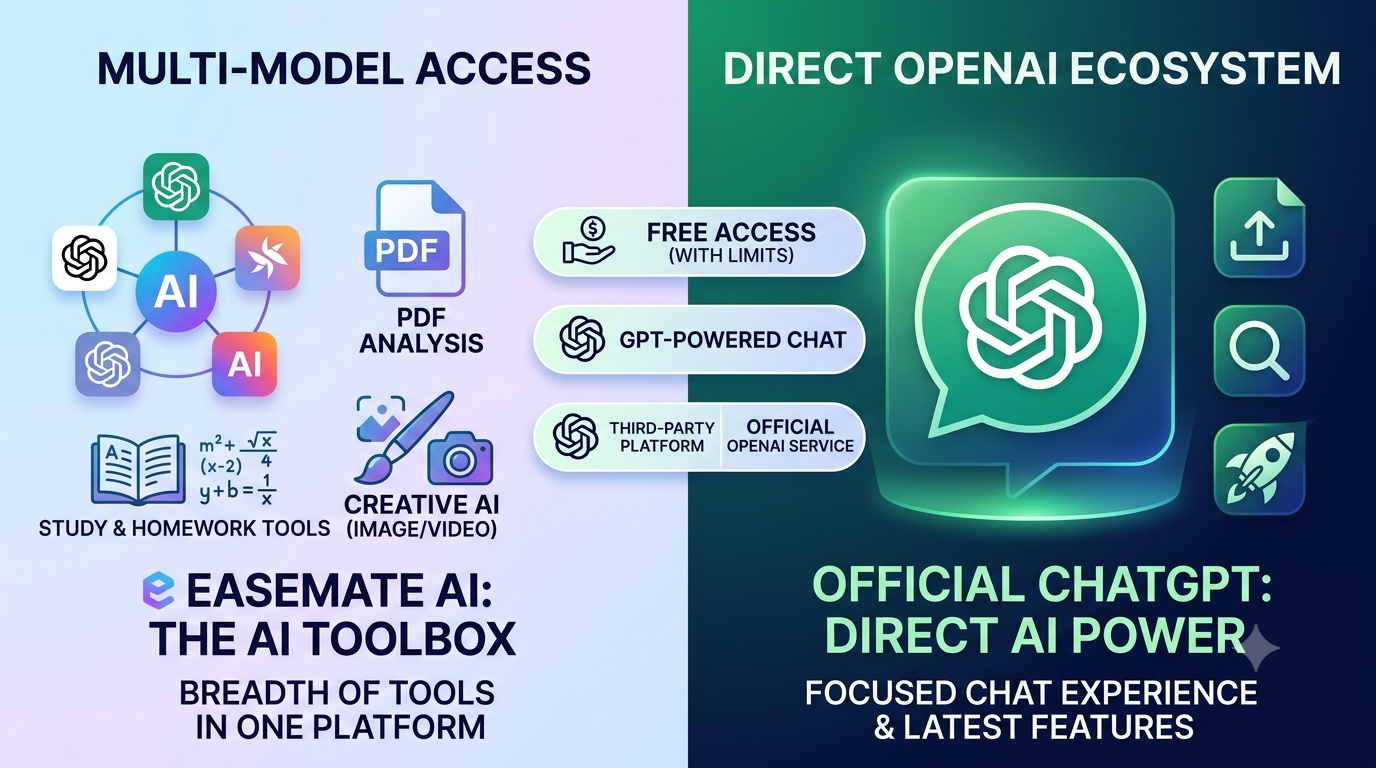
The biggest question for many users is whether they should use EaseMate or simply use ChatGPT directly.
| Feature | EaseMate AI | Official ChatGPT |
| Free access | Yes, with limitations | Yes |
| GPT-powered chat | Yes | Yes |
| Multiple AI providers | Yes | Primarily OpenAI models and ChatGPT features |
| Image tools | Available | Available |
| PDF/document tools | Available | Available |
| Study tools | Extensive dedicated tools | Available through ChatGPT features |
| Third-party platform | Yes | No |
| Official OpenAI service | No | Yes |
OpenAI currently provides a free ChatGPT tier with access to GPT 5.6 Luna, web search, file and image uploads, data analysis, image creation, GPTs, and other capabilities, although separate usage limits apply.
When official ChatGPT makes more sense
Official ChatGPT is the better option if you specifically want OpenAI’s own product, account ecosystem, current feature rollout, and direct support from OpenAI.
OpenAI confirms that ChatGPT is available on a free tier and that its capabilities and limits can change as models and plans are updated.
EaseMate AI’s Biggest Advantages
EaseMate’s strongest advantage is breadth.
Instead of positioning itself as only a chatbot, it brings several AI categories together.
1. Multiple AI models
You can compare different models within one ecosystem rather than opening several AI websites.
2. Productivity tools
The platform includes AI writing, translation, PDF analysis, OCR, math and science tools, and other productivity features.
3. Creative AI
EaseMate also offers image and video generation tools, making it more of an all in one AI workspace than a conventional chatbot.
4. Free entry point
You can explore the service without immediately committing to a paid subscription.
That makes it useful for people who want to test AI tools before deciding whether they need a premium plan.
What Are the Limitations?
EaseMate is not perfect and a good review should cover the drawbacks as well as the benefits.
Free access can be limited
The free tier does not provide unlimited access to every feature. EaseMate’s pricing structure uses credits and plans specific limits for different capabilities.
The credit system can be confusing
Independent testing from TechRadar found that EaseMate’s credit consumption could be unclear, particularly for creative generation. The review also reported that failed generations could still consume credits.
AI output still needs verification
This is not unique to EaseMate. AI models can produce incorrect information, misunderstand instructions, or confidently generate unsupported claims.
OpenAI itself warns that ChatGPT outputs can sometimes be inaccurate or misleading.
Therefore, EaseMate should be treated as an AI assistant, not an unquestionable authority.
Third party access is different from official access
When you use EaseMate to interact with an OpenAI model, you are using a third party interface rather than the official ChatGPT service.
That distinction is particularly important for people working with confidential business information, personal documents, or sensitive research.
Is EaseMate AI Safe to Use?
EaseMate states that it uses security measures to protect user information, but users should still exercise normal caution when uploading information to any third party AI platform.
Avoid entering highly sensitive information unless you have reviewed the platform’s current privacy policy and understand how your data is handled.
A useful rule is simple: if you would not normally upload a document to an unfamiliar online service, do not upload it to an AI platform without checking its privacy and security terms first.
EaseMate AI ChatGPT Free: Who Should Use It?
EaseMate is particularly interesting for people who want an AI toolbox rather than a single chatbot.
It may suit:
- Students who need AI chat, PDF analysis, study tools, and problem solving assistance.
- Content creators who want writing and creative AI tools together.
- Freelancers who frequently switch between research, writing, translation, and visual creation.
- AI enthusiasts who enjoy testing different models.
- Casual users who want to experiment with AI without immediately paying.
It may be less suitable for organizations that require strict enterprise controls, highly predictable model access, or specialized API level customization.
EaseMate AI ChatGPT Free vs Paid Plans
If you only need occasional AI conversations, starting with the free option makes sense.
If you regularly generate images, videos, or use multiple AI tools, the credit based paid plans become more relevant. EaseMate currently lists Lite and Pro subscriptions in addition to its Basic free plan, with different monthly credit allocations and feature access.
The best approach is to calculate your actual usage rather than choosing a plan based only on the advertised number of tools.
For example, someone who only asks 10 questions a day may have little reason to pay. A creator generating large numbers of images and videos may use credits much faster.
Is EaseMate AI Better Than ChatGPT?
Not universally. It depends on what you need.
If you want a broad collection of AI models and creative or study utilities in one place, EaseMate has a compelling advantage.
If you want the official OpenAI ChatGPT experience, direct access to OpenAI’s evolving features, and the current ChatGPT ecosystem, use official ChatGPT.
The important thing is not to confuse the two. EaseMate can provide access to GPT powered functionality, but EaseMate AI and ChatGPT are separate services.
Key Takeaways
- EaseMate AI ChatGPT Free is a third party AI chat service, not the official OpenAI ChatGPT website.
- It offers free AI chat access, although model availability and usage limits can vary.
- Some advanced GPT models may require signing in or may be subject to plan restrictions.
- EaseMate’s major advantage is its combination of AI chat, study, document, image, and video tools.
- Its credit system can make advanced creative usage less straightforward.
- Official ChatGPT also has a free tier, so users should compare both options before choosing.
- Do not upload confidential information without understanding the platform’s current privacy practices.
- AI generated answers should always be checked when accuracy is important.
Conclusion
EaseMate AI ChatGPT Free is worth considering if you want a different way to experiment with GPT powered chat with other AI tools. Its strength is not simply free AI chat, it is the broader collection of models and productivity, study, image, video, and document tools available through one platform.
At the same time, users should understand the difference between EaseMate and official ChatGPT. Free access does not necessarily mean unlimited access to every model, and the platform’s credit system matters if you use resource-intensive creative features.
At Openaihit, our recommendation is not to choose an AI editor simply because someone calls it the best. Take one of your real images, run the same editing prompts through two or three tools, and compare what happens to the details you actually care about.
The winner is the tool that changes what you asked it to change and leaves everything else alone.
FAQs
Is EaseMate AI ChatGPT Free really free?
Yes. EaseMate offers a free tier and free AI chat functionality. However, some models, tools, and higher volume usage can be limited by account status, credits, or subscription level.
Can I use EaseMate AI without signing up?
EaseMate’s dedicated free chat page says users can begin chatting without an account. However, signing in may be required to unlock certain advanced models and features.
Is EaseMate AI the same as ChatGPT?
No. EaseMate AI is a separate third party platform that provides access to various AI models, including GPT models. ChatGPT is OpenAI’s own AI service.
Can I use GPT models for free on EaseMate AI?
EaseMate currently advertises free access to several GPT models, although access can vary by model and account status. Its free chat page currently lists GPT 5, GPT 4 mini, GPT 4.1 mini, and o4 mini among available models.
Is EaseMate AI better than free ChatGPT?
It depends on your needs. EaseMate is appealing if you want multiple AI providers and specialized tools in one platform. Official ChatGPT is preferable if you specifically want OpenAI’s own service and ecosystem.
Can I use EaseMate AI for studying?
Yes. EaseMate provides study oriented tools for mathematics, physics, chemistry, quizzes, flashcards, document analysis, and research related tasks.