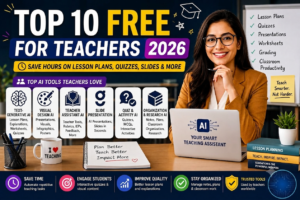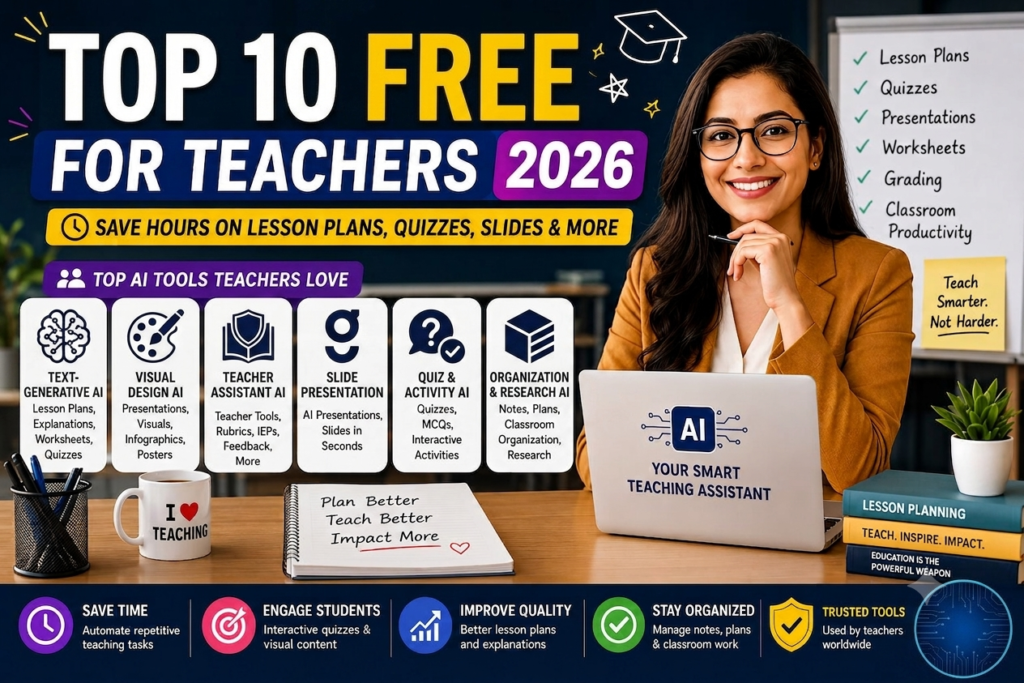
Teaching has always been a profession driven by passion, but administrative tasks often consume more time than actual instruction. Between drafting daily lesson plans, creating differentiated reading materials for mixed-ability classrooms, grading stacks of essays, and filling out compliance forms, educators frequently work double-digit unpaid overtime hours every week.
In 2026, educational technology has reached a pivotal turning point. Purpose-built free AI tools for teachers are helping educators reclaim their evenings by transforming tedious administrative prep into a fast, automated process. Utilizing dedicated AI lesson planning tools free of charge allows teachers to shift their energy away from paperwork and back toward inspiring students.
This comprehensive guide evaluates the best free ai tools for teachers 2026 has to offer, analyzing how these platforms streamline lesson generation, simplify student assessment, and support classroom differentiation safely.
AI Overview & Key Educational Takeaways
Classroom-focused artificial intelligence automates repetitive prep work while giving educators complete control over final instructional outputs.
-
drastic Prep Reduction: Specialized teacher platforms generate standards-aligned unit plans, daily rubrics, and differentiated worksheets in under 30 seconds.
-
Instant Text Leveling: AI differentiation tools instantly rewrite complex articles across multiple reading levels while preserving core vocabulary and lesson concepts.
-
Streamlined Written Feedback: Chrome extension assistants allow teachers to provide detailed, criterion-based essay feedback inside Google Docs.
-
Safe Student Engagement: Student-facing AI sandboxes enable interactive learning with real-time teacher oversight and strict safety guardrails.
-
Student Data Protection: Leading educational AI engines adhere strictly to FERPA, COPPA, and SOC 2 data privacy frameworks.
-
Human-in-the-Loop Pedagogy: AI handles initial drafting and data extraction, leaving final professional judgment and personal connection to human educators.
Executive Comparison: Top Free AI Tools for Educators
| Platform | Best For | Standout Capability | Supported Grade Levels | Free Plan Allowance |
| MagicSchool AI | Comprehensive Lesson Planning | 80+ specialized teacher tools & IEP generation | K-12 & Higher Ed | Generous Free Core |
| Brisk Teaching | Essay Feedback & Grading | Works directly inside Google Docs & Slides | Grades 3-12 | Free Educator Plan |
| Diffit | Differentiated Reading | Adapts any URL or PDF to target Lexile levels | K-12 | Free Leveled Outputs |
| Curipod | Interactive Slide Presentations | Auto-generates slides with live student polls | K-12 | Free Core Lessons |
| Google NotebookLM | Source-Grounded Unit Research | Analyzes uploaded curriculum PDFs & textbooks | High School & College | Completely Free |
| EasyClass AI | Quick Worksheet Creation | Generates printable graphic organizers & quizzes | K-8 | Generous Free Tier |
Specialized Breakdown: Best AI Tools by Classroom Need
+--------------------------------------------------------------------+
|                  THE DIFFERENTIATION ENGINE                        |
|                                                                    |
| [Complex Source Article / PDF] ---> [Diffit Lexile Engine]         |
|                                         |                          |
|                                         v                          |
| [Grade 4 Reading]  <--- [Grade 8 Reading] ---> [Grade 11 Reading]  |
| + Vocab Lists           + Quiz Questions       + Graphic Organizers|
+--------------------------------------------------------------------+
Category A: Lesson Planning, Curriculum Design & Unit Prep
1. MagicSchool AI: The All-in-One Instructional Co-Pilot
MagicSchool AI remains one of the most widely used platforms in education. Designed explicitly for classroom workflows, it houses over 80 purpose-built tools that handle everything from writing standards-aligned unit plans to drafting IEP accommodations.
-
Key Capabilities: Generates detailed lesson plans, custom rubrics, math word problems, parent communication emails, and accommodations for English Language Learners (ELL).
-
Why It Stands Out: Built-in alignment with state standards and complete FERPA compliance make it classroom-ready.
-
Best For: Teachers seeking comprehensive AI lesson planning tools free of multi-tool clutter.
2. Google NotebookLM: Grounded Curriculum Analysis
Unlike general chatbots that pull information from across the web, Google NotebookLM operates strictly on the source documents you upload (such as curriculum guidelines, chapter PDFs, or historical primary sources).
-
Key Capabilities: Summarizes dense textbooks, extracts key historical themes, and generates study guides grounded entirely in verified teacher materials.
-
Best For: Secondary and AP teachers who need hallucination-free research notes based on approved textbooks.
Category B: Automated Grading, Feedback & Assessment
3. Brisk Teaching: Seamless In-Doc Grading Assistance
Brisk Teaching operates as a lightweight Chrome extension that integrates directly into Google Docs, Google Slides, and Google Classroom. Instead of forcing you to copy and paste student work into an external website, Brisk analyzes essays right on your screen.
                     BRISK FEEDBACK WORKFLOW

  [Student Essay in Google Docs] ---> [Brisk Chrome Extension]
                                              |
                                              v
  [Constructive Inline Comments] <--- [Rubric-Based Analysis]
-
Key Capabilities: Inspects student revision histories to detect copy-paste behavior, drafts targeted inline comments based on custom rubrics, and adjusts text difficulty instantly.
-
Best For: English, History, and Science teachers managing high volumes of written student essays.
4. EasyClass AI: Instant Printable Worksheets & Quizzes
EasyClass AI focuses on removing friction from daily resource generation, offering quick tools to build printable assets for immediate classroom distribution.
-
Key Capabilities: Creates multiple-choice quizzes, fill-in-the-blank practice sheets, matching games, and graphic organizers in seconds.
-
Best For: Elementary and middle school educators who need quick paper-based classroom materials.
Category C: Content Differentiation & Interactive Engagement
5. Diffit: Instant Multi-Level Reading Adaptation
Differentiation is essential for mixed-ability classrooms, but manually rewriting reading materials for different Lexile levels takes hours. Diffit solves this challenge by adapting any text, topic, or web link into multiple reading levels instantly.
-
Key Capabilities: Takes a single news article or PDF and renders version options for 3rd, 6th, and 9th-grade reading levels alongside vocabulary lists, summary points, and comprehension checks.
-
Best For: Inclusive classrooms, special education teachers, and ELL specialists who need accessible reading materials.
6. Curipod: Interactive AI-Powered Slide Decks
Curipod transforms traditional lecture slides into interactive student participation experiences.
-
Key Capabilities: Takes a topic prompt (such as “The Water Cycle for 5th Graders”) and generates a full slide deck embedded with live polls, drawing prompts, reflection questions, and word clouds.
-
Best For: Increasing active student engagement during whole-class instruction.
Implementation Framework: The 3-Step Educator Workflow
To maximize time savings while keeping human teaching expertise at the center, follow this simple implementation framework:
  [STEP 1: AI First Draft]      ---->   [STEP 2: Human Polish]      ---->   [STEP 3: Classroom Delivery]
  - Generate lesson outline              - Verify accuracy & tone            - Print or project materials
  - Level reading passages               - Adapt for student needs           - Facilitate student learning
  - Draft initial rubric                 - Add personal touch                - Build personal connections
-
Step 1: Automated Initial Draft
Use specialized engines like MagicSchool or Diffit to generate baseline lesson plans, reading passages, and graphic organizers.
-
Step 2: Pedagogical Review & Personalization
Review generated outputs through your professional lens. Adjust pacing, verify factual accuracy, insert local curriculum nuances, and ensure appropriate scaffolding.
-
Step 3: Seamless Integration
Export finalized materials directly into Google Classroom, Canvas, or printable PDFs for immediate student use.
Safety & Compliance: Student Data Privacy Checklist
When using free AI tools for teachers, safeguarding student privacy is a legal and professional necessity. Always evaluate software using this security checklist before entering classroom data:
-
FERPA & COPPA Compliance: Ensure the platform explicitly states adherence to Family Educational Rights and Privacy Act standards.
-
Zero Personally Identifiable Information (PII): Never enter student full names, identification numbers, addresses, or medical details into AI prompts.
-
No Model Training on Student Data: Verify that the platform’s terms of service prohibit using uploaded student work to train public AI models.
-
District Approval Alignment: Confirm that web tools match your school district’s technology usage policies and approved software lists.
Conclusion
Integrating specialized free AI tools for teachers is the single most effective way for educators to reduce burnout and streamline administrative prep in 2026. Platforms like MagicSchool AI handle broad lesson design, Diffit solves reading differentiation, and Brisk Teaching accelerates written feedback inside Google Docs.
By pairing these classroom-safe AI platforms with human pedagogical expertise, teachers can save hours of weekly administrative work while delivering personalized learning experiences.
For more deep-dive software comparisons, educational technology breakdowns, and productivity workflows, visit OpenAIHit.
FAQs
Are these AI tools completely free for teachers to use?
Yes, all platforms listed in this guide offer generous free-forever plans or dedicated free tiers designed specifically for individual educators. While some offer paid district-wide upgrades, their core planning and resource generation features remain accessible at no cost.
Will using AI for lesson planning decrease teaching quality?
No, when used responsibly, AI improves instructional quality by acting as a fast drafting co-pilot. It handles tedious formatting and resource building, freeing up energy for teachers to focus on dynamic facilitation, individual student support, and creative instruction.
Can AI grading tools evaluate essays accurately?
Tools like Brisk Teaching provide criteria-based feedback aligned with custom rubrics. They serve as an initial review assistant by identifying grammar issues, structural gaps, and evidence strength, though final grades remain under human teacher control.
How do AI differentiation tools help mixed-ability classrooms?
Platforms like Diffit instantly adapt source texts across multiple Lexile reading levels while preserving core concepts, vocabulary, and standards alignment. This allows every student to engage with the same topic at their appropriate reading level.