
Researching information from PDF files can take a lot of time. Students, researchers, content writers, business owners, and professionals often work with long reports, academic papers, eBooks, and business documents. Reading every page, finding important details, and preparing a clear summary can be difficult.
This is where AI tools for PDF research become useful. These tools help users understand long PDF documents, find important information, extract key points, and turn complex content into simple research summaries and professional briefs. Instead of spending hours reading documents manually, you can use AI to complete many research tasks in less time.
Whether you need to summarize academic papers, analyze business reports, compare multiple PDF files, or prepare research notes, the right AI tool can make your work easier.
In this article, we will explore the 10 best AI tools for turning PDFs into research summaries and briefs. We will explain their main features, benefits, and how they can help you improve your research workflow.
AI Overview
AI tools for PDF research use artificial intelligence to read, understand, and summarize information from PDF documents. They can identify important points, answer questions, extract useful details, and create organized research briefs. Popular options include ChatPDF, Adobe Acrobat AI Assistant, ChatGPT, Claude, NotebookLM, Humata AI, AskYourPDF, UPDF AI, Smallpdf AI, and SciSpace. These tools help students, researchers, and professionals save time and understand complex documents more easily.
Key Takeaways
- AI PDF tools help summarize long documents in less time.
- They can extract important information from research papers and reports.
- Some tools allow users to ask questions directly about PDF content.
- AI-generated briefs make complex information easier to understand.
- Comparing multiple PDFs can help identify similarities and differences.
- Always check important facts and references against the original document.
10 Best AI Tools for Turning PDFs Into Research Summaries and Briefs
1. Google NotebookLM

Google NotebookLM is one of the most useful tools for people who need to understand information from multiple PDF documents. It helps users upload research papers, reports, and other documents and ask questions about their content.
Instead of reading every page, you can ask NotebookLM to explain the main ideas, identify important findings, and prepare organized research notes.
Key Features:
- Summarizes long PDF documents into shorter notes.
- Answers questions using uploaded research sources.
- Helps compare information from different documents.
- Creates study guides and research briefings.
- Provides source references to help users check information.
Why Use It?
NotebookLM is especially useful for students, academic researchers, and content writers who work with multiple documents. It helps organize research and makes complicated information easier to understand.
2. ChatGPT

ChatGPT is a flexible AI assistant that can help turn PDF files into clear research summaries and professional briefs. Users can upload supported PDF documents and ask the tool to explain, summarize, or organize the information.
It is useful when you need more than a basic summary. For example, you can ask ChatGPT to turn a research paper into key findings, create a report outline, or explain difficult information in easy English.
Key Features:
- Summarizes PDF documents into simple language.
- Extracts important points and research findings.
- Creates structured reports and research briefs.
- Answers questions about uploaded documents.
- Rewrites complex information into reader-friendly content.
Why Use It?
ChatGPT is a good choice for people who want one tool for different research tasks. You can use it to understand documents, organize information, and prepare content for presentations, reports, and articles.
3. Claude

Claude is a helpful AI tool for analyzing long and detailed PDF documents. It can help users understand complicated research papers, business reports, technical documents, and other files.
One useful feature is its ability to explain difficult information in a clear way. You can upload a document and ask Claude to identify its main arguments, important findings, limitations, and conclusions.
Key Features:
- Analyzes long and detailed PDF documents.
- Creates clear summaries of complex information.
- Identifies important research findings.
- Helps organize information into professional briefs.
- Explains technical topics in simple words.
Why Use It?
Claude is a strong option for researchers and professionals who work with detailed documents. It can help turn large amounts of information into organized summaries without losing the main ideas. It is also useful for reviewing long reports and understanding complicated topics.
4. Adobe Acrobat AI Assistant

Adobe Acrobat AI Assistant helps users understand and work with PDF documents directly inside the Acrobat environment. It is useful for people who regularly read, edit, and manage PDF files.
The tool can generate summaries, answer questions, and help users find important details without searching through every page manually.
Key Features:
- Creates summaries of PDF documents.
- Helps find important information quickly.
- Answers questions about document content.
- Supports document-related research tasks.
- Helps organize key points and action items.
Why Use It?
Adobe Acrobat AI Assistant is a practical choice for business professionals, office workers, and researchers who already use Acrobat. It combines PDF management with AI-powered document analysis, making everyday document work more convenient.
5. ChatPDF
ChatPDF is designed to make reading and understanding PDF files easier. It allows users to upload a document and ask questions about its content through a simple chat interface.
For example, if you upload a research paper, you can ask about its main purpose, research methods, results, and conclusions. The tool can provide answers without requiring you to read the complete document first.
Key Features:
- Allows users to chat with PDF documents.
- Creates quick summaries of uploaded files.
- Finds important details from research papers.
- Answers questions about document content.
- Helps users understand complex information.
Why Use It?
ChatPDF is a good option for people who need quick answers from individual PDF files. Students can use it to understand study materials, while researchers can use it to review papers and prepare research notes.
6. AskYourPDF
AskYourPDF is an AI-powered document assistant that helps users interact with PDF files and extract useful information. It makes document research easier by allowing users to ask questions and receive answers based on their uploaded content.
It can help turn lengthy documents into organized research notes. You can also use it to find specific information instead of searching through pages manually.
Key Features:
- Extracts important information from PDF files.
- Creates summaries of long documents.
- Answers questions about uploaded files.
- Supports document-based research workflows.
- Helps organize information for reports and briefs.
Why Use It?
AskYourPDF is useful for students, writers, and professionals who regularly work with research documents. It can reduce the time spent searching for information and help users prepare clear summaries from their files.
7. Humata AI
Humata AI is a document analysis tool that helps users understand large PDF files and find important information. It allows users to ask questions about documents and receive answers based on the uploaded content.
This tool can be helpful when working with academic papers, business reports, technical documents, and research materials.
Key Features:
- Summarizes lengthy PDF documents.
- Answers questions using document information.
- Helps extract important research points.
- Supports document analysis and information discovery.
- Makes complex content easier to understand.
Why Use It?
Humata AI is a useful option for researchers and teams that need to work with large amounts of document information. It can help users review reports, understand important findings, and prepare research briefs more efficiently.
8. SciSpace
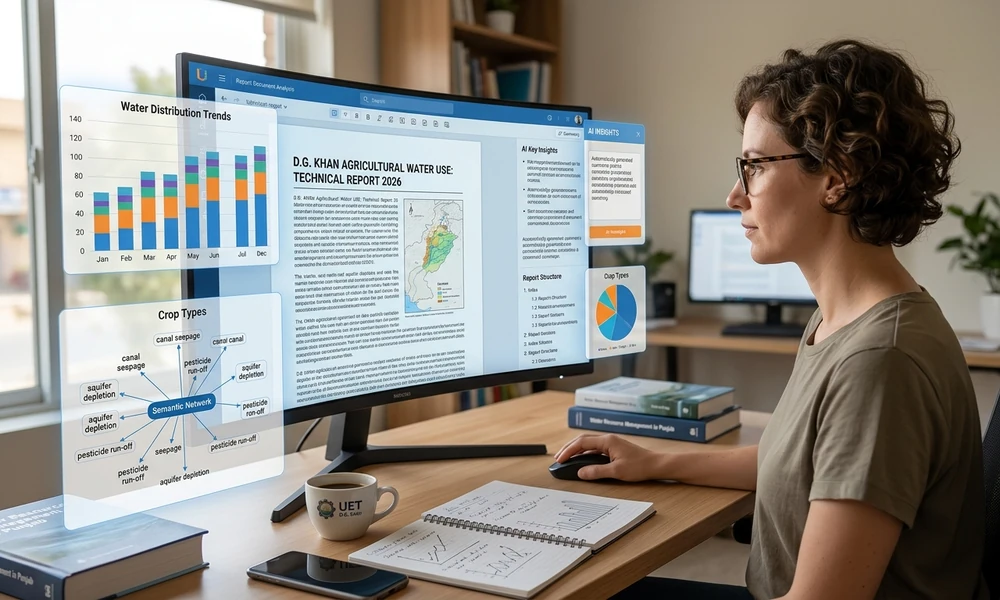
SciSpace is an AI-powered research platform that helps users read and understand academic papers. It is especially useful for people who work with scientific studies, journal articles, and technical research documents.
Academic papers often contain difficult terms, complex methods, and detailed findings. SciSpace helps explain these sections in simpler language so readers can understand the research more easily.
Key Features:
- Helps explain academic research papers.
- Summarizes scientific documents.
- Makes difficult research terms easier to understand.
- Helps users explore research findings.
- Supports literature review and research workflows.
Why Use It?
SciSpace is a good choice for university students, academic writers, and researchers. It helps users understand scientific information and prepare useful research notes without spending too much time on complicated explanations.
9. Smallpdf
Smallpdf is an online PDF platform that offers different tools for managing and working with documents. Its AI features can help users summarize PDF files and understand important information more quickly.
It is useful for people who want a simple way to handle everyday PDF tasks without installing complicated software.
Key Features:
- Summarizes PDF documents.
- Helps identify important information.
- Offers tools for converting and editing PDFs.
- Supports document-related AI tasks.
- Provides an easy-to-use online interface.
Why Use It?
Smallpdf is suitable for students, office workers, and business professionals who regularly manage PDF files. It is especially helpful when you need to summarize a document and perform other PDF tasks in one place.
10. UPDF AI
UPDF AI combines PDF reading, document editing, and AI-powered analysis features. It helps users understand documents, create summaries, and find important information from their PDF files.
Users can interact with documents through AI features and use the wider PDF software to manage their files.
Key Features:
- Summarizes PDF documents.
- Helps explain difficult information.
- Answers questions about document content.
- Offers PDF editing and organization features.
- Supports research and document management tasks.
Why Use It?
UPDF AI is a useful choice for people who want PDF editing and AI research features together. It can help students and professionals understand documents, collect important points, and prepare organized research materials.
Comparison Table of the 10 Best AI Tools for PDF Research
| AI Tool | Best For | Main Benefit |
| Google NotebookLM | Multiple research PDFs | Source-based research |
| ChatGPT | General PDF research | Flexible summaries |
| Claude | Long documents | Detailed analysis |
| Adobe Acrobat AI | Business documents | PDF and AI features |
| ChatPDF | Single PDF files | Quick answers |
| AskYourPDF | Document research | Information extraction |
| Humata AI | Large document collections | Document analysis |
| SciSpace | Academic papers | Research explanations |
| Smallpdf | Everyday PDF tasks | Simple PDF management |
| UPDF AI | PDF editing and research | All-in-one workflow |
1. PDF Research AI
PDF research AI refers to artificial intelligence tools that help users collect, understand, and organize information from PDF documents. These tools can identify important findings, answer questions, and prepare research notes.
For example, a researcher can upload several academic papers and ask an AI tool to find common topics or explain the main findings. This makes document research faster and more organized.
2. AI PDF Summarizer

An AI PDF summarizer is a tool that converts long PDF documents into shorter and easier summaries. It identifies the main ideas, important details, and key findings while removing unnecessary information.
Students can use it for study notes, while professionals can use it to understand long business reports without reading every page.
3. PDF Analysis Tools

PDF analysis tools help users examine documents and find specific information. They can extract important points, compare information, explain complex sections, and organize document data. Similarly, AI tools for LinkedIn content can help transform research findings into engaging professional posts and share valuable insights with a wider audience.
These tools are useful for business reports, research papers, technical documents, and other files that contain large amounts of information.
Frequently Asked Questions (FAQs)
1. What are the best AI tools for PDF research?
Some of the best options include Google NotebookLM, ChatGPT, Claude, Adobe Acrobat AI Assistant, ChatPDF, and AskYourPDF. They help users summarize documents, extract information, and prepare research briefs.
2. Can AI summarize a long PDF document?
Yes. Many AI tools can summarize long PDF documents by identifying their main ideas, important findings, and conclusions. However, file size and usage limits depend on the platform.
3. What is the best free AI PDF summarizer?
Google NotebookLM is a useful option for source-based research, while ChatPDF and other platforms offer free access with certain limits. Check their current plans before choosing one.
4. Can AI tools analyze multiple PDF files at once?
Yes. Some AI platforms allow users to upload multiple documents and compare their information. This can help researchers identify common findings and differences between studies.
5. Are AI PDF research tools accurate?
AI PDF tools can provide useful summaries and answers, but they are not always completely accurate. Users should verify important facts, statistics, and references using the original documents.
6. Can I use AI to create a research brief from a PDF?
Yes. You can upload a PDF and ask an AI tool to create a brief containing the research purpose, main findings, important statistics, conclusions, and recommendations.
Conclusion
AI tools have made PDF research easier, faster, and more organized. Instead of spending hours reading lengthy documents, users can now summarize reports, extract important findings, ask questions, and prepare research briefs with the help of artificial intelligence.
Tools like Google NotebookLM, ChatGPT, Claude, Adobe Acrobat AI Assistant, and ChatPDF offer different ways to work with PDF documents. Some are better for academic research, while others are useful for business reports, quick summaries, and everyday document management.
The best AI tools for PDF research depend on your goals, document size, and the type of information you need. Choose a tool that matches your workflow, check its answers against the original documents, and explore useful Claude prompts for writing to improve how you organize ideas and develop research-based content. Use AI to make your research more productive.