Graphic design is everywhere, from logos, social media posts, websites, posters, and even advertisements. In the past, only skilled designers with years of training could create professional designs. But today, thanks to technology, anyone can make stunning visuals. The secret? Using an AI tool for graphic design.
These tools leverage artificial intelligence to help you design faster, smarter, and, in some cases, even better than before. In fact, the best part is that many of them are easy to use, even if you have never designed anything before. Moreover, they open up creative possibilities for beginners and professionals alike.
In this article, therefore, we’ll explore the top AI tools for graphic design, discuss their benefits and limitations, and examine how they are shaping the future of creativity.
What is Graphic Design and How AI is Changing It?
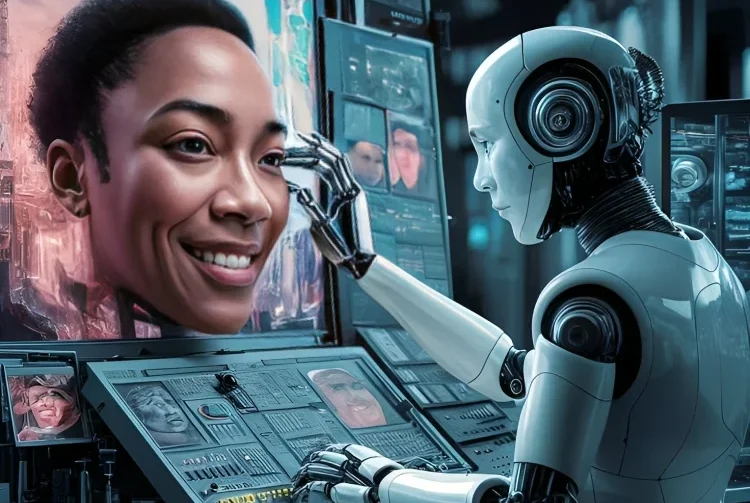
Graphic design means creating visual content to communicate ideas. Traditionally, designers used tools like Photoshop, Illustrator, or CorelDRAW, which required lots of training and practice.
Now, AI is changing the game. AI tools for graphic design can:
- Turn text into images.
- Suggest color combinations.
- Create ready-made templates.
- Automate editing tasks like removing backgrounds.
In short, AI has made graphic design faster, easier, and more accessible for everyone.
Benefits of Using AI in Graphic Design
Why are so many people switching to AI-powered design apps? There are several compelling reasons:
-
Saves Time: First of all, AI tools generate designs in seconds, reducing hours of manual work.
-
Easy for Beginners: Moreover, even if you’ve never designed before, AI gives you ready-made options.
-
Affordable: In addition, many AI design tools are free or cheaper than hiring a professional.
-
Consistent Quality: Furthermore, AI maintains proper sizing, alignment, and professional standards.
-
Creative Boost: Finally, these tools suggest unique ideas and layouts you may not think of yourself.
Altogether, for students, startups, and freelancers, these benefits are truly game-changing. Consequently, it’s no surprise that AI-powered design apps are rapidly gaining popularity.
Popular AI Tools for Graphic Design

Here are some of the most widely used AI-powered tools in 2025:
- Canva AI: Offers smart design suggestions, text-to-image features, and thousands of templates.
- Adobe Firefly: Adobe’s AI tool for generating art, images, and effects.
- Fotor AI: Great for editing, enhancing photos, and creating quick designs.
- Designify: Focused on automatic background removal and product photo design.
- Looka: Helps create AI-generated logos and brand kits.
Each of these tools brings unique features that can fit different needs, from logos to social media posts.
Firefly in particular supports advanced marketing workflows, including banner design with top Adobe tools, making brand consistency easier.
Free AI Graphic Design Tools You Can Try
If you’re just starting, there’s no need to spend money. In fact, some of the best free AI design tools are:
-
Canva Free Plan: First of all, it includes AI text-to-image features and free templates.
-
Fotor AI Free Features: Moreover, it allows background removal and photo touch-ups.
-
DALL·E (by OpenAI): Finally, it lets you create images from text prompts using free credits.
Altogether, these tools are perfect for beginners who want to test how AI can improve their creativity. Consequently, you can experiment and learn without any financial risk.
Paid AI Design Tools Worth Investing In
Once you grow more serious about design, you might want advanced features. Paid tools give more freedom and better quality.
- Adobe Creative Cloud with AI Features: The professional standard for designers.
- MidJourney: Creates artistic and detailed illustrations from text.
- Runway ML: Helps generate videos and creative visuals with AI.
For professionals, these tools are worth the investment because they provide high-quality results.
How AI Graphic Design Tools Work (Explained Simply)

You might wonder, how does AI actually make designs? Here’s the simple answer:
- Text-to-Image: You type what you want, and AI creates it. Example: “A modern logo for a coffee shop.”
- Smart Templates: AI suggests layouts, colors, and fonts that match your style.
- Automation: Removing backgrounds, resizing, or fixing images happens with one click.
In other words, AI does the heavy work so you can focus on creativity.
Skills You Still Need Even with AI
AI is powerful, but it doesn’t replace human creativity. To make your designs stand out, you still need:
- A sense of creativity and imagination.
- Understanding of colors and branding.
- Ability to edit and improve AI-generated results.
Think of AI as your assistant; it helps, but you are the director.
Limitations of AI Graphic Design Tools
Of course, no tool is perfect. Here are some drawbacks of AI-based design apps:
- Designs may look too similar if many people use the same tool.
- Free versions often have watermarks or limited features.
- AI sometimes misunderstands prompts, creating random or funny results.
That’s why human creativity is still important. An AI tool for graphic design helps, but designers still add the final touch.
Future of Graphic Design with AI
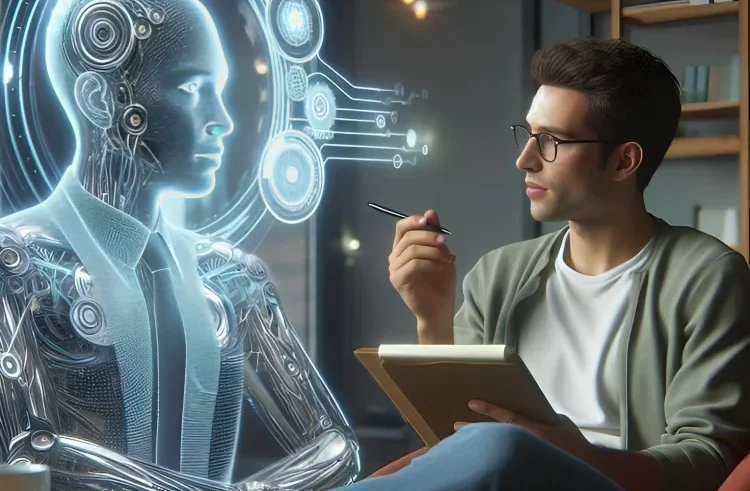
The future looks exciting. Indeed, experts believe AI will continue to improve and eventually become a standard tool for every designer.
-
First of all, collaboration between AI and humans will create unique results.
-
In addition, more personalized templates will be available.
-
Moreover, design will become faster and cheaper, opening doors for small businesses worldwide.
Therefore, in the next 5–10 years, AI won’t replace designers; instead, it will empower them. Ultimately, the combination of human creativity and AI technology will redefine the world of design.
Tips for Choosing the Right AI Tool for Your Work
With so many choices, here’s how to select the right one:
- Define Your Need: Logos, posters, or full brand kits?
- Test Free Plans: Start with free features before paying.
- Check Usability: Choose a tool that is simple and beginner-friendly.
- Look at Reviews: See what other users are saying about quality.
This way, you get the most value without wasting time.
Conclusion
AI tools for graphic design are truly transforming the creative world. From free apps like Canva and Fotor to professional tools such as Adobe Firefly and MidJourney,
there’s something for everyone. In addition, these tools save time, make design easy for beginners, and allow businesses to create professional visuals without hiring expensive designers.
However, it’s important to remember that AI is just a tool. Your creativity and vision, moreover, are what make designs truly stand out. By combining AI technology with your personal touch, you can create graphics that not only look professional but also connect with people.
Ultimately, the best results come from the synergy of human creativity and AI assistance.
FAQs About AI Tools For Graphic Design
- What is the best free AI tool for graphic design?
Canva AI and Fotor are the most popular free options. - Can AI make logos?
Yes, tools like Looka and Canva can generate logos automatically. - Is AI replacing human designers?
No, AI assists with design, but human creativity is still essential. - Do I need design skills to use AI apps?
Not at all, AI tools for graphic design are built for beginners. - Which AI tool is best for professionals?
Adobe Firefly and MidJourney are top choices for advanced users.